By JunieUpdated on January 28, 2026
📢 Summary:
Is Disney Plus free with Amazon Prime right now? This guide clears up the answer and helps you save money. Even though the deal has ended, there are still ways to enjoy Disney Plus and Amazon Prime for free with trials and a helpful third-party tool. Keep reading to watch your favorite shows without spending more!
In 2021, Amazon Prime had a deal that let new users get Disney Plus free with Amazon Prime by joining a 6-month Amazon Music Unlimited plan. This offer wasn't available in the UK, Canada, and some other regions, and it has now ended. So, is Disney Plus free with Amazon Prime today? The answer is no, you need to pay for both separately.
But don't worry! Even though the Disney Plus free with Amazon Prime deal is over, there are still a few ways to try both for free. In this guide, we'll show you 5 ways to get Disney Plus and Amazon Prime for free and cut your streaming costs.
🥰 You May Also Like:
Method 1. Try the Free Trial
Most streaming platforms offer free trials to encourage new users to sign up. If you're new to Amazon Prime or planning to create a new account, you can enjoy their free trial benefits.
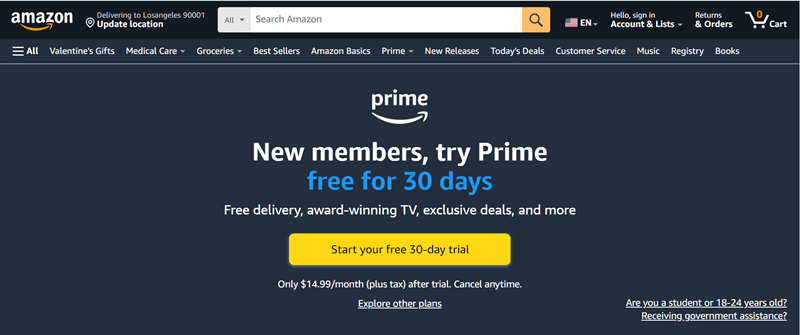
Amazon Prime gives first-time users a 30-day free trial. During this period, you can watch Prime Video and even download shows to your computer for free. Just remember to cancel before the trial ends if you don't want to be charged.
Unfortunately, Disney Plus no longer offers a free trial. Its 7-day trial was discontinued in 2021, so you'll need to subscribe right away if you want to watch or download content offline.
Method 2. Share Accounts with Family or Friends
If someone in your family or friend circle already pays for a family plan on these streaming services, you can simply join their account and access everything for free. They just need to add you to their shared plan, and you'll get the same subscriber benefits without spending anything.
Another option is to check social media or community groups where people share or exchange streaming accounts. Some users may lend or rent out access, and you can offer other services or trades in return. Many people use this method to share subscription-based platforms like Disney Plus and Amazon Prime.
Method 3. Get Free Deals from Mobile Providers
Some mobile carriers bundle streaming services like Amazon Prime and Disney Plus with their plans to attract new customers. If you sign up for one of these deals, you may get these streaming services for free. Here are a few examples:
Amazon Prime promotions:
- With a free wireless plan from TruConnect, you get 2 months of Amazon Prime at no cost.
- T-Mobile's Metro Flex Plus plan includes Amazon Prime membership with an unlimited plan.
Disney Plus promotions:
- Verizon offers new subscribers up to 6 months of Disney Plus.
- O2 mobile plans also include up to 6 months of Disney Plus for new users.
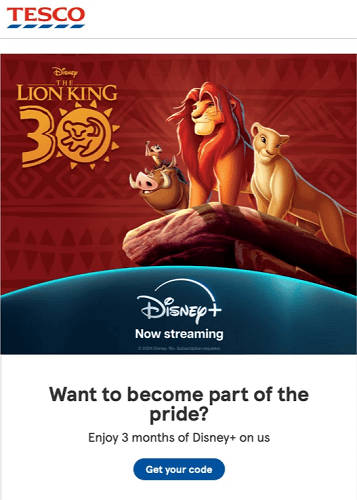
- Tesco Mobile gives a 3-month Disney Plus free trial to new customers.
- Buying Xbox Game Pass Ultimate grants a 30-day Disney Plus trial upon signup.
Method 4. Use Gift Cards or Reward Offers
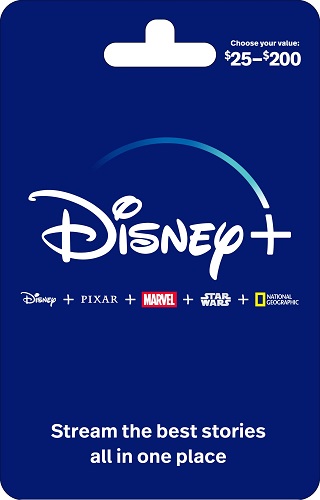
Some streaming services, like Disney Plus, offer gift cards that you can use to redeem a subscription. If you receive one, just activate it to enjoy Disney Plus without paying.
Amazon Prime doesn't provide gift cards for Prime Video. Instead, you may get a free trial when you shop on Amazon or use payment options like the Amazon Prime Rewards Visa Card or the Amazon Store Card. Your trial can be activated right away and used instantly.
Method 5. Take Advantage of Member Benefits
Both Amazon and Disney provide special benefits to their employees and members. For example, Disney workers at Disneyland or Walt Disney World get a free Disney Plus Bundle as part of their perks. And if you're already an Amazon Prime member, Prime Video is included at no extra cost. So make sure to take advantage of these benefits and enjoy both services for free!
Bonus: Download Disney Plus and Amazon Prime Videos to Watch Offline During the Free Trial [Hot]
No matter how you get Disney Plus and Amazon Prime Video for free, always keep an eye on the trial end date so you don't get charged by auto-renewal. While enjoying the free trial, here's a smart tip to make the most of it: use iMovieTool All-in-One Video Downloader to download and save your favorite shows and movies before the trial expires. This way, you can keep watching even after the free period ends.
iMovieTool All-in-One Video Downloader supports major streaming platforms like Amazon Prime, Disney+ and Netflix, and offers easy batch downloads in HD MP4 or MKV format. It keeps Dolby Atmos 5.1 sound, multilingual audio tracks, and subtitles, giving you a cinema-like viewing experience anytime, anywhere. It's especially useful if you want to get both Disney Plus and Amazon Prime for free and keep the content forever without any limits. With iMovieTool, you can download quickly, store videos securely, and enjoy them offline on your computer, phone, or TV totally under your control.
👍 Key Features of iMovieTool Disney Plus Video Downloader:
- Download movies and TV shows from Amazon Prime, Disney Plus, Netflix, YouTube, etc.
- Download streaming videos to MP4 and MKV in HD quality.
- Preserve audio tracks and subtitles in multiple languages.
- Download streaming videos at 50X faster speed in batches.
- Equipped with built-in web browsers for easy access to streaming content.
- Keep video contents forever and watch offline on any device.
- Compatible with Windows and Mac.
Below is a quick guide to help you use iMovieTool All-in-One Video Downloader to download Amazon Prime or Disney Plus videos for free during your trial period:
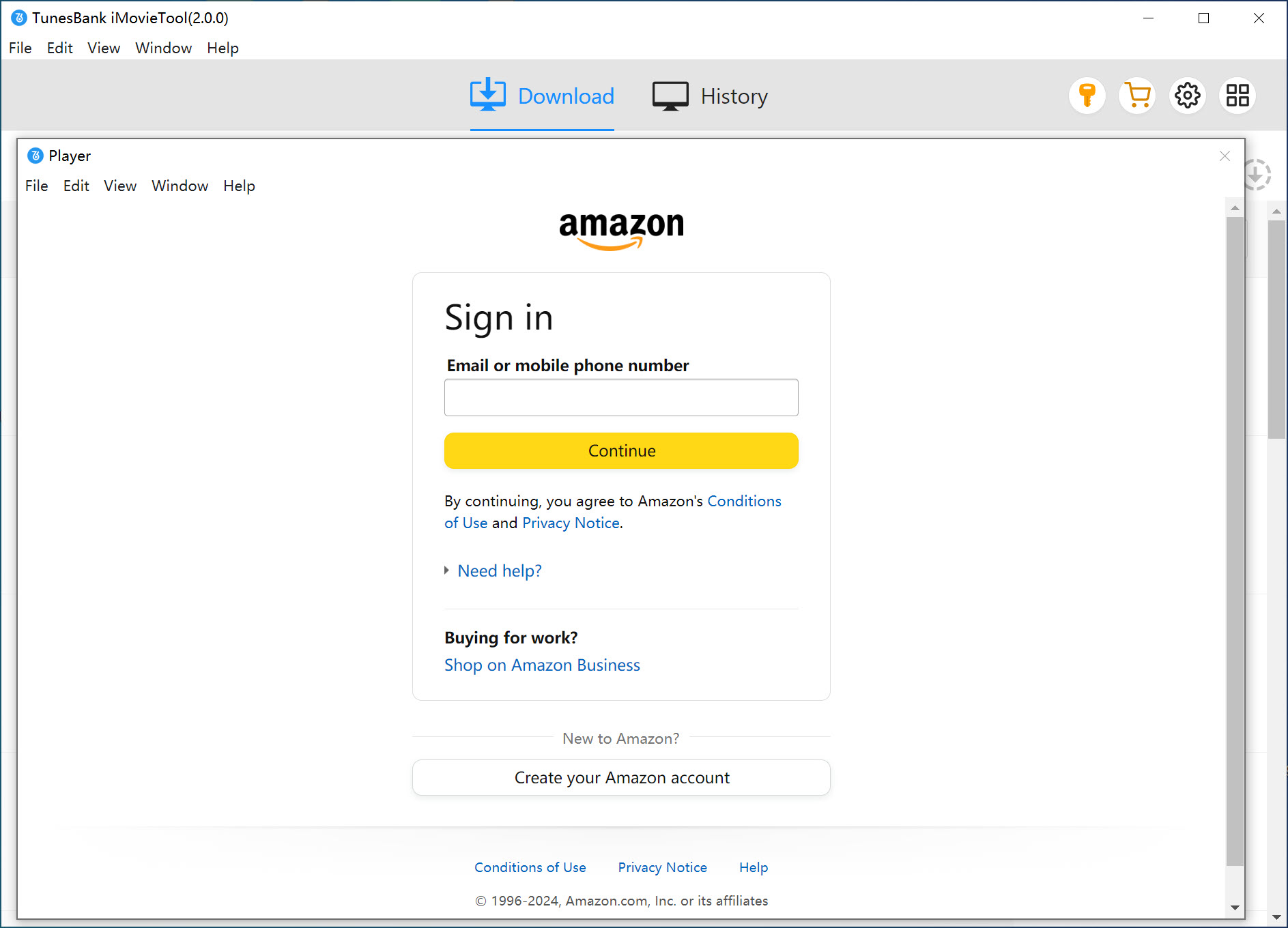
Step 1. Launch the Program and Log In
Open iMovieTool All-in-One Video Downloader, then select Amazon Prime or Disney Plus. Sign in using your free trial account. (Here, we'll use Amazon Prime as an example.)
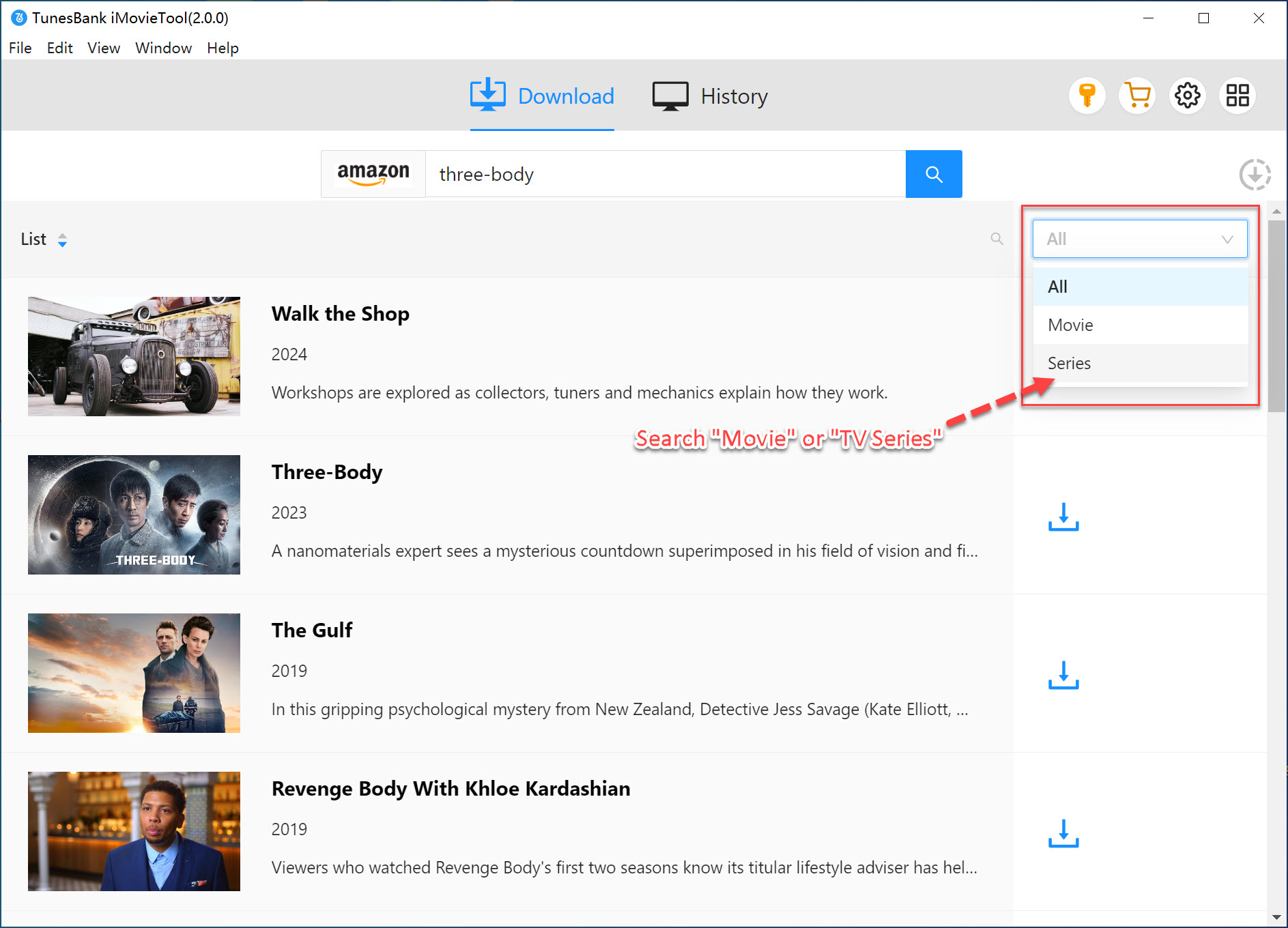
Step 2. Find the Movie or Show
Once logged in, you can browse the full Amazon Prime library through the built-in browser. Type the title of the movie or TV show you want into the search bar to locate it quickly.
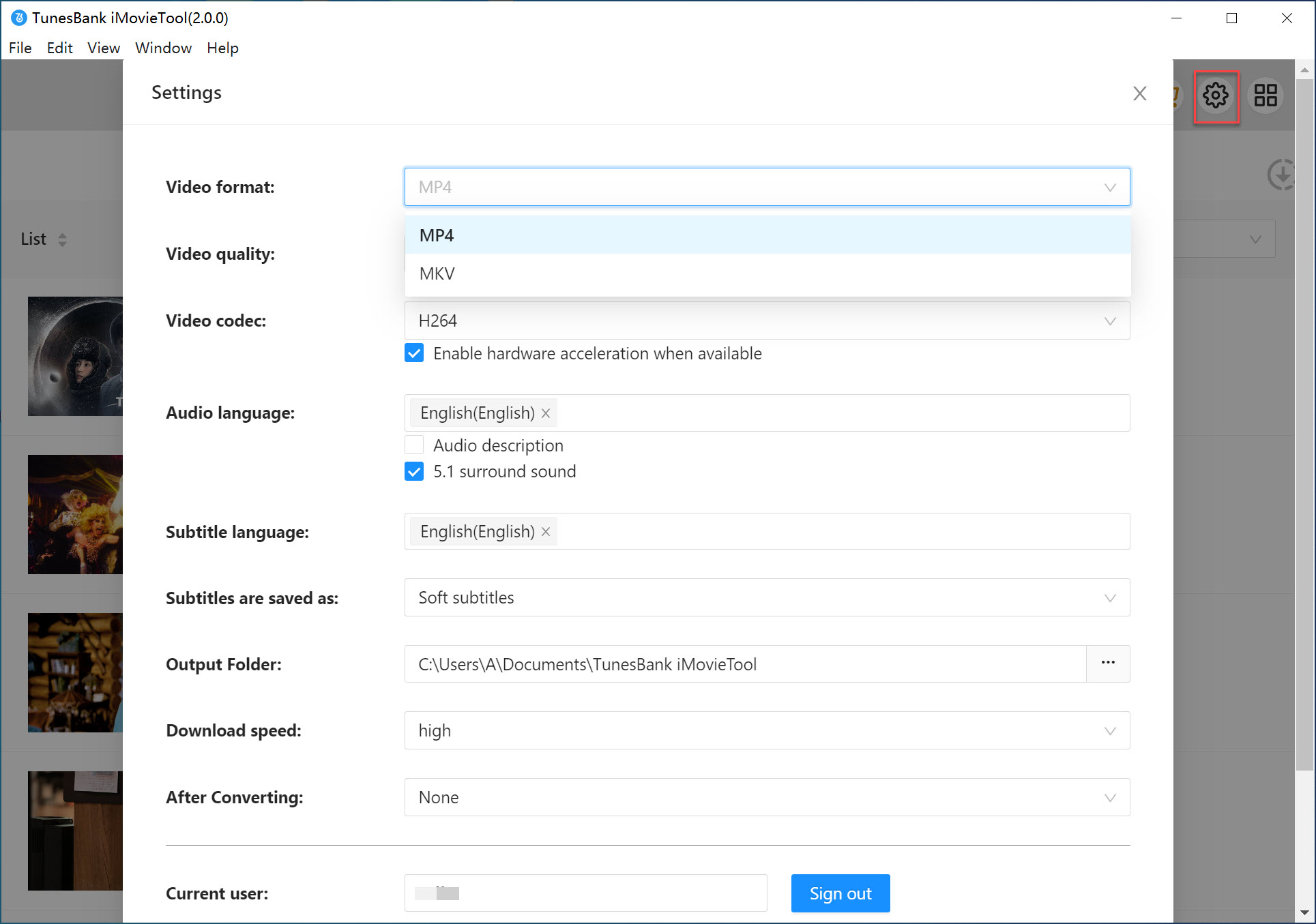
Step 3. Set the Output Format
Click the Gear icon to choose MP4 or MKV as your output format. You can also customize audio languages, subtitles, video codec (H.265/H.264), download speed, and output folder based on your needs.
Step 4. Start Downloading Amazon Prime Video
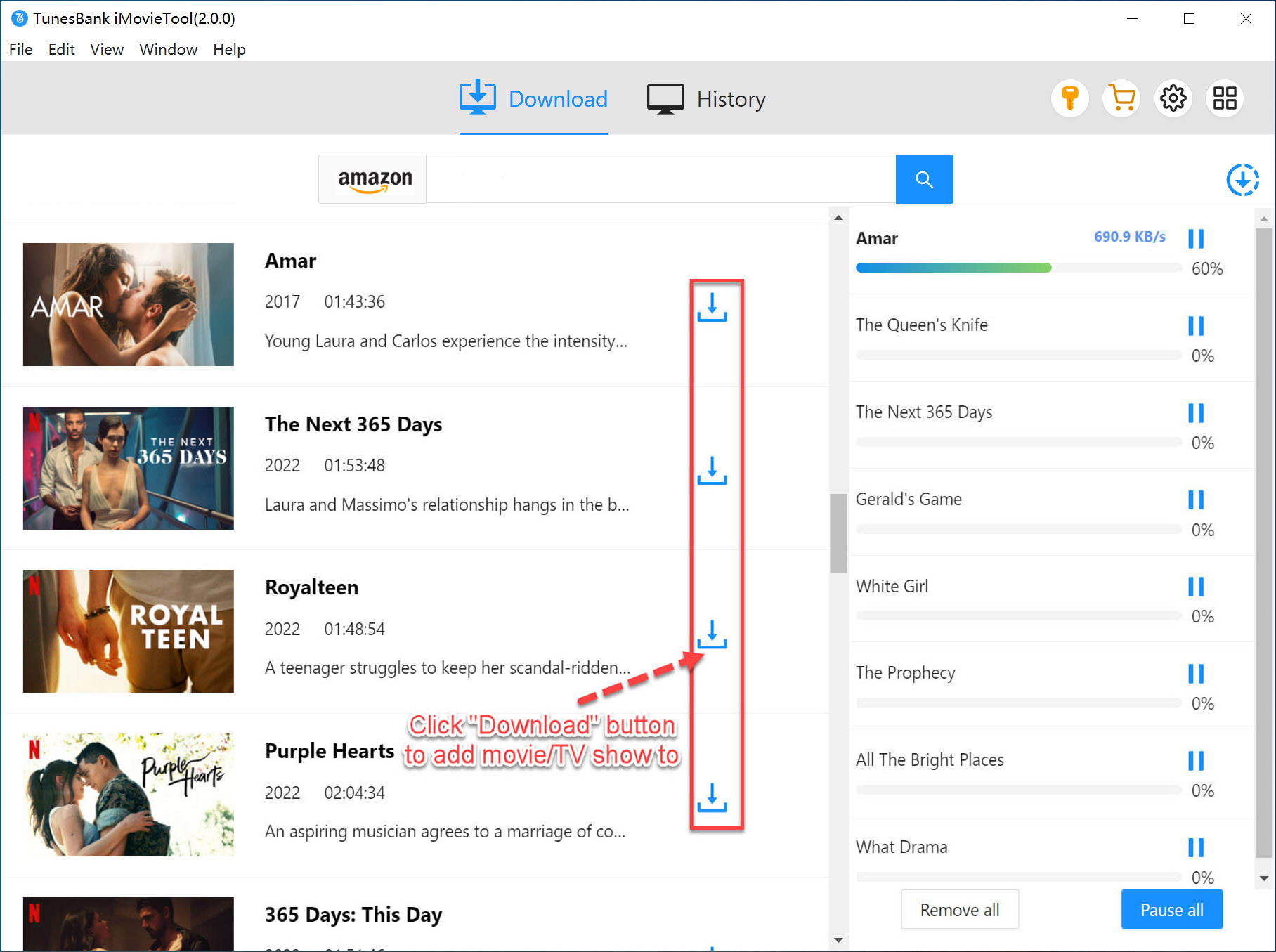
Go back to the main screen, select the movie or show you want to save, and press the Download button.
For movies: Click the single download button to save the whole film.

For TV shows: Each episode has its own download button. Choose the episodes you want, or download multiple episodes at once.
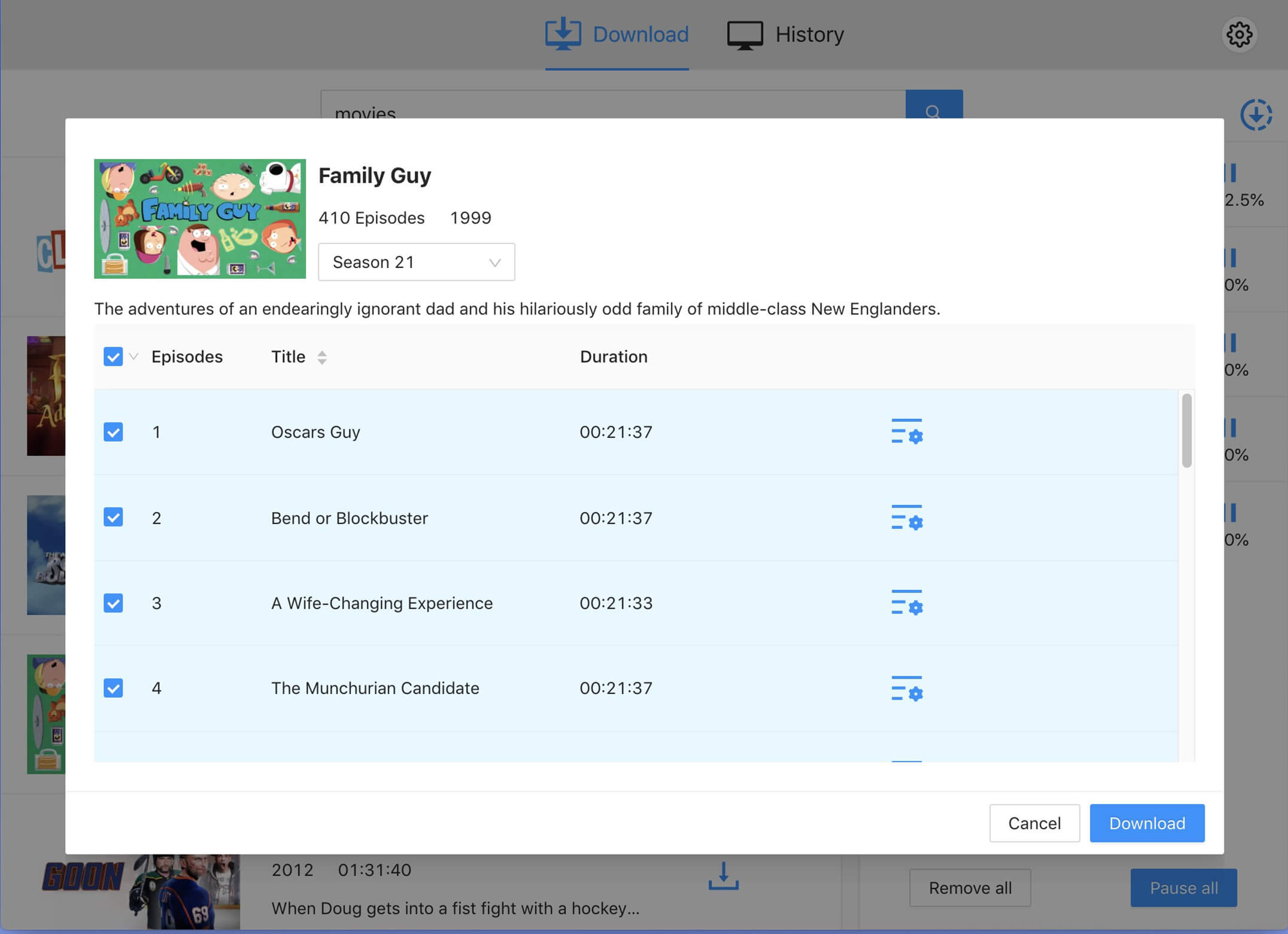
Tip: While downloading, you can continue browsing and add more videos to the download list for batch downloading.
Conclusion
Even though the Disney Plus free with Amazon Prime deal is no longer available, there are still easy ways to enjoy both platforms without paying. By using free trials or downloading your favorite content with iMovieTool All-in-One Video Downloader before the trial ends. With iMovieTool, you can keep your video to watch offline anytime, and enjoy great Disney Plus and Amazon Prime content without extra costs.
iMovieTool Disney Plus Video Downloader
Download Disney Plus Video for Offine Watching!
Comments
Sorry the comment has been closed.
Comments are off!