By LisaUpdated on May 06, 2026
📢 Summary:
Traveling outside your home country doesn't mean you have to give up your favorite Disney+ content. Learn three proven methods to watch Disney Plus abroad seamlessly across all your devices, no matter where you are or what content is blocked there.
Traveling is exciting. When on a fight, many of you will prefer watching your favorite movies or TV shows to kill the long time. Disney Plus boasts an incredibly rich and ever-growing collection of movies and TV series, making it the best streaming platform for all ages. Can you use Disney+ outside of your home country?
While abroad, you can stream Disney+ content that is available in the country or region you're currently in. So, if you want to use Disney+ abroad without losing access to your favorite content, you'll need alternative solutions. This article covers three simple methods to watch Disney Plus abroad, including using official Disney+ app, a powerful DisneyPlus downloader, and third-party VPN service.
Method 1. Watch Disney+ Abroad on Mobile (Offline)
One of the simplest ways to watch Disney Plus abroad while traveling is by using the built-in offline feature in the Disney+ mobile app. If you've subscribed to Disney ad-free plan, you are allowed to download Disney+ movies and shows directly to your smartphone or tablet. Once you're abroad, simply enable Airplane Mode, and enjoy uninterrupted playback without needing internet access.
Follow below steps to download Disney+ videos to your mobile devices in advance.
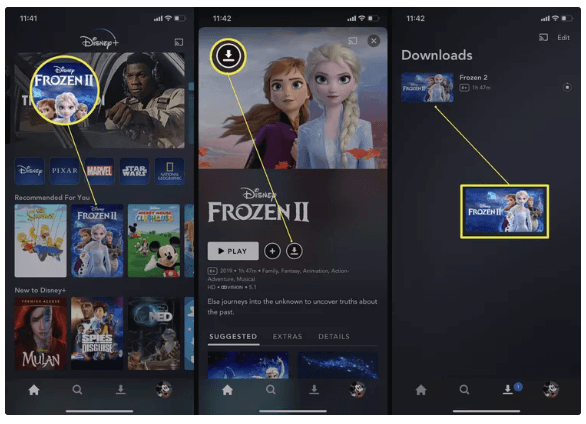
Step 1. Open the Disney+ app on your iOS or Android device and log into your account.
Step 2. Search for the movie or TV show you want to watch abroad.
Step 3. Tap the "Download" button to save the content to your device before your trip.
Step 4. Once abroad, turn on Airplane Mode on your mobile device.
Step 5. Then, launch the Disney+ app and go to "Downloads" icon at the bottom, select the downloaded title and start watching your downloaded content anytime.
Method 2. Watch Disney+ Offline on Any Device Anywhere 🔥
While the mobile offline feature is convenient, it comes with several limitations. First, it only supports offline playback within the Disney+ app on mobile devices. Second, downloaded content can expire after 30 days (or 48 hours after disconnecting. Third, Disney+ may require you to reconnect to the internet periodically to verify your subscription status.
To truly watch Disney Plus from anywhere without restrictions, you can utilize a third-party Disney+ downloader to download Disney+ videos to MP4 files. Here you meet iMovieTool Disney Plus Video Downloader.
iMovieTool Disney Plus Video Downloader enables you to download any Disney+ movie, show, or original in full HD quality with multilingual audio tracks. It can convert and save Disney Plus videos as local MP4 or MKV files to keep forever. Thus you can transfer Disney Plus videos to any device without installing the Disney+ app, and watch Disney Plus offline anywhere, without expiration or region locks.
The software preserves 5.1 surround sound, EAC3 audio, and all available subtitle tracks, allows you to select your preferred subtitle format to save your Disney+ videos. Compared to other brands, iMovieTool accelerates batch downloads up to 50X speed for efficiency, even with entire series season. With this Disney Plus video downloader, you can surely have a smooth and great video viewing experience.
Key Features of iMovieTool Disney Plus Video Downloader:
- Download Disney Plus videos to PC, Mac, laptop without Disney+ app
- Download Disney+ movies and shows in MP4 or MKV format
- Preserve multiple audio tracks and subtitles
- 50X fast batch downloading with high efficiency
- No expiration limits on downloaded Disney Plus videos
- Play Disney+ videos offline on any device without Disney+ app
How to Download Disney Plus Videos in MP4 to Watch Anywhere?
Step 1. Select Disney+ Platform and Login
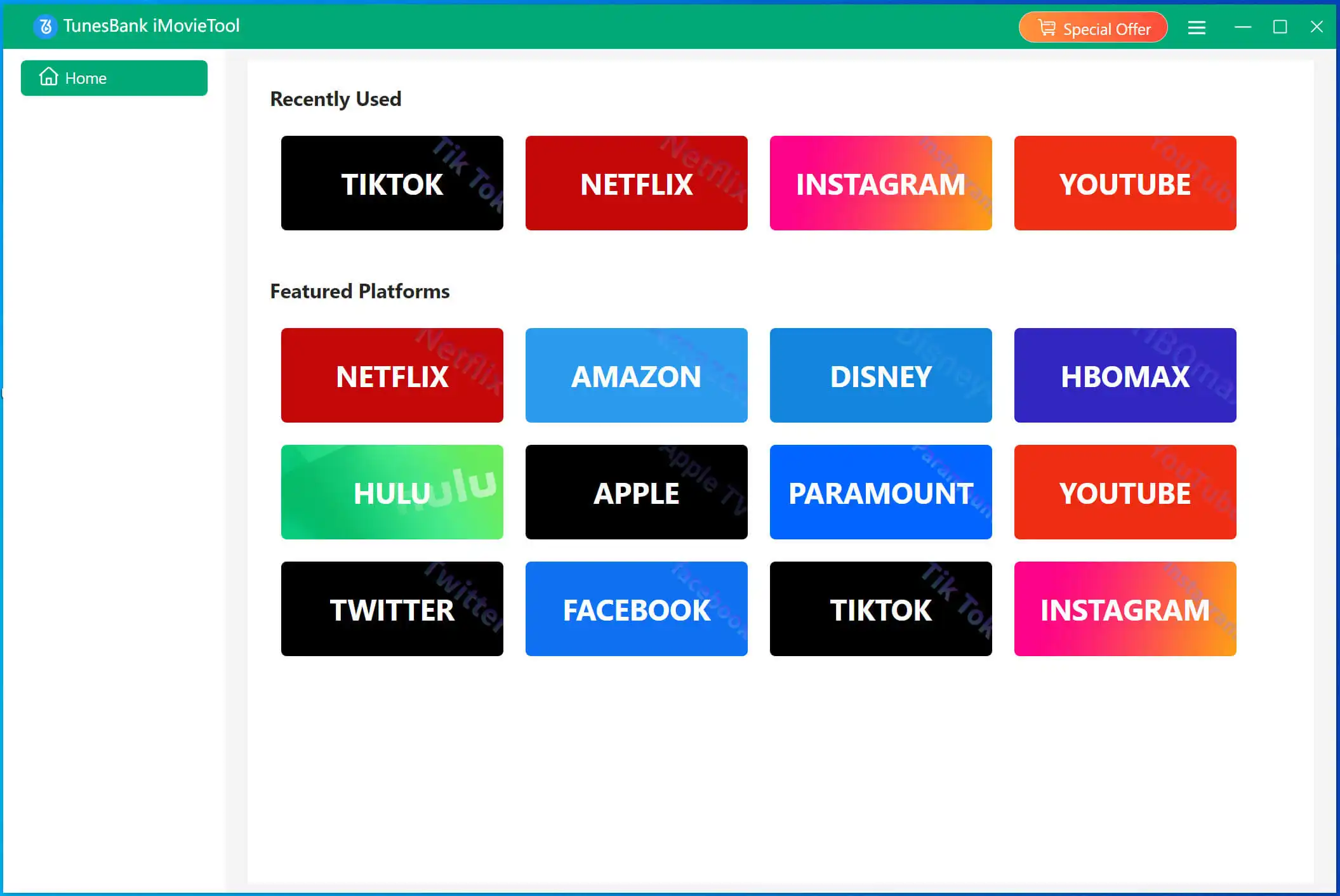
Download and fire up the iMovieTool Video Downloader on your Windows or Mac computer. Click the "Disney+" icon on the home screen. This lets you enter the iMovieTool Disney Plus Video Downloader.
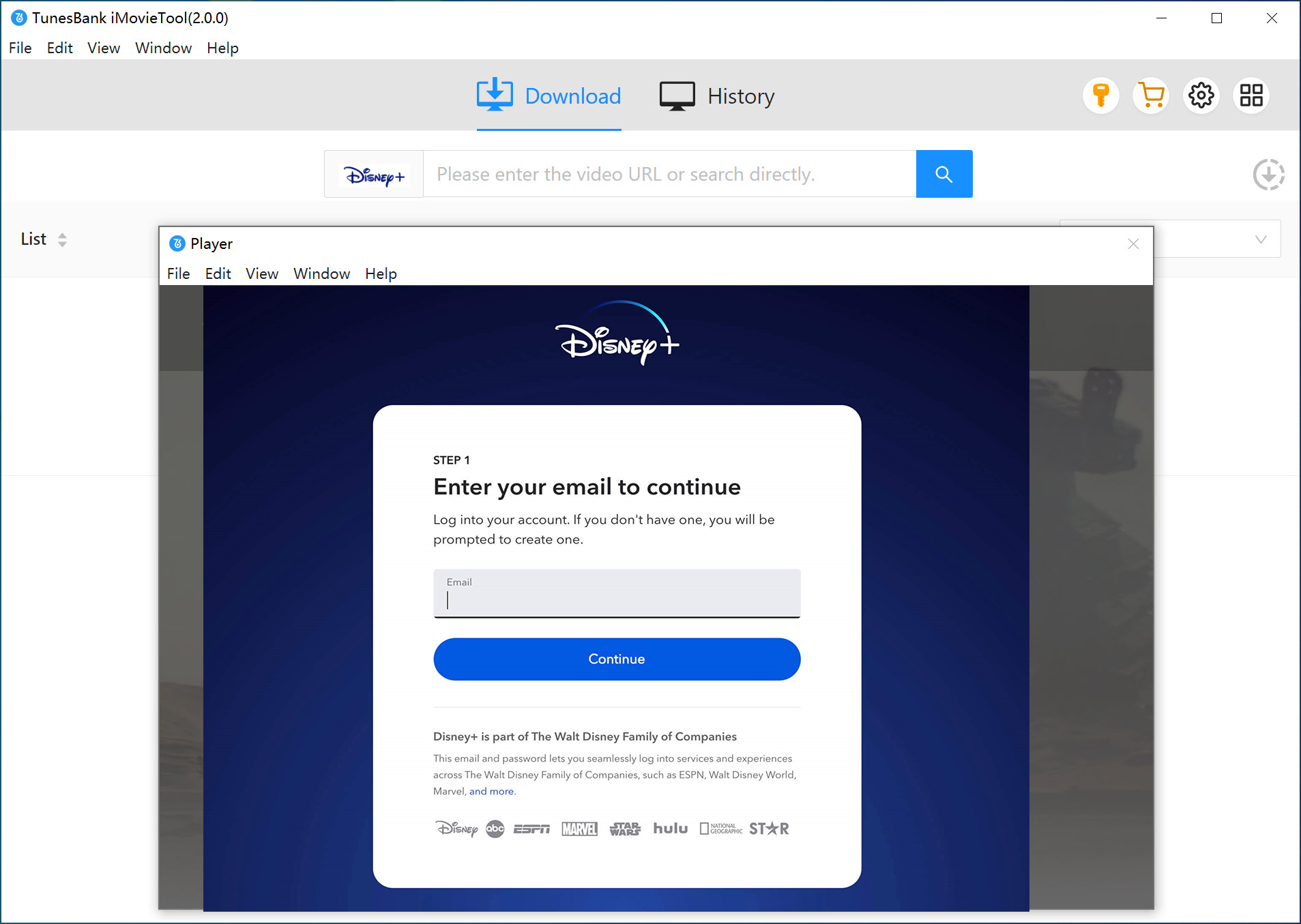
And then log into your account using the built-in web player for seamless access to your streaming library. Don't worry, iMovieTool does not store your credentials; they are used only to access the content you legally subscribe to.
Step 2. Search for the Disney Plus Movie or Show
You can find content in three convenient ways:
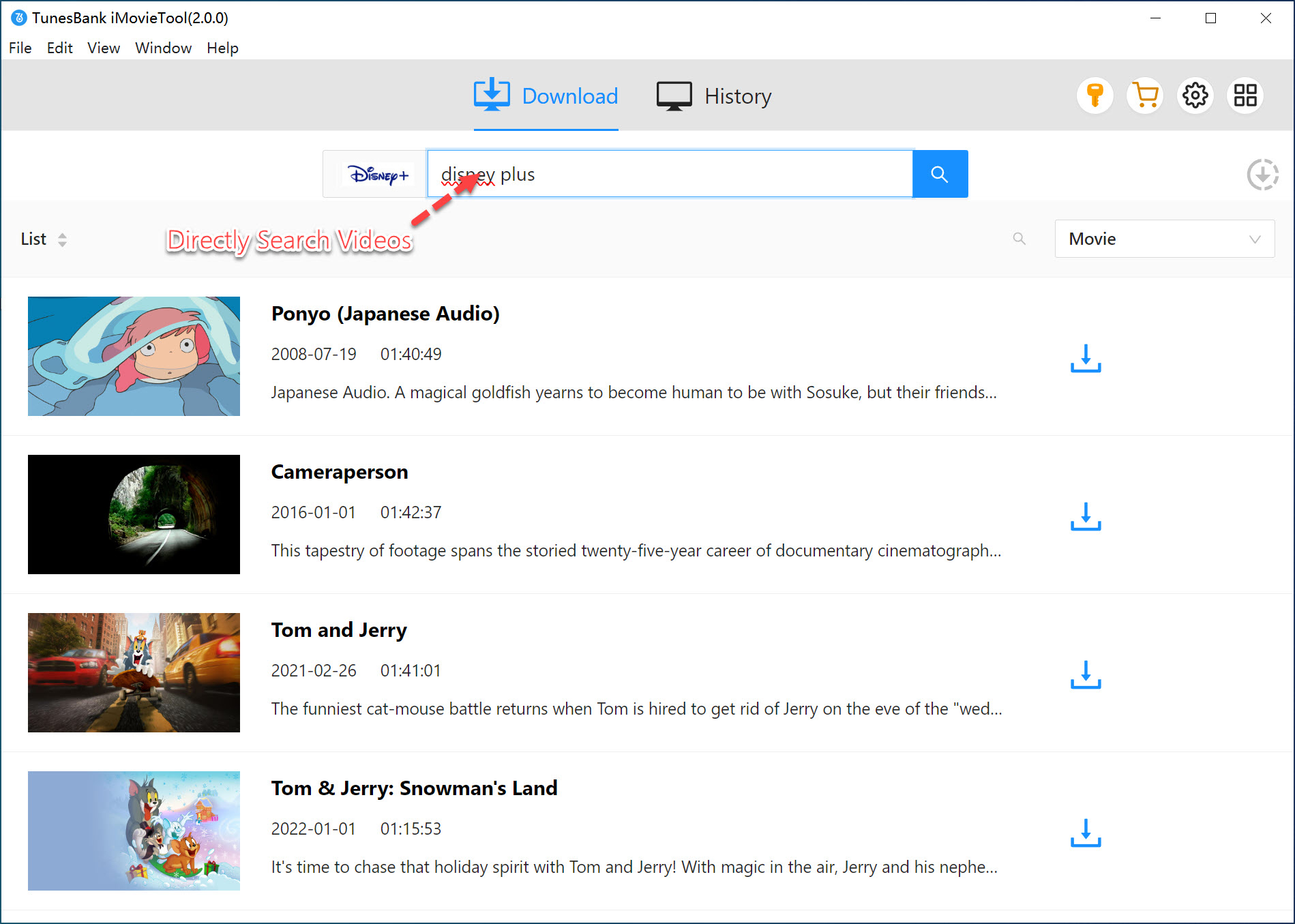
# Using Name: First, turn to "Search" tab. Enter the movie or show title directly into the search bar. iMovieTool will quickly display matching results from the Disney+ library for easy selection.
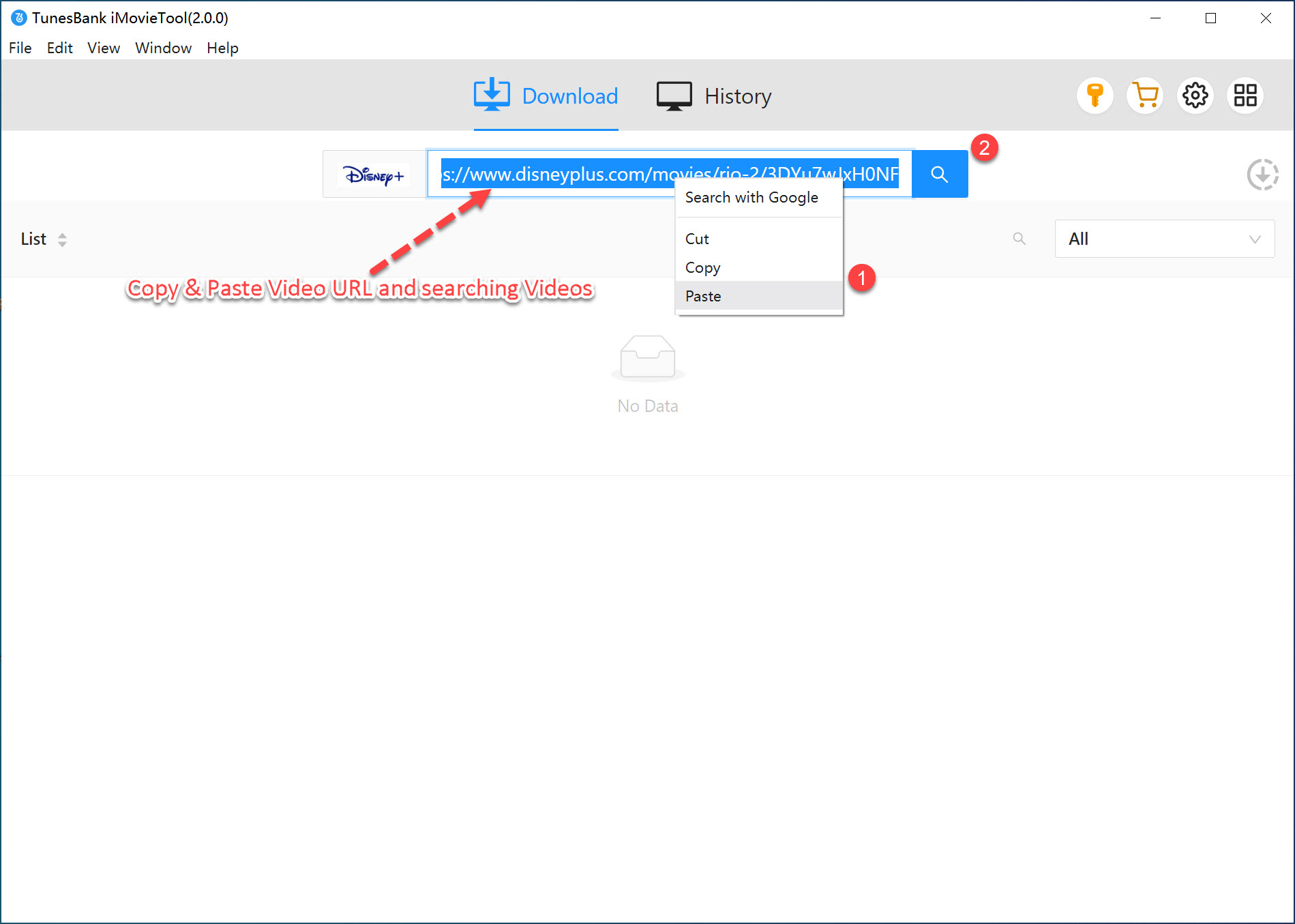
# Using URL: Already have the Disney+ webpage open in your regular browser? Simply copy the URL from your browser's address bar. Then paste that URL into iMovieTool's address bar. Press Enter on the keyboard. The software navigates directly to that video.
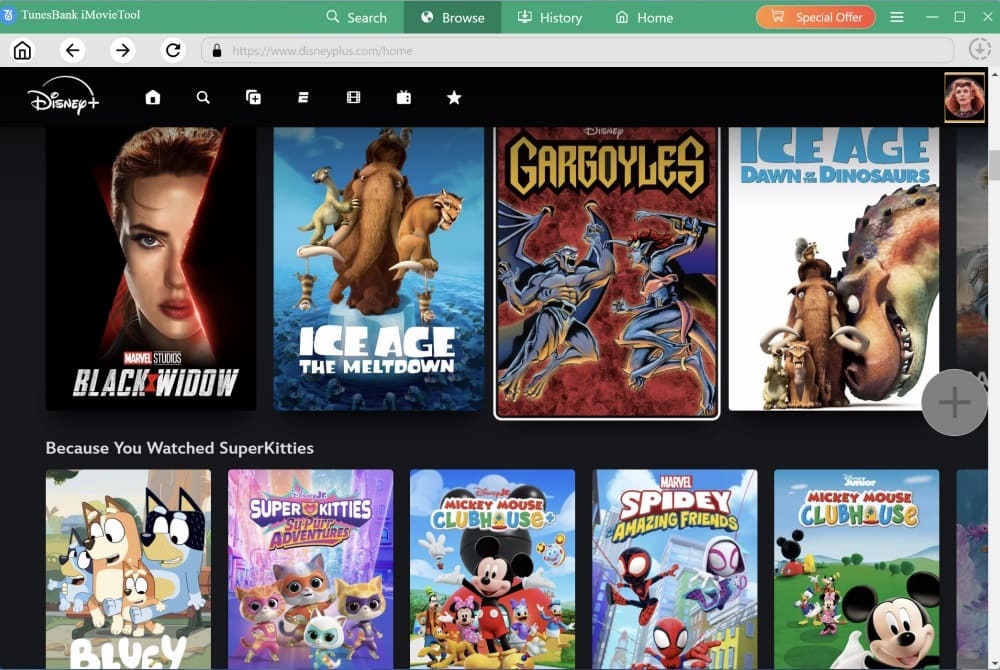
# Browse Online: Or, move to "Browse" tab. Browse Disney Plus directly inside iMovieTool's built-in web player to discover popular movies, new releases, or collections.
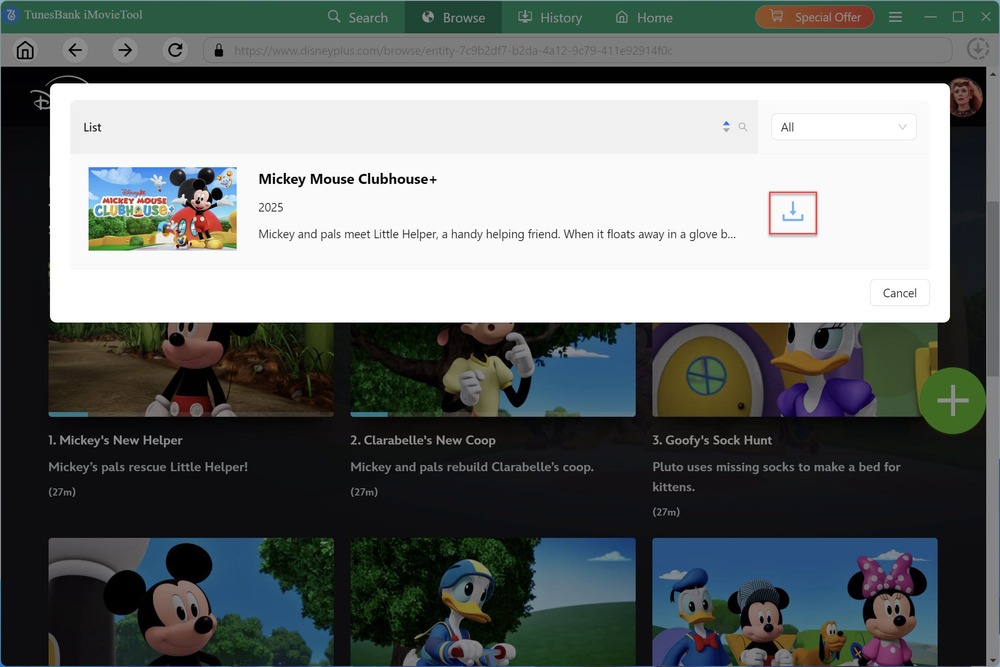
Once you are on the video's detail page, hit on the "+" icon in the right side to add it to the download queue. Then, press on the "Download" icon, iMovieTool will start converting and saving the video files to your specified output folder.
Step 3. Adjust Output Settings
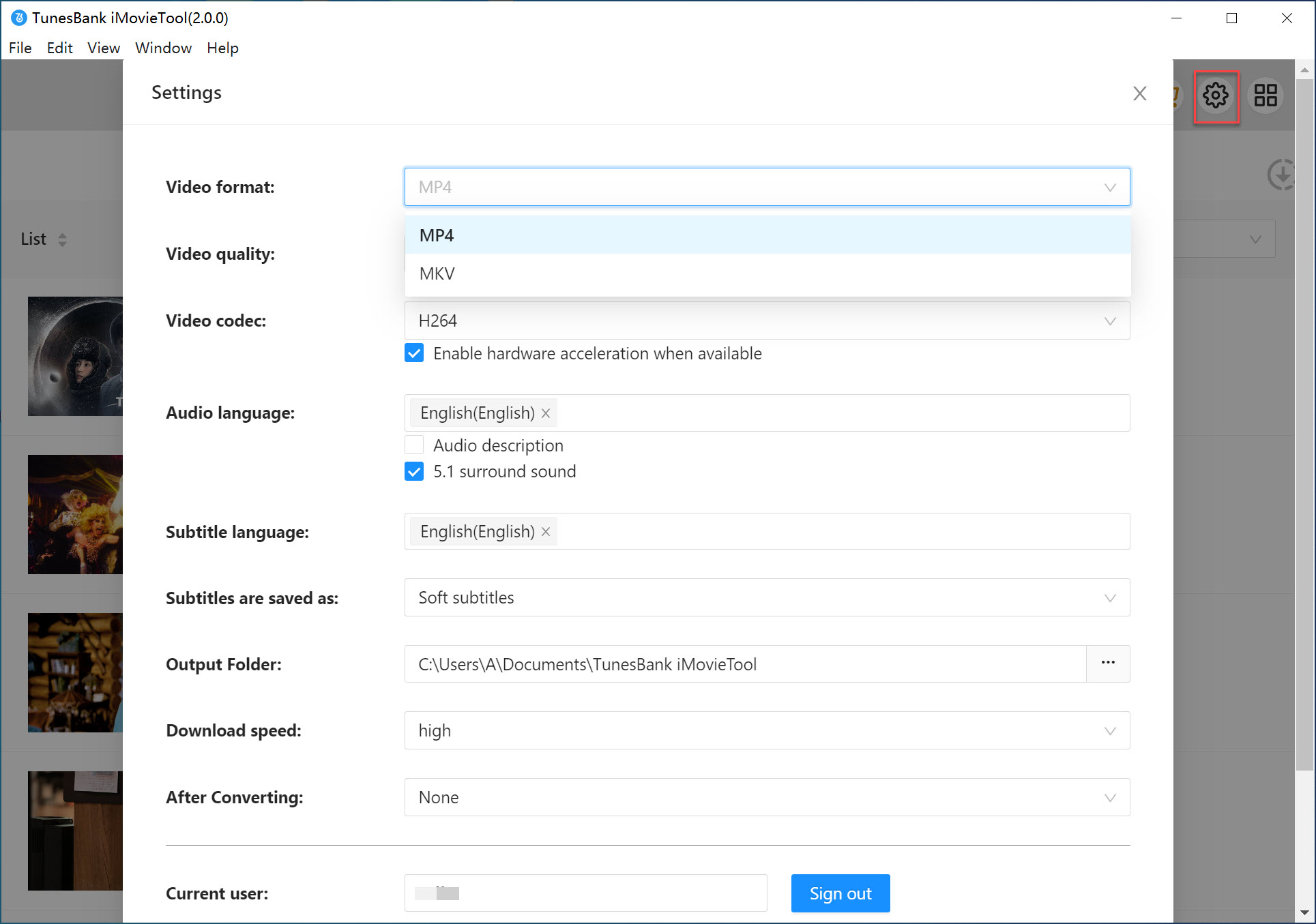
Click on the Menu bar, select "Preference" option to customize output format (MP4/MKV), video quality, audio language, and subtitle preferences to ensure the best viewing experience when you watch Disney Plus offline.
Step 4. Begin to Download Disney+ Videos on PC/Mac
Click the "Download" button after selecting your desired content. iMovieTool will start downloading the video in your chosen MP4 format and high quality with fast and stable performance.
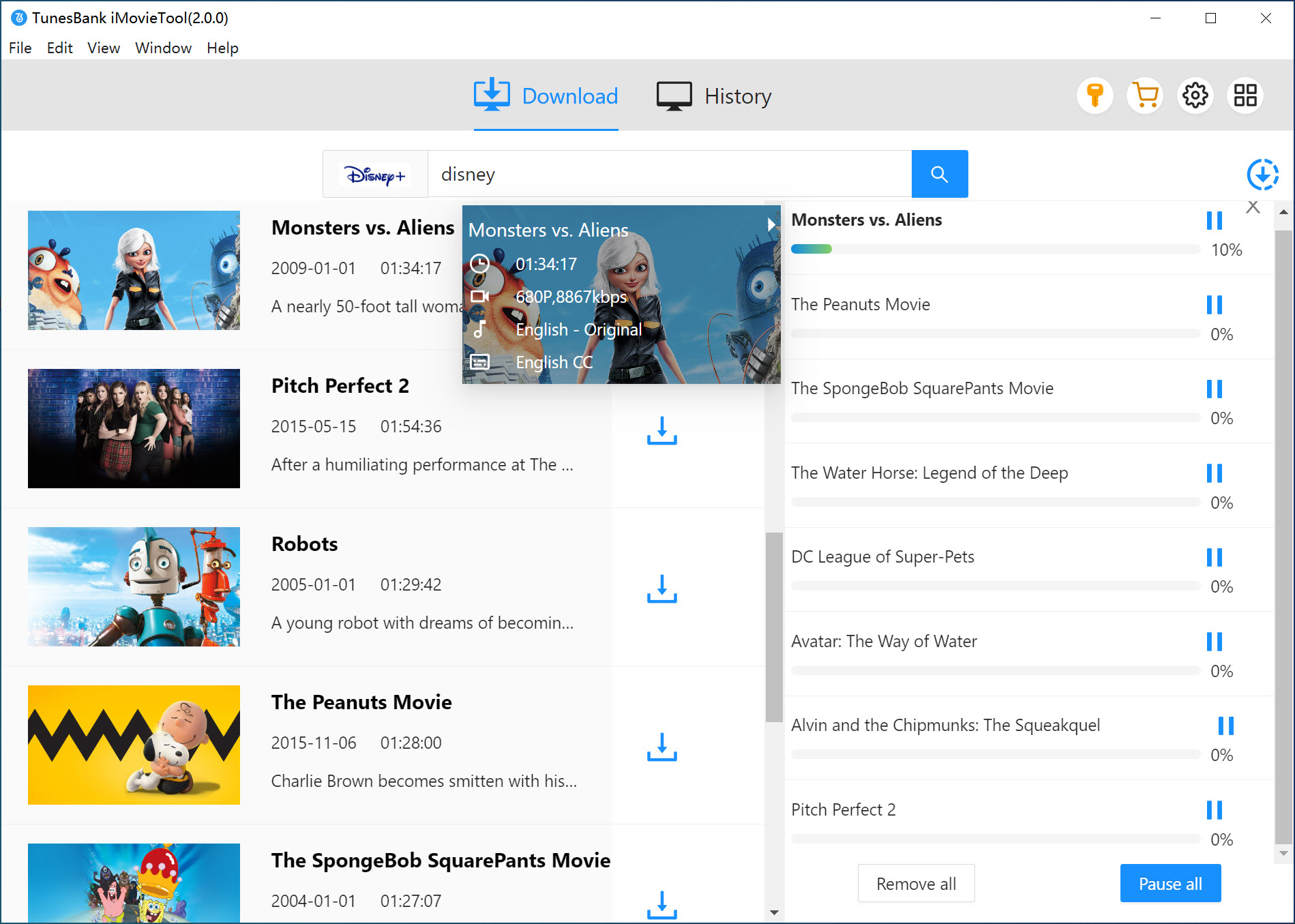
For downloading TV series, select which episodes or seasons you want (check all boxes for a complete series).
Step 5. Get Downloaded Disney+ Videos
When the download finishes, click the "History" tab and tap the "Blue Folder" icon. The output folder opens automatically. You can now get your local Disney+ MP4 videos!
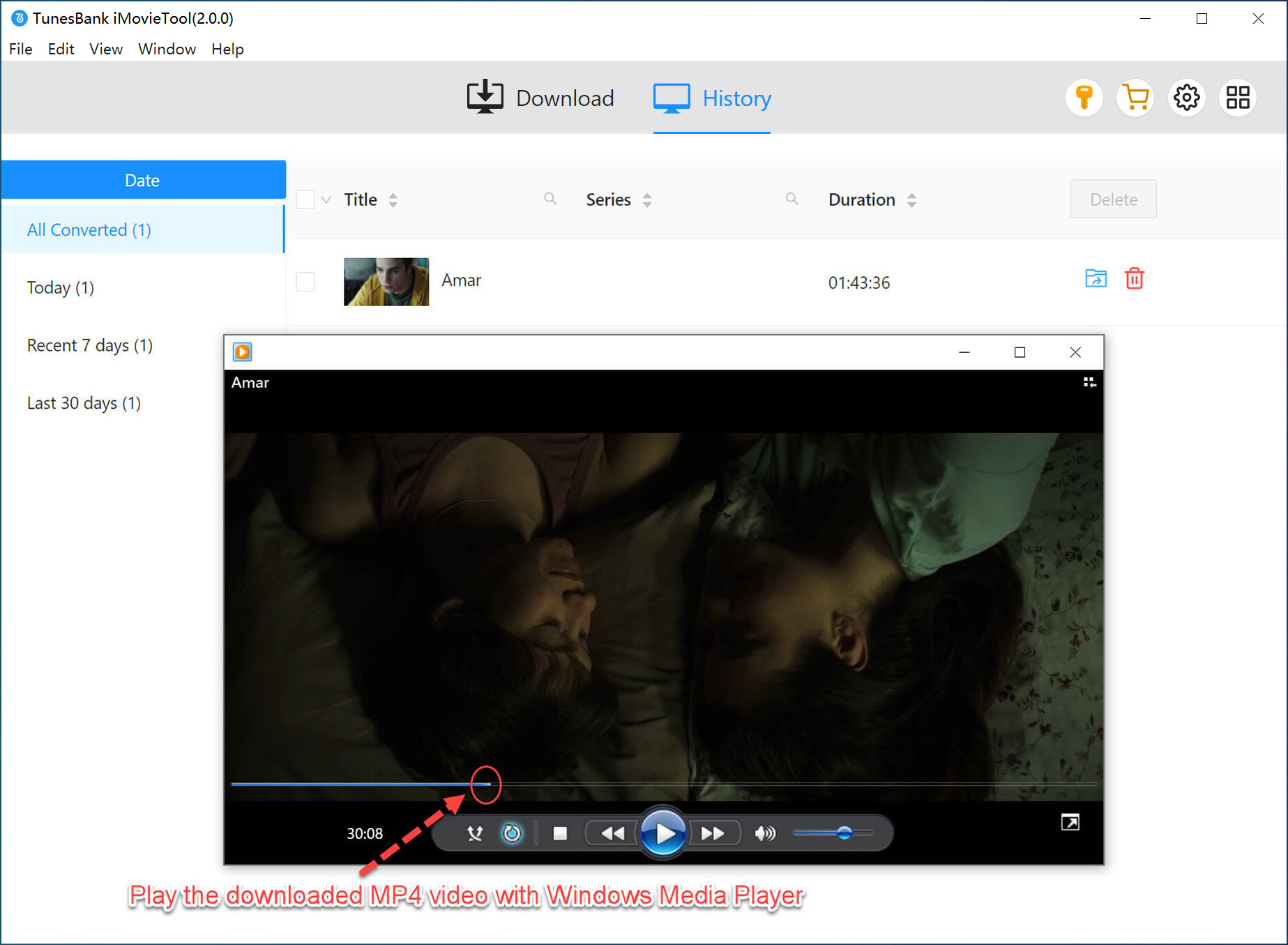
Step 6. Transfer Disney+ Videos to Your Devices
Now, transfer the downloaded Disney+ MP4 video files to your portable device, such as a smartphone, tablet, USB drive. After that, you are able to watch Disney Plus from abroad on any screen without limitations!
Method 3. Watch Disney+ Abroad with a VPN
To use Disney Plus while traveling, you may also connect your device to a VPN. VPN (Virtual Private Network) allows you to change your virtual location by connecting to servers in different countries, which can help you access your home region's Disney+ library. For example, if you want to watch the movie only available in Japan, but you are traveling in USA, you can connect to Japan server and then access the content.
However, this method requires you have a stable and fast network connection. Moreover, Disney+ has strict policies regarding VPN usage and may detect and block VPN connections.
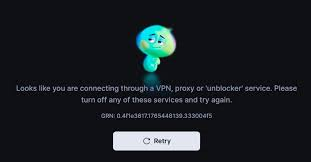
So, relying on a VPN to use Disney+ abroad is not always recommended. Instead, downloading Disney Plus videos to MP4 using iMovieTool Disney Plus Video Downloader provides a safer and more stable solution.
FAQs About Watching Disney Plus Abroad
Q1. How to bypass Disney+ region lock?
A: The most reliable way to bypass Disney+ region lock is to download your favorite movies and shows to MP4 files before you travel, you can use a professional tool like iMovieTool Disney Plus Video Downloader. This way, you can keep and watch Disney Plus videos anywhere, anytime, without an internet connection or regional restrictions.
Q2. How to get Disney Plus to work in another country?
Q3. Can you use the same Disney+ account in different countries?
Final Words
To sum up, Disney Plus Ad-Free subscribers can directly download Disney+ content on mobile devices and watch Disney Plus offline. Alternatively, you may watch Disney Plus abroad while traveling by using a VPN, but this method is unsafe. However, if you want to enjoy Disney Plus content on a bigger screen such as laptop from anywhere, you will need a third-party DisneyPlus video downloader to save videos locally. iMovieTool Disney Plus Video Downloader allows you to download Disney Plus movies and TV series in MP4 or MKV format losslessly. Thus, you can keep the Disney Plus videos permanently, and watch Disney Plus from abroad on any device without limits! Now, download it have a free try!
iMovieTool Disney Plus Video Downloader
Download Disney Plus Video for Offine Watching!
Comments
Sorry the comment has been closed.
Comments are off!