By LisaUpdated on February 03, 2026
📢 Summary:
If you're looking to download all episodes of Stranger Things (Season 1–5) in MP4, this article is made for you. Here, we'll explore whether you can download Stranger Things directly from Netflix and save the episodes in HD 1080p MP4 files.
Stranger Things, one of the most popular Netflix original TV series worldwide, continues to captivate audiences from Season 1 through the highly anticipated Season 5. After the release of Stranger Things Season 5 on November 26, 2025, TV series fans are more excited. Until then, it's perfect to download Stranger Things 1-5 to keep the adventures of Hawkins on your device!
Whether you want to save all episodes of Stranger Things in MP4 for travel, keep them permanently, or watch Stranger Things anywhere without internet access, this guide is written for you. Here you will get a reliable and simple method to download Netflix Stranger Things to HD MP4, and store the high-quality episodes on your local folder without expiration. Let's explore!
Can You Download Stranger Things to Watch Offline?
Yes, you can download Stranger Things for offline viewing with an active Netflix subscription, either ad-free or ad-supported tiers. Netflix allows users to download TV shows and movies, including all episodes of Stranger Things Season 1 to 5, on supported devices such as smartphones and tablets. This feature is useful when traveling or dealing with unstable internet connections, making it possible to watch Stranger Things offline anytime.
How to Download Stranger Things Using the Netflix App
Step 1. Launch the Netflix app on your Android phone, iPhone, iPad, or tablet.
Step 2. Log in to your Netflix account. Search for Stranger Things.
Step 3. Select a season and tap the "Download" icon next to each episode.
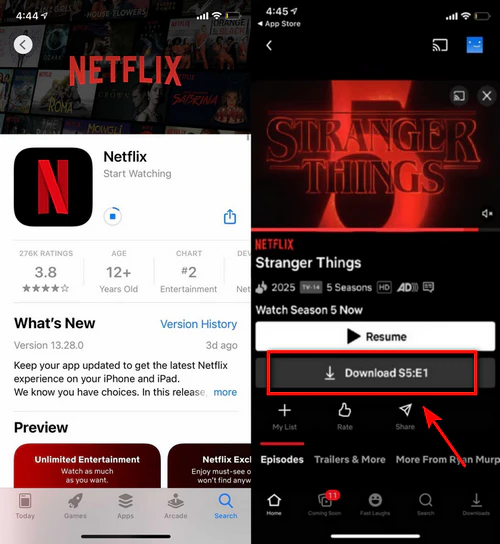
Step 4. After completion, you can turn to the "Downloads" section, select any downloaded Stranger Things episodes for offline playback.
Netflix Download Limits You Should Know
While the Netflix app allows Stranger Things series downloads, it also has strict restrictions, including:
- Device Limits: You can only download Stranger Things series on mobile devices. It doesn't let you download Stranger Things from Netflix to PC or Mac. As it has removed the Download function from its Windows App, and it doesn't launch a dedicated Netflix app for Mac users.
- Expiration Dates: Netflix downloads expire after a certain period. Some episodes expire 48 hours after playback starts. This means you cannot save the Stranger Things downloads from Netflix permanently.
- Download Quotas: Netflix enforces limits on the number of downloaded titles and devices. For instance, Standard With Ads subscribers can only download up to 15 episodes of Stranger Things, while Standard and Premium subscribes can get maximum of 100 downloads in total.
- In addition, Netflix also sets yearly download limits, geographic restrictions and so on.
To bypass Netflix download limits and get more flexible viewing experience, downloading Stranger Things as MP4 can be the best alternative. Keep reading.
Tool You'll Need to Download Stranger Things to MP4
As shown above, the official Netflix downloads are restricted by DRM protection, making them temporary and mobile device-locked. Therefore, you can utilize a third-party tool to download Netflix Stranger Things in HD MP4. Here we highly recommend the iMovieTool Netflix Video Downloader.
iMovieTool Netflix Video Downloader is an expert in downloading Netflix TV shows and movies in MP4 or MKV format while preserving original video quality and audio tracks. It supports any Netflix plan, even the ad-supported tiers. With it, you can easily download all episodes of Stranger Things (Season 1–5) in MP4 or MKV format, and watch them anywhere, anytime.
The built-in Netflix web player makes it easy to search and download Stranger Things series from Netflix directly, without installing the Netflix app. What's more, it can save all episodes of Stranger Things in full HD (up to 1080p), and retains multilingual audio tracks, and subtitles. Unlike the Netflix app, iMovieTool allows you to can keep Stranger Things downloads forever, even after your Netflix subscription ends.
More Features of iMovieTool Netflix Video Downloader:
- Download movies, TV shows from Netflix to Mac and PC.
- Download Stranger Things Season 1–5 to MP4 or MKV format.
- Save all episodes of Stranger Things in full HD (up to 1080p).
- Batch download entire seasons of Stranger Things at 50X speed.
- Preserve original audio tracks and subtitles, and video metadata.
- Keep the downloads forever and watch Stranger Things anywhere, offline.
How to Download Stranger Things Season 1-5 from Netflix to MP4?
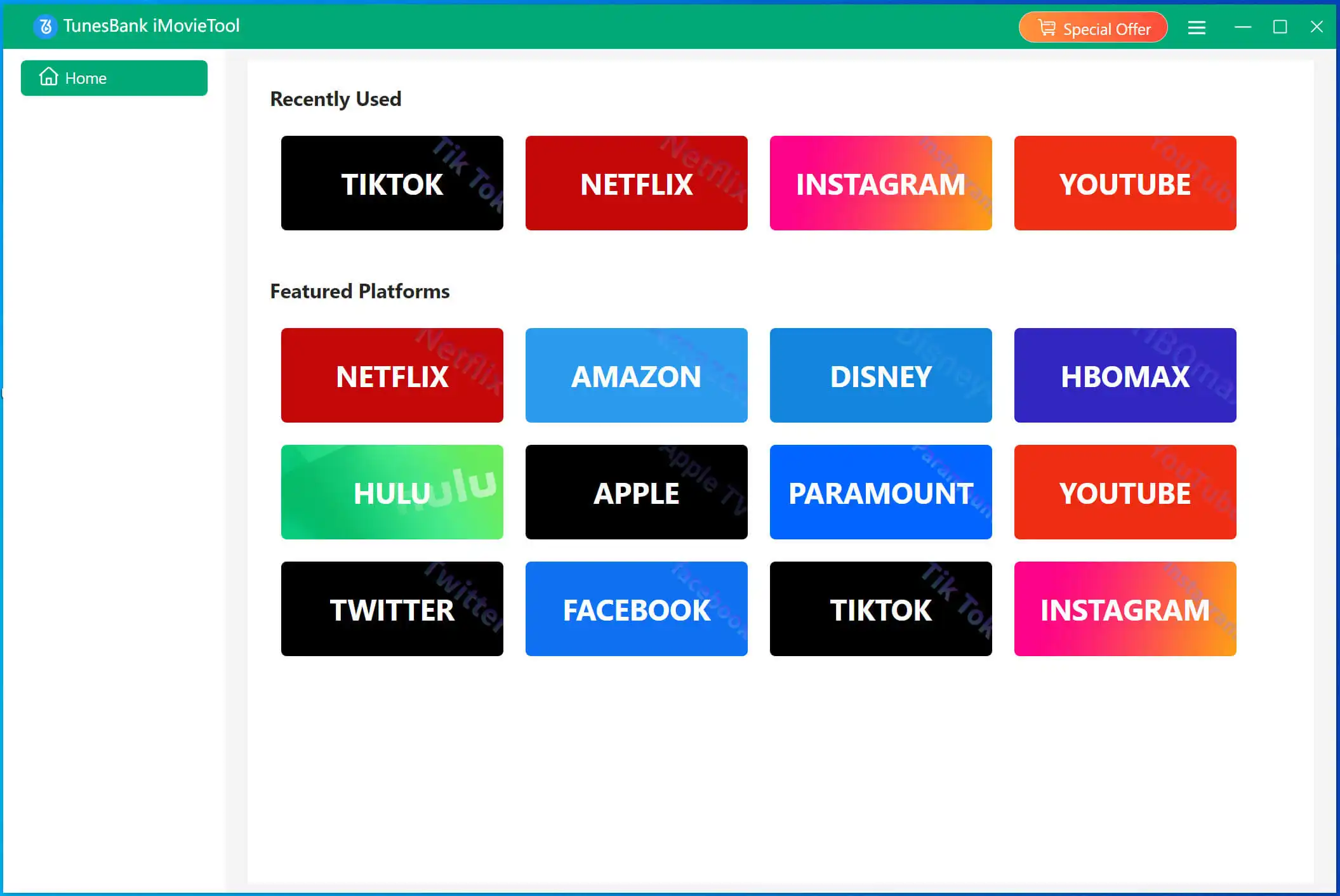
Step 1. Run iMovieTool and Select Netflix
Click the Download button above, get the iMovieTool software downloaded your Windows or Mac computer. Then install and launch the software, choose Netflix platform.
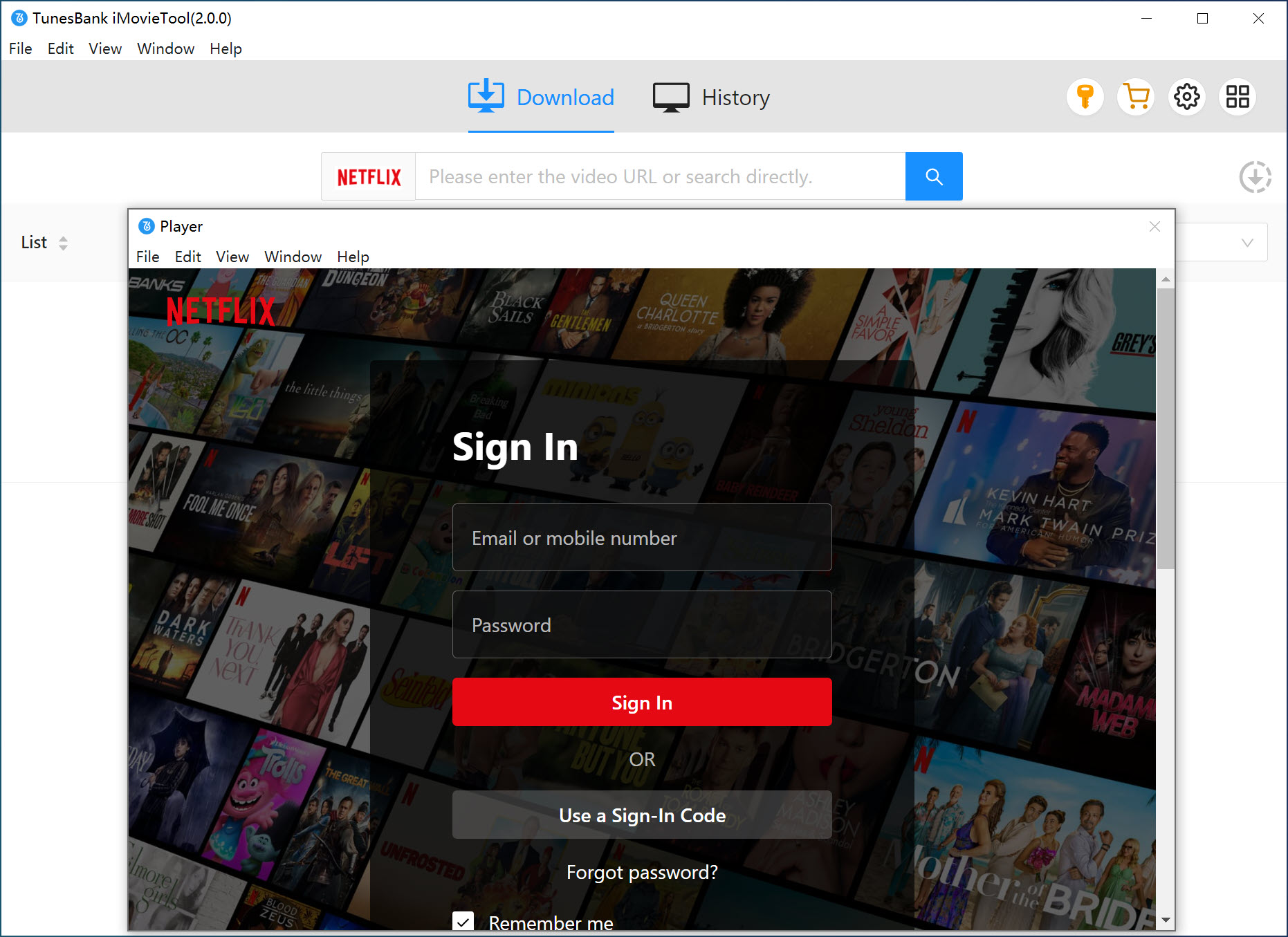
Step 2. Log in to Netflix Account
Next, sign in to your Netflix account through the built-in browser. This allows the downloader to access and process Stranger Things episodes securely.
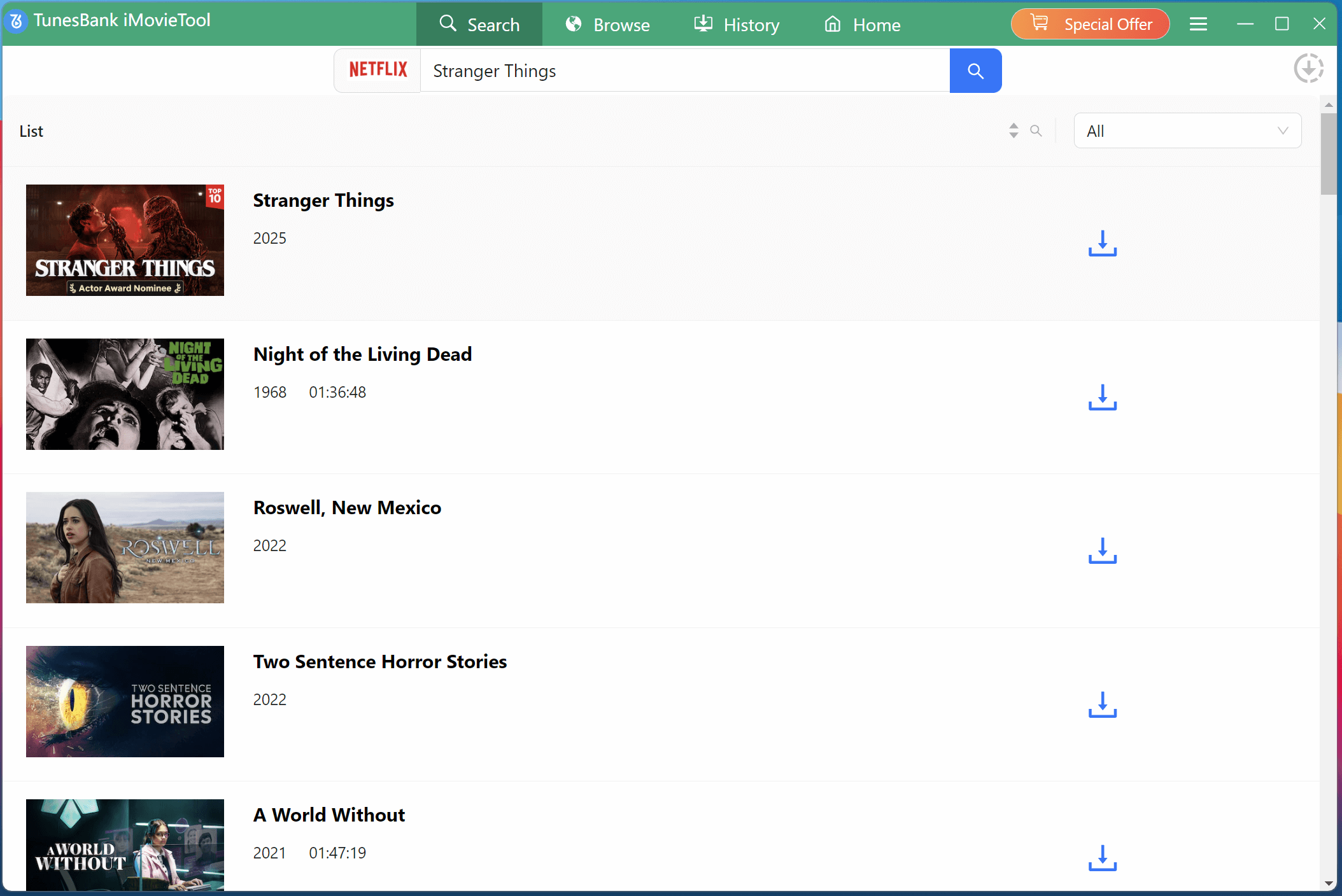
Step 3. Search for Stranger Things
The software offers three flexible ways to find Stranger Things Season 1–5 for downloading.
Way 1. Tap "Search" tab, Type "Stranger Things" directly into the search bar. iMovieTool will display all available seasons and episodes, allowing you to select and download Stranger Things Season 1 to 5 easily.
Way 2. Or, copy the Netflix URL of Stranger Things and paste it into iMovieTool's search box. The program will instantly recognize the content and prepare it for MP4 downloading.
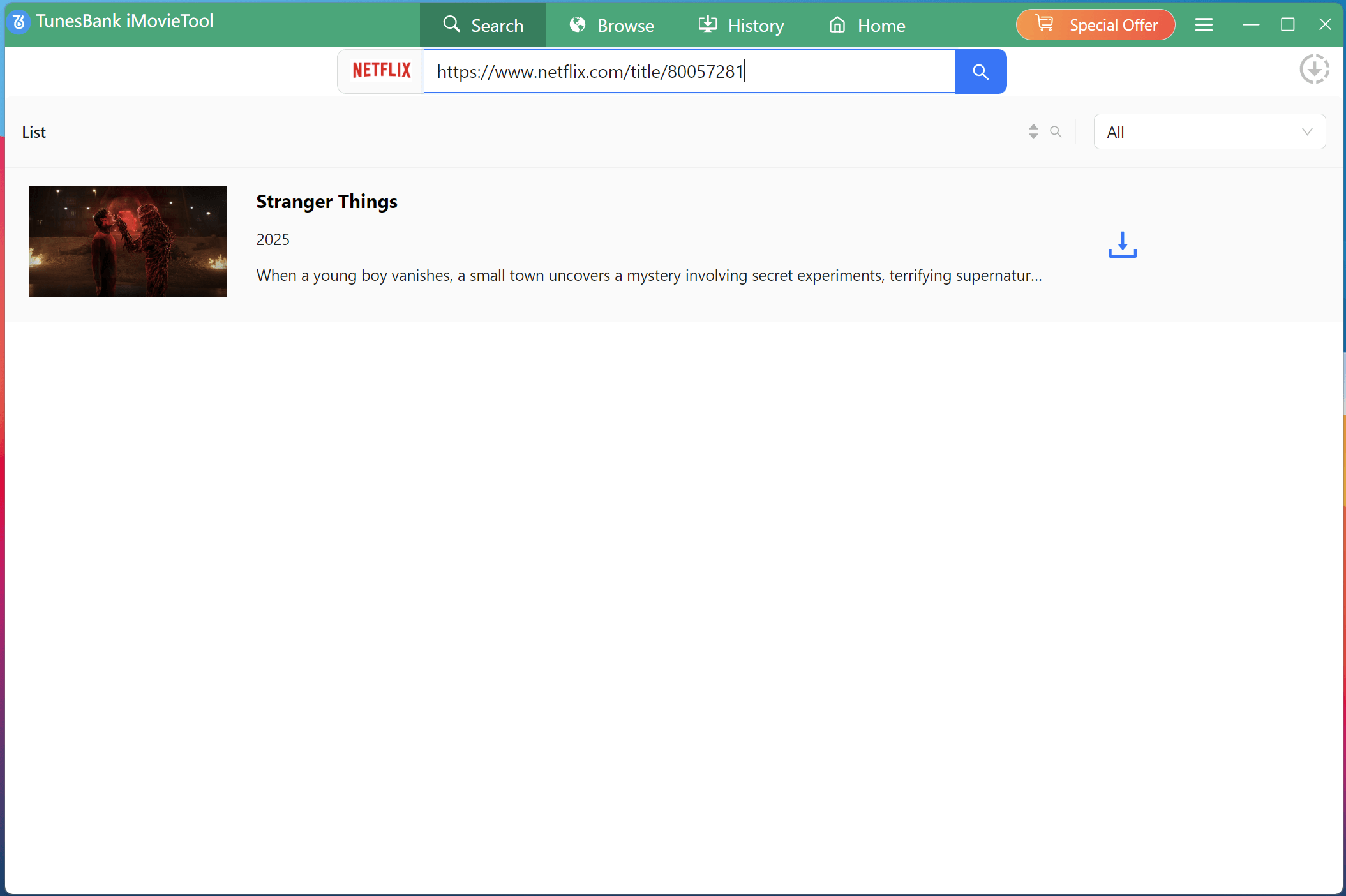
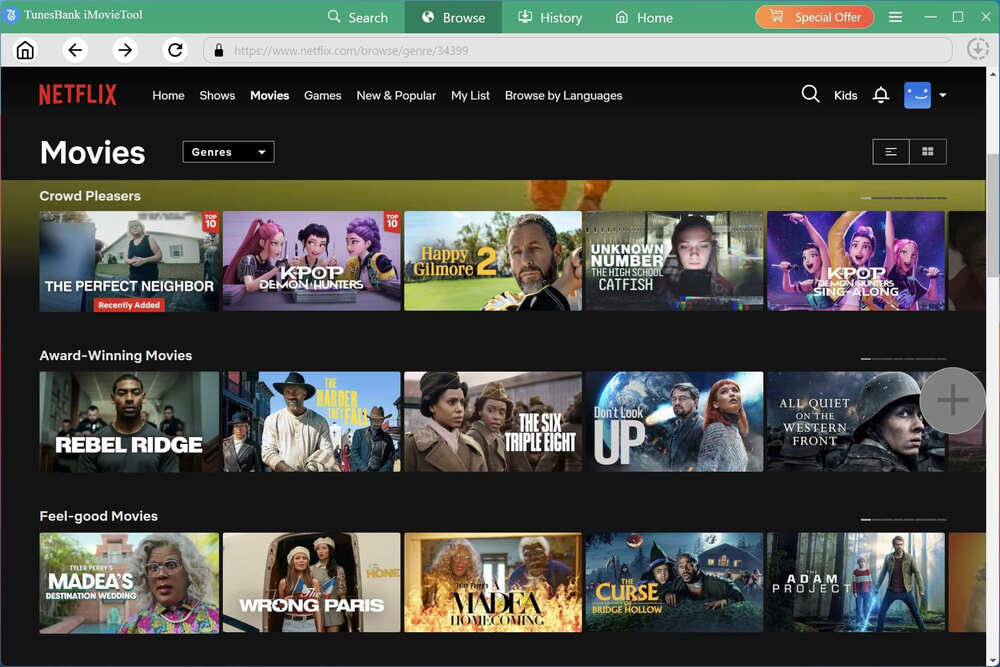
Way 3. Go to "Browse" tab, find Stranger Things manually, open the season or episode, and let TunePat detect it automatically.
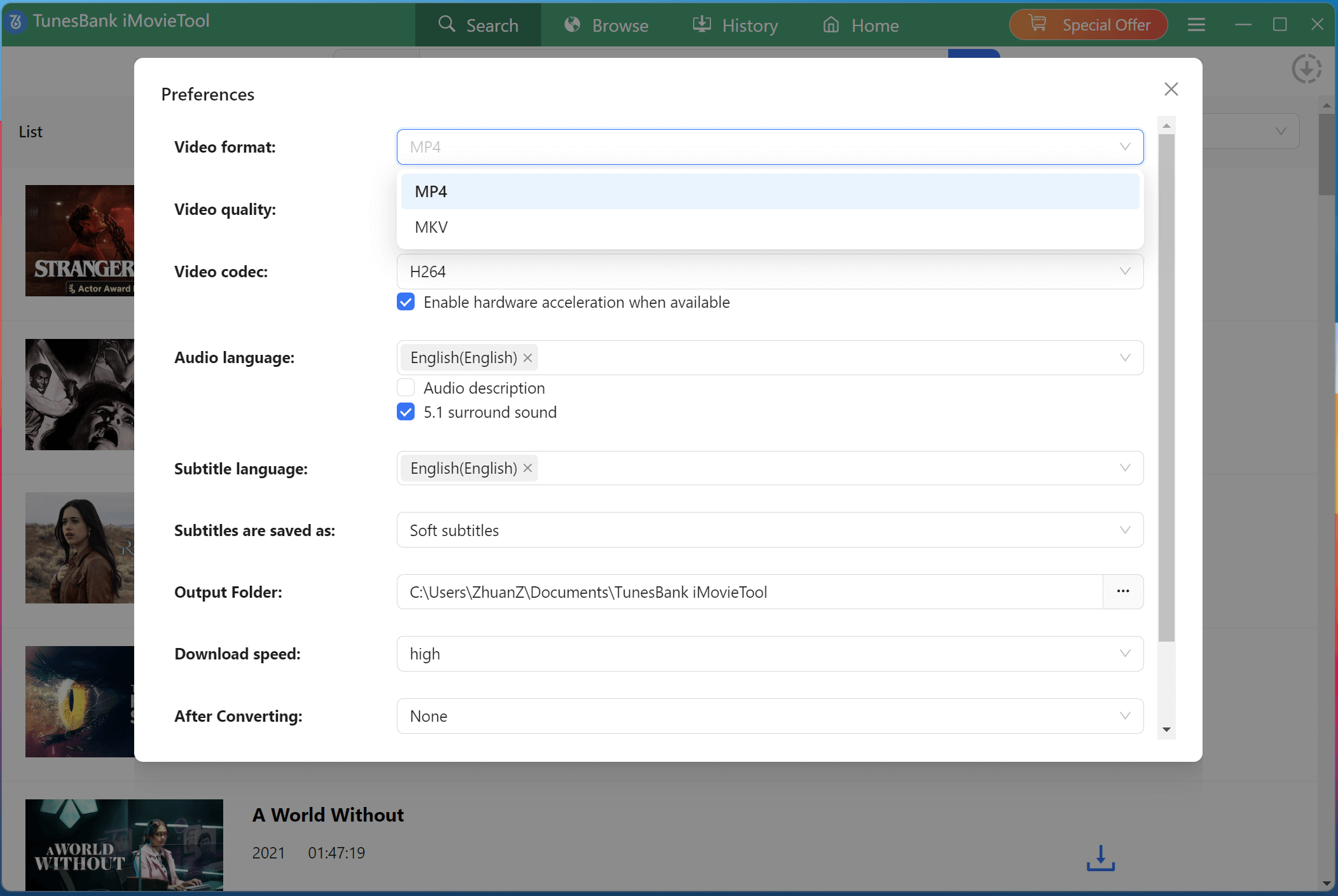
Step 4. Define Output Settings
Go to the "Menu" bar, or click the "Gear" icon next to the title. In the pop-up settings window, choose MP4 as the output format. Here, you can also select video quality, audio language, subtitle type, and output folder before downloading Stranger Things.
Step 5. Download Netflix Videos to MP4
Click "Download" icon next to the title. In the pop-up window, select the desired episodes.
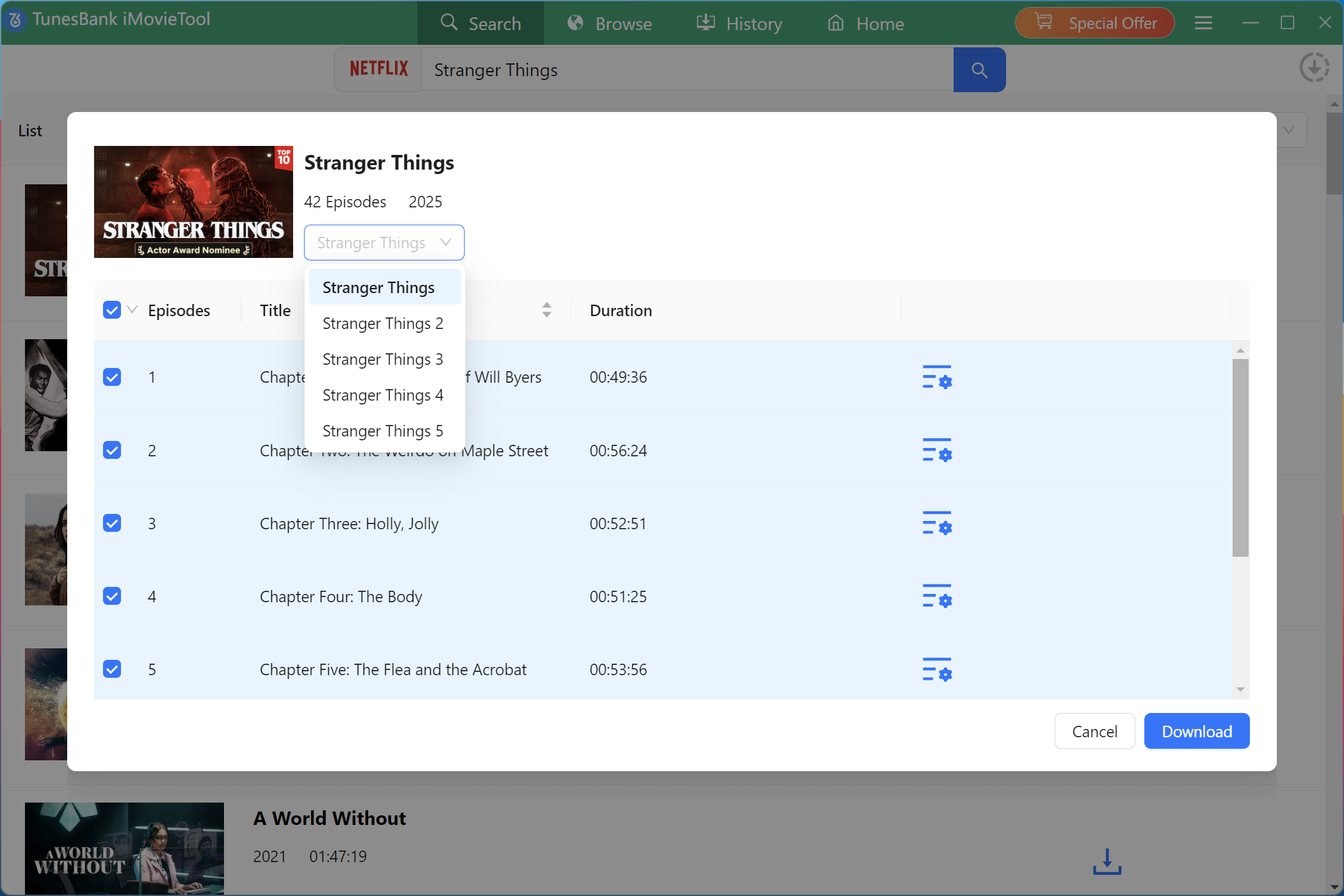
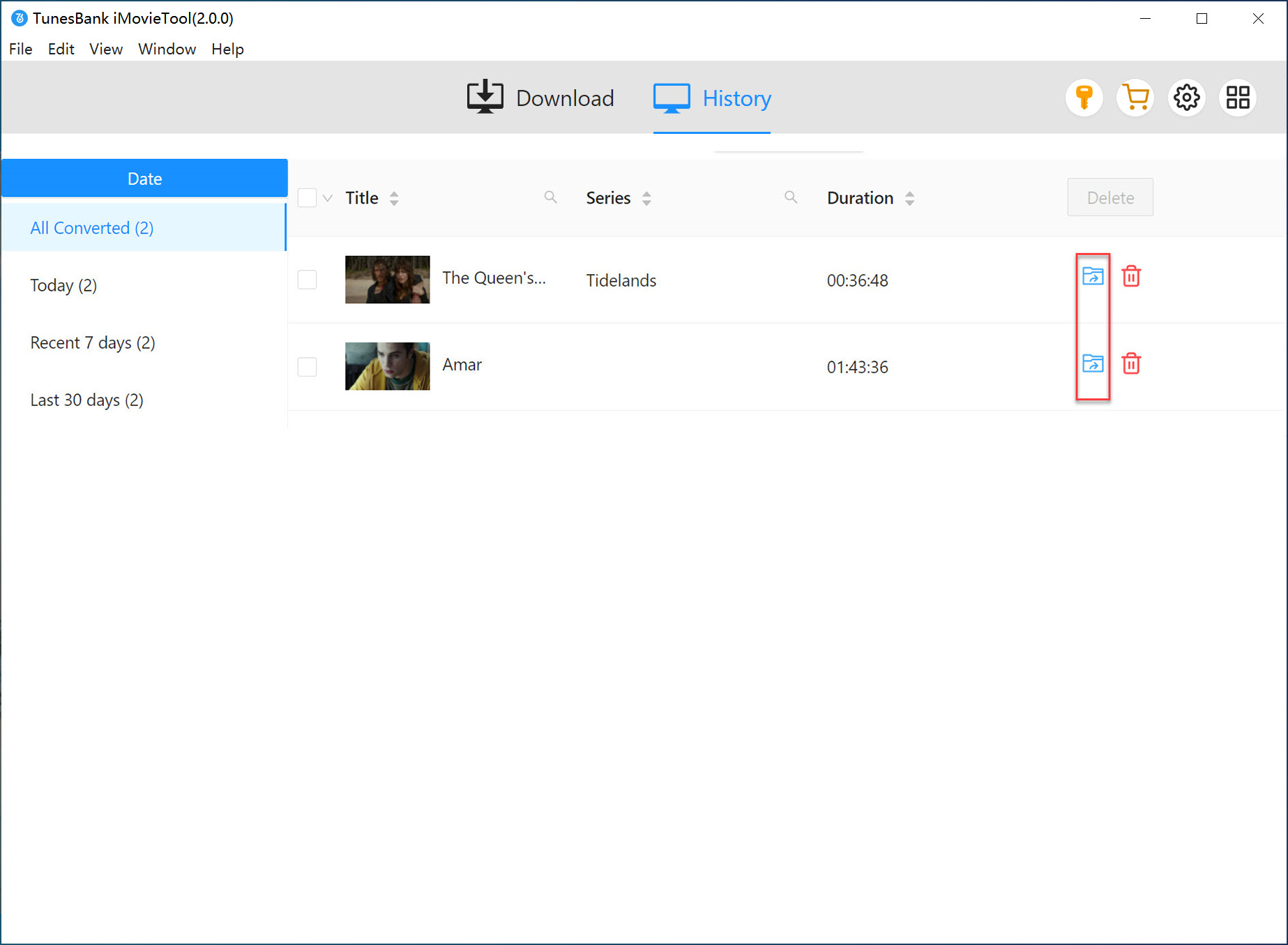
After selecting your desired seasons or episodes, click the "Download" button. The software will start downloading Stranger Things to HD MP4 at high speed while preserving quality and subtitles. When the Stranger Things downloads completed, come to "History" section to check the downloaded episodes.
Conclusion
Ready to binge-watch Stranger Things offline? Download Stranger Things (Season 1–5) to MP4 for Watching Offline has become a hot topic among Netflix users worldwide. If you have subscribed to Netflix, you can download Stranger Things directly from Netflix to your mobile devices. For those who want to truly watch Stranger Things anywhere without restrictions, the best solution is to download Stranger Things as MP4 files.
With iMovieTool Netflix Video Downloader, you can easily download Stranger Things Season 1-5 from Netflix to MP4, save the series in full HD quality, and enjoy unlimited and permanent offline playback, without expiration, device limits, or internet connection. Start a free try right now!
iMovieTool Netflix Video Downloader
Download Netflix Movies/TV Shows to Watch Offline Anywhere!
Comments
Sorry the comment has been closed.
Comments are off!