By LisaUpdated on April 21, 2026
Summary:
Netflix doesn't let you download any content on Mac computer. Follow the 2 methods below, you will learn how to download Netflix videos on Mac, store them locally, and watch Netflix offline on MacBook or iMac anytime, even without internet access.
Can I download movies from Netflix on my MacBook? That's the common question many Mac users are still asking in 2026. Unfortunately, Netflix does not currently offer an official Netflix app for macOS devices. There is no an direct way to download Netflix on Mac. This means MacBook and iMac users cannot easily watch Netflix videos offline on Mac through the official platform.

No worry, there's a workaround. If you are wondering how to download Netflix movies on Mac for offline viewing, keep reading. This article will provide two alternative methods to help you watch Netflix offline on Mac, even without relying on the streaming platform.
Watch Netflix Offline on Mac
Method 1. Download Netflix Videos on iPhone and Cast to Mac
Netflix allows you to download content on mobile devices for offline watching. If you already use the iPhone or iPad, one simple workaround to watch Netflix offline on Mac is using the screen mirror function. You can download Netflix videos on your iPhone/iPad first, and then casting or mirroring them to your Mac screen. Here are the simple steps:
Step 1. Install and open the the Netflix App on your iPhone or iPad.
Step 2. Log in using your Netflix account to access the full library of movies and TV shows.
Step 3. Browse the Netflix library within the app and select the movie or episode you want to watch offline.
Step 4. Tap the "Download" button to save the Netflix video to your device.
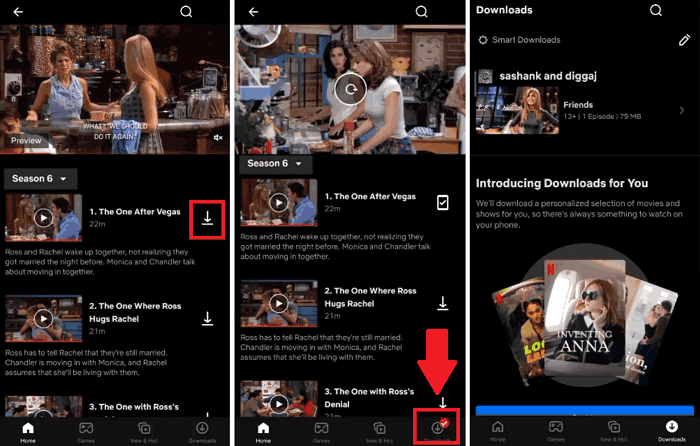
Step 5. Once downloaded, go to "Downloads" section and play the Netflix video.
Step 6. On your iPhone/iPad, open the "Control Center" and tap "Screen Mirroring". Then select your Mac device from the available list.
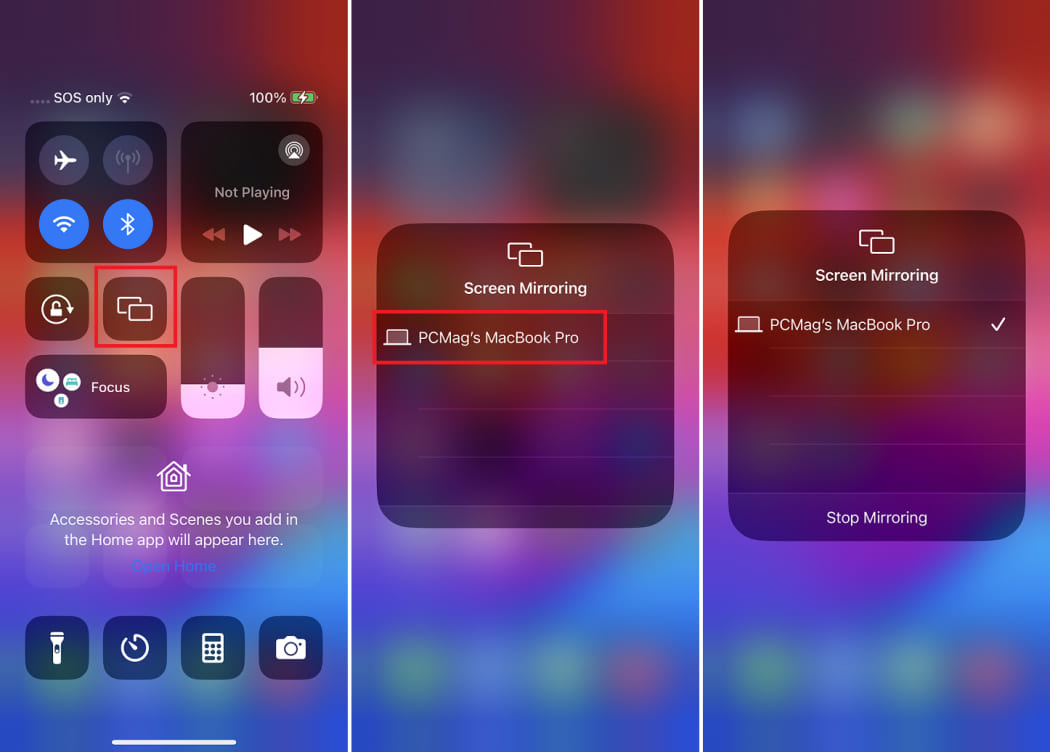
📌 Note:
● Make sure both Apple devices are connected to the same Wi-Fi network.
● If you encounter screen mirroring blocks from Netflix, please use a USB-C docking station with an HDMI port.
Step 7. The content will mirror to your Mac display, allowing you to watch Netflix videos offline on Mac through your iPhone.
Limitations of This Method
While this approach allows you to enjoy Netflix offline on Mac, it still has several limitations:
- Videos are stored only on the iPhone, not on the Mac
- Screen mirroring quality may vary depending on connection stability
- Battery consumption can be high during casting
Keep reading, we will guide you how to download and watch Netflix videos offline on your Mac in MP4 format.
Method 2. Download and Watch Netflix Offline on Mac via iMovieTool
Since Netflix does not provide an official macOS download feature, so you can turn to the best alternative - professional third-party Netflix video downloader.
Here we highly recommend the iMovieTool Netflix Video Downloader. The software is well designed to download Netflix videos on Mac and Windows for offline viewing. With a built-in Netflix web browser, users can access Netflix library directly within the software without installing any additional apps. After logging in, you are able to browse Netflix content, search for movies or TV shows, and start downloading your favorite Netflix videos on Mac easily.
iMovieTool supports downloading Netflix movies and TV episodes in popular formats such as MP4 or MKV, while preserving excellent HD 1080p video quality, multiple audio tracks and subtitles. Once downloaded, you can keep the Netflix videos forever, and watch Netflix videos offline on Mac using other players like iTunes, VLC, QuickTime anytime.
More Features of iMovieTool Netflix Video Downloader:
- Download Netflix movies and TV shows directly on macOS, PC
- Built-in Netflix web browser (no Netflix app required)
- Save videos in MP4 or MKV format for universal compatibility
- Preserve HD video quality for smooth offline playback
- Batch download entire Netflix series and multiple movies
- Support multiple audio tracks and subtitles
- Up to 50X fast downloading speed for large video libraries
- Easily watch Netflix videos offline on Mac without the Netflix app
- Transfer and play Netflix videos on any device or player without limits.
How to Download and Watch Netflix Videos Offline On Mac in MP4?
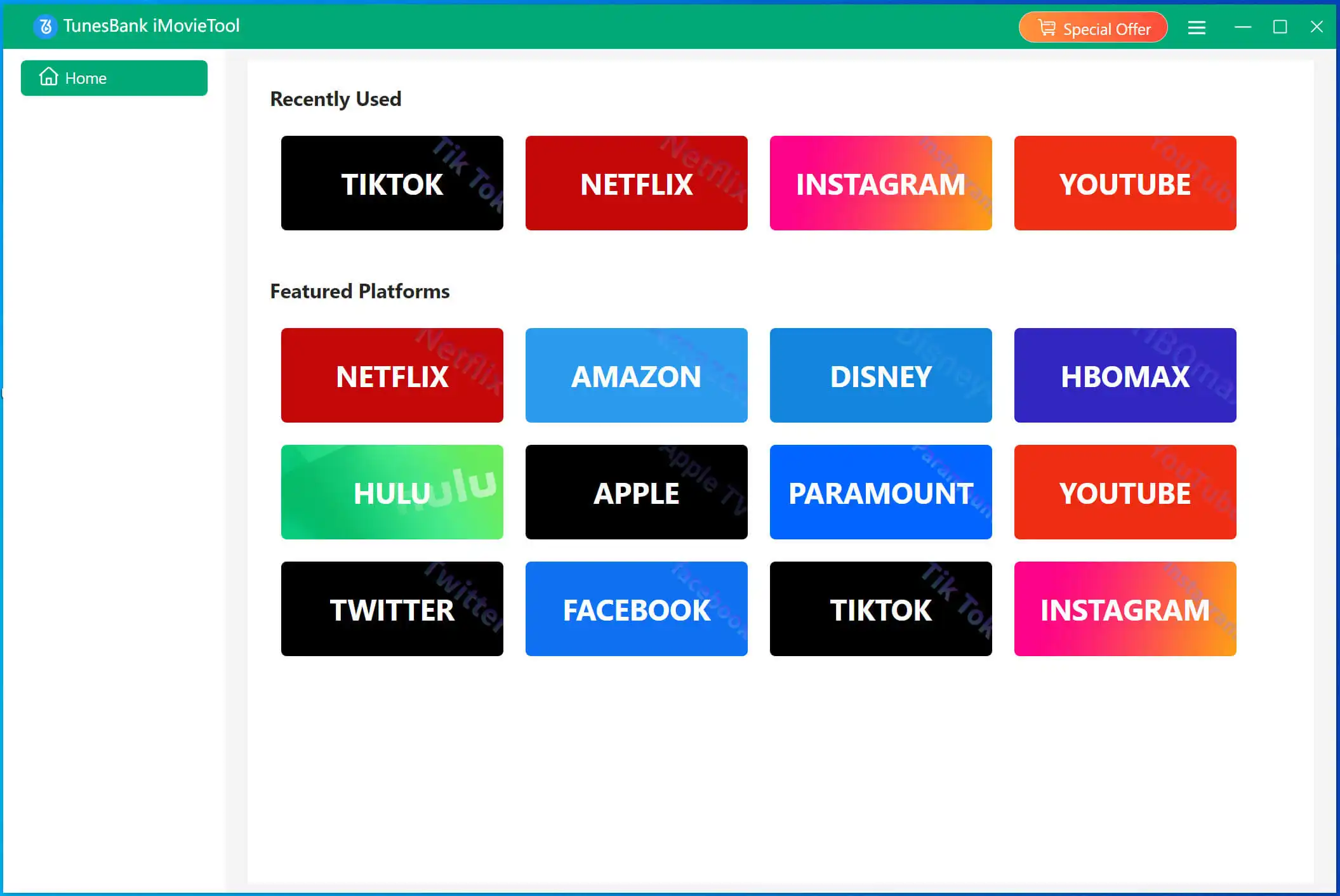
Step 1. Run iMovieTool and Select Netflix
Download, install and launch iMovieTool software on your iMac or MacBook. Choose Netflix service to enter the iMovieTool Netflix Video Downloader.
Step 2. Log in to Netflix Account
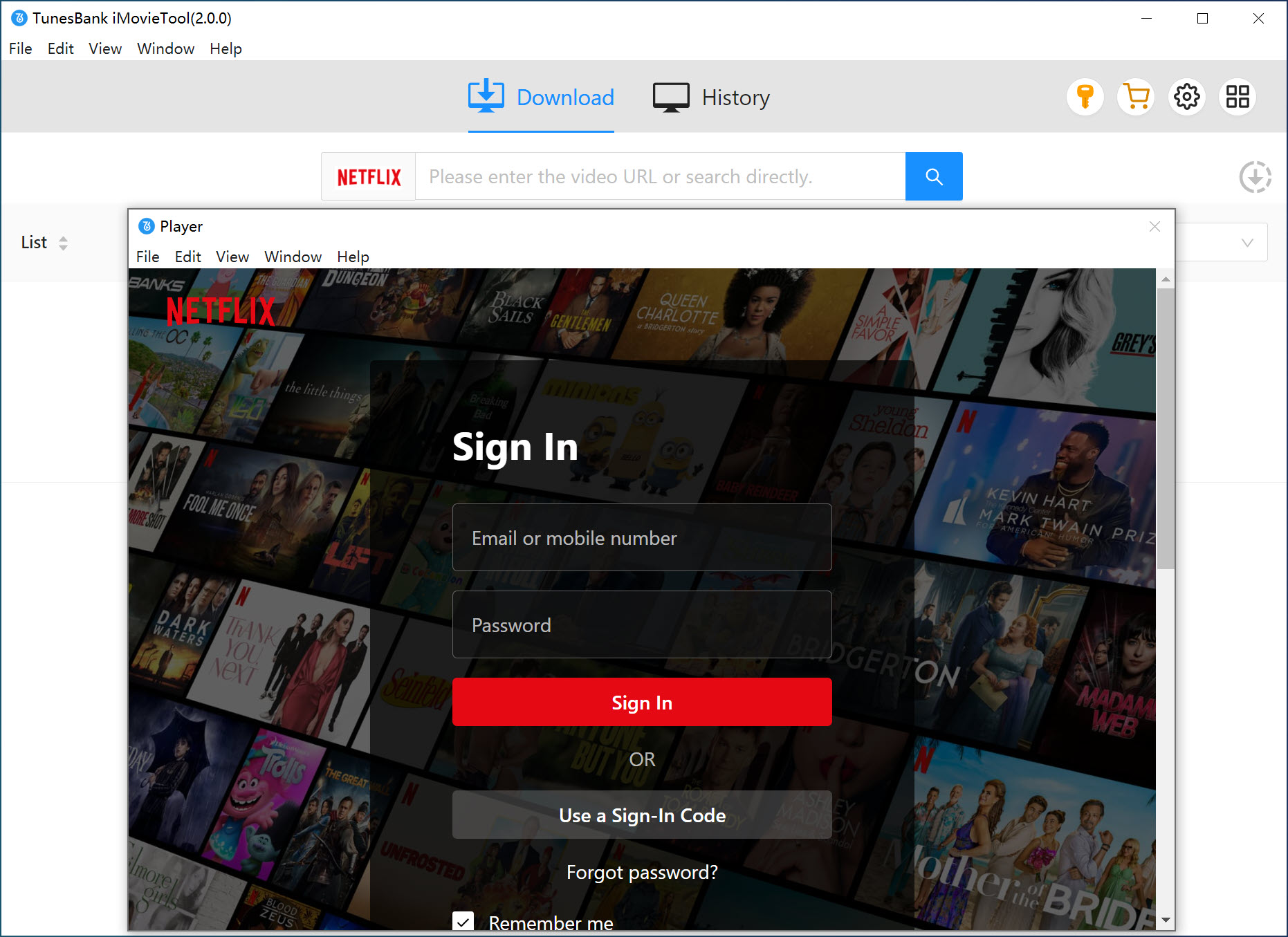
The built-in browser will open automatically, displaying the Netflix login page. Then, sign in with your active Netflix account.
Step 3. Browse and Add Netflix Videos to Download
iMovieTool offers three convenient ways to find the content you want to download:
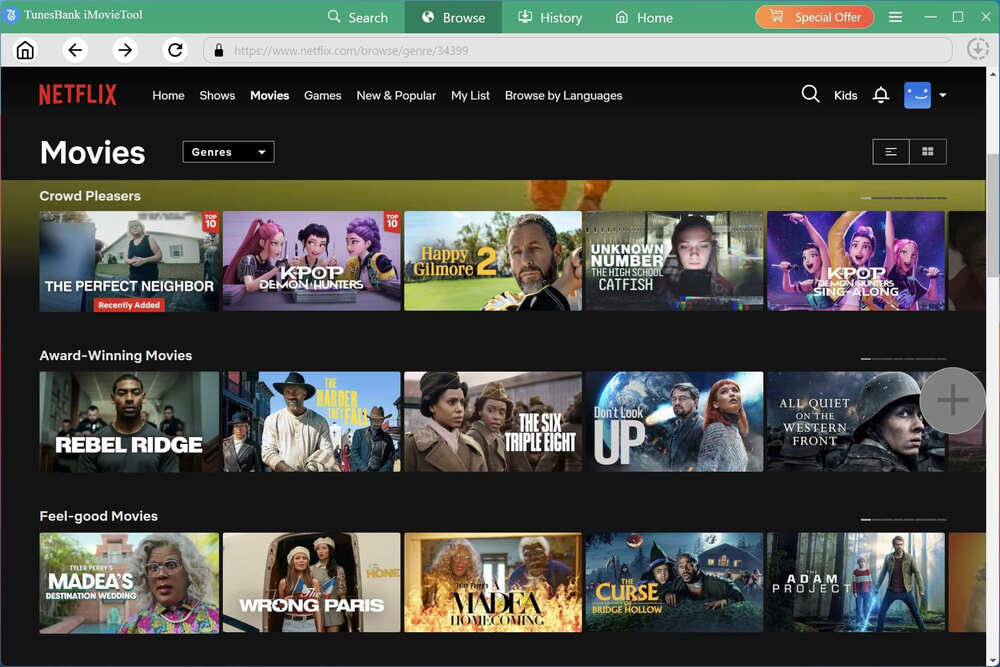
Browse Online: Go to "Browse" section, use the built-in browser to navigate Netflix normally. Browse through categories, check trending titles, explore recommendations, and discover new content just as you would on the official website.
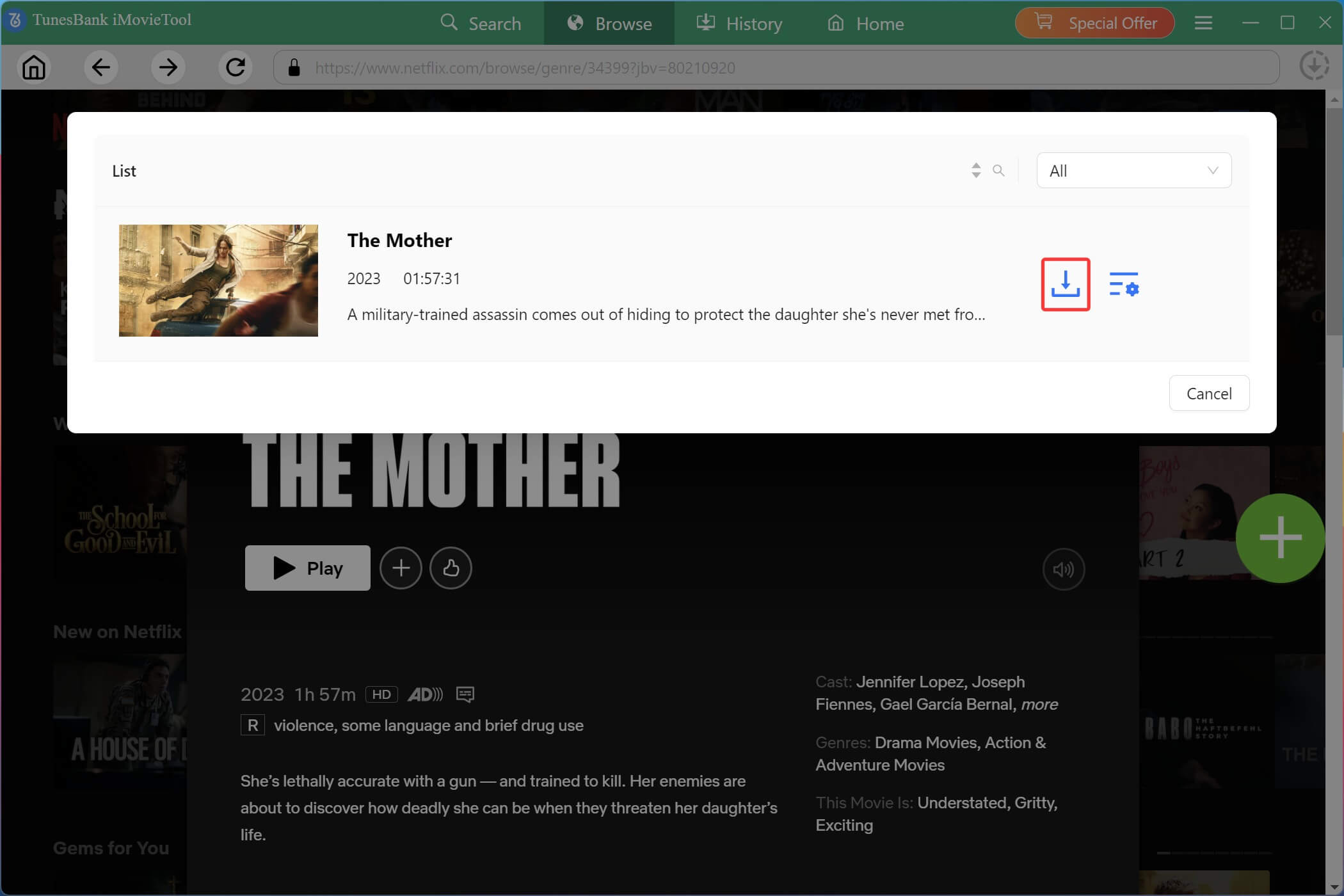
When you find a movie or TV show, open it and click "+" icon to add it to the download queue. A download prompt will appear, click the "Download" icon.
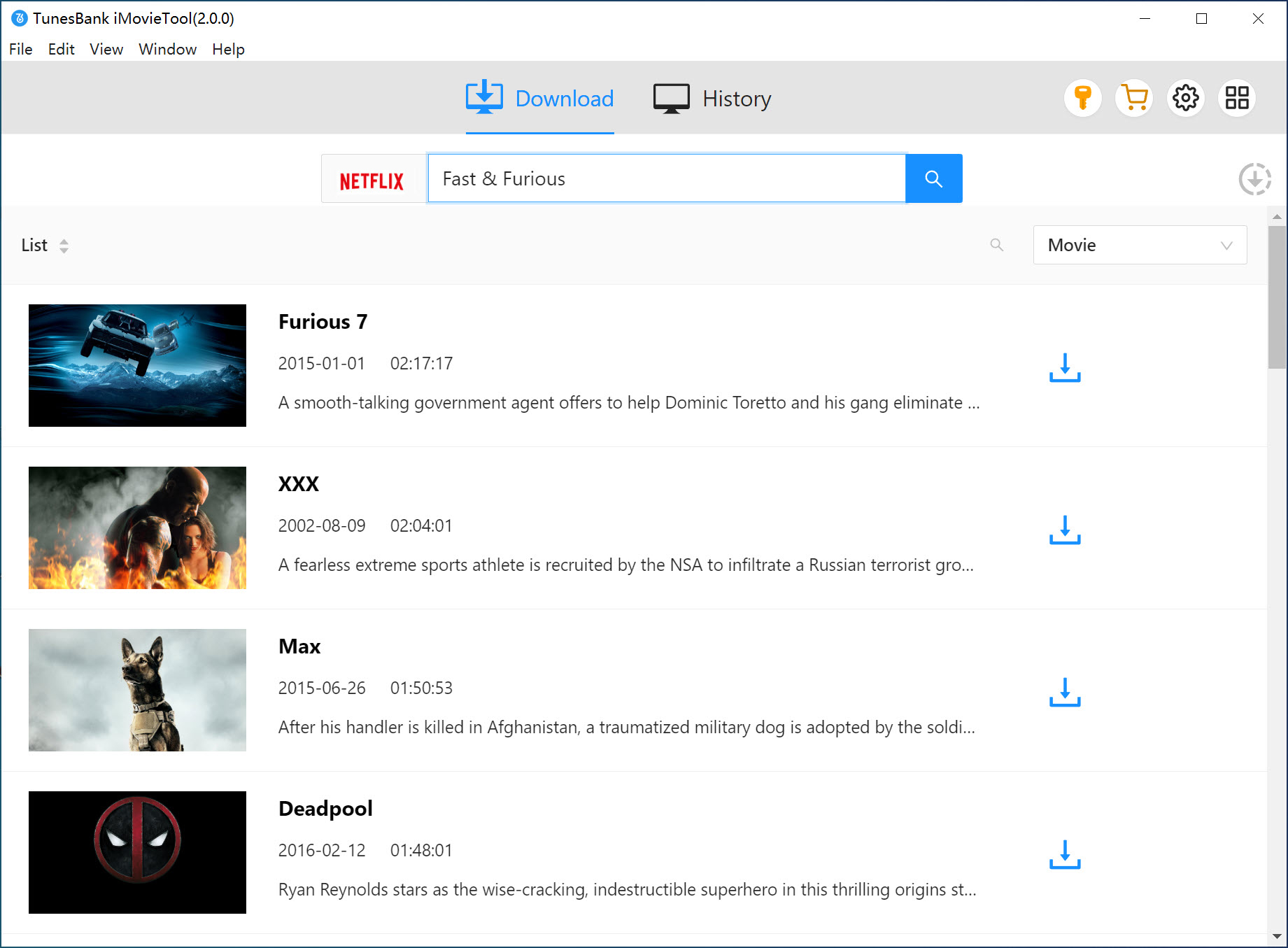
Using Name: Move to "Search" section. Simply type the title of the movie or show into the search bar. The software will display matching results from Netflix's library, complete with cover art and descriptions.
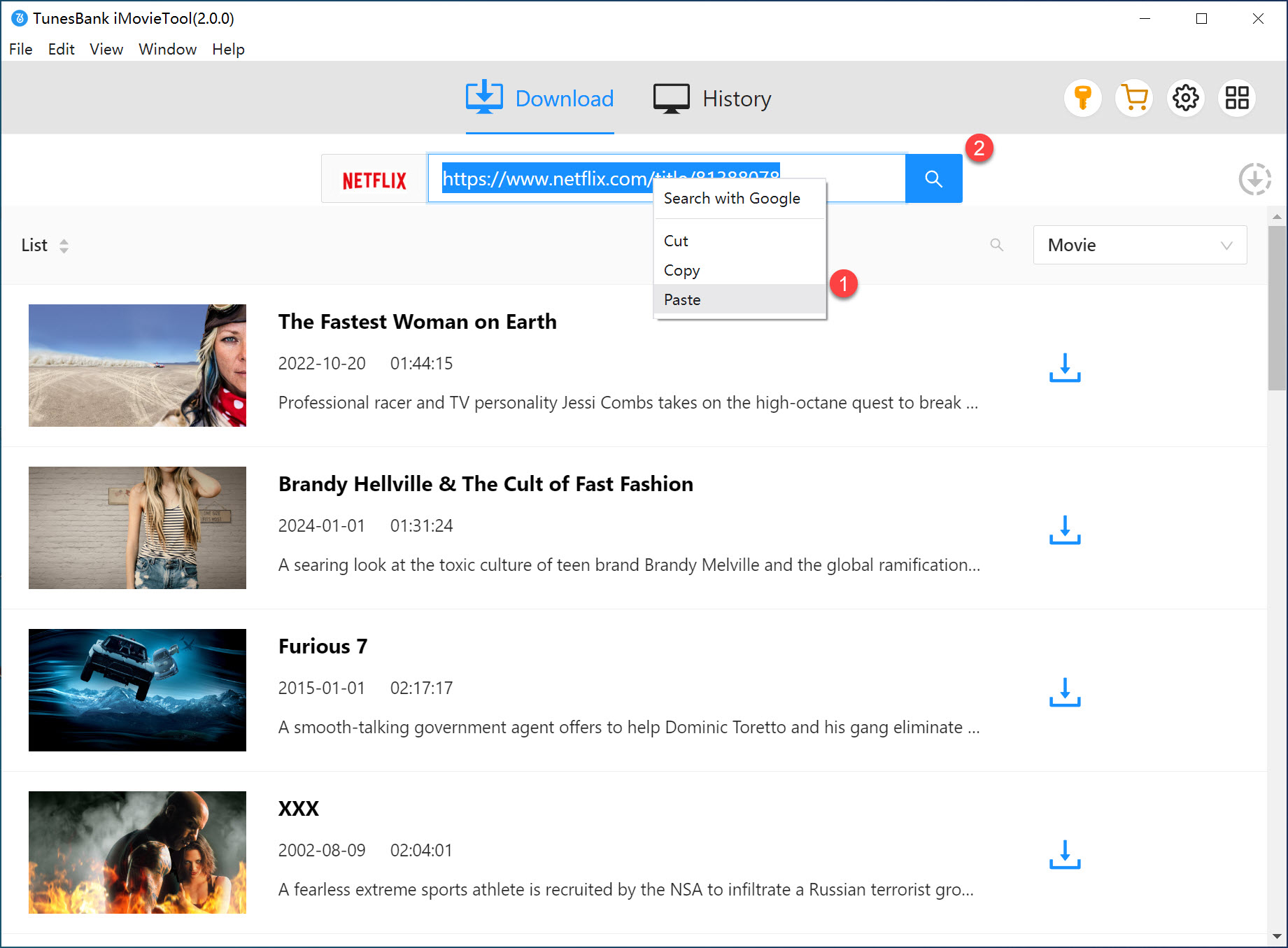
Using URL: If you already have the specific Netflix URL open in your regular browser, copy it and paste it into iMovieTool's search bar. This takes you directly to that exact content page.
Step 4. Configure Output Settings
Before downloading, click the Menu icon and choose "Preference" to customize your output settings. Here you can: choose output format, select video quality, pick audio language and track preferences, and choose subtitle languages and style freely.
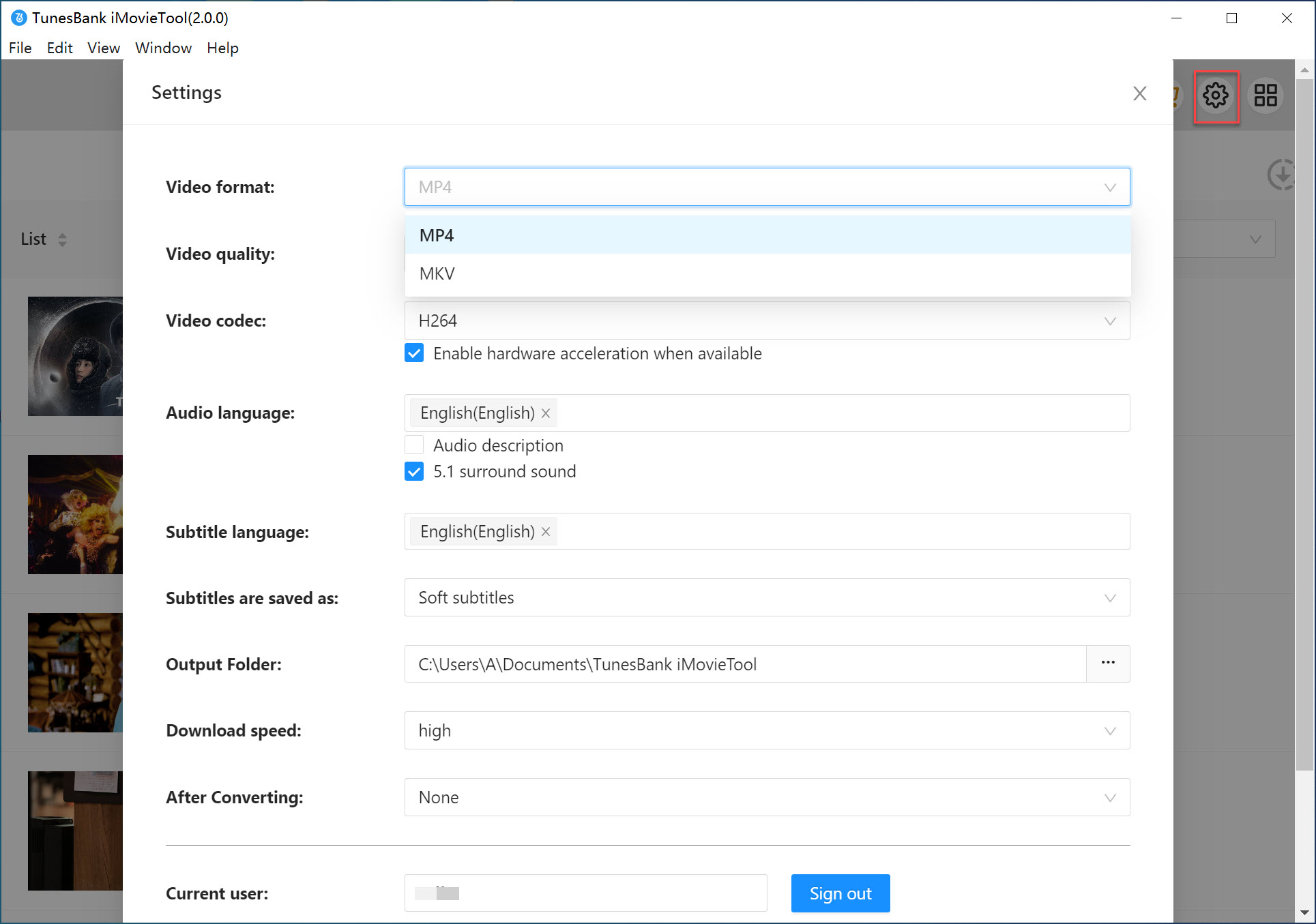
Step 5. Download Netflix Videos to Mac in MP4
Once you've selected your movie or TV show, click the "Download" button.
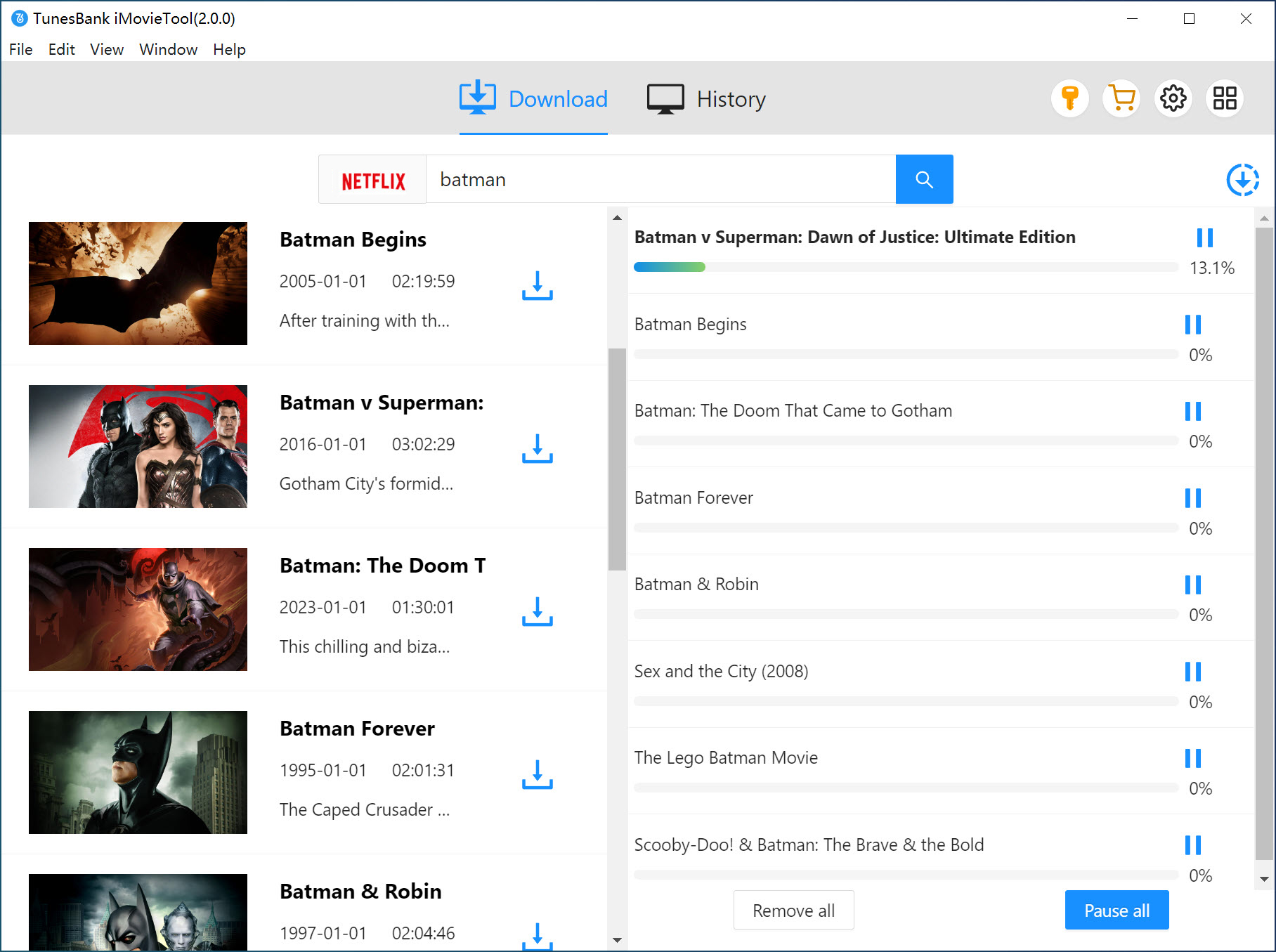
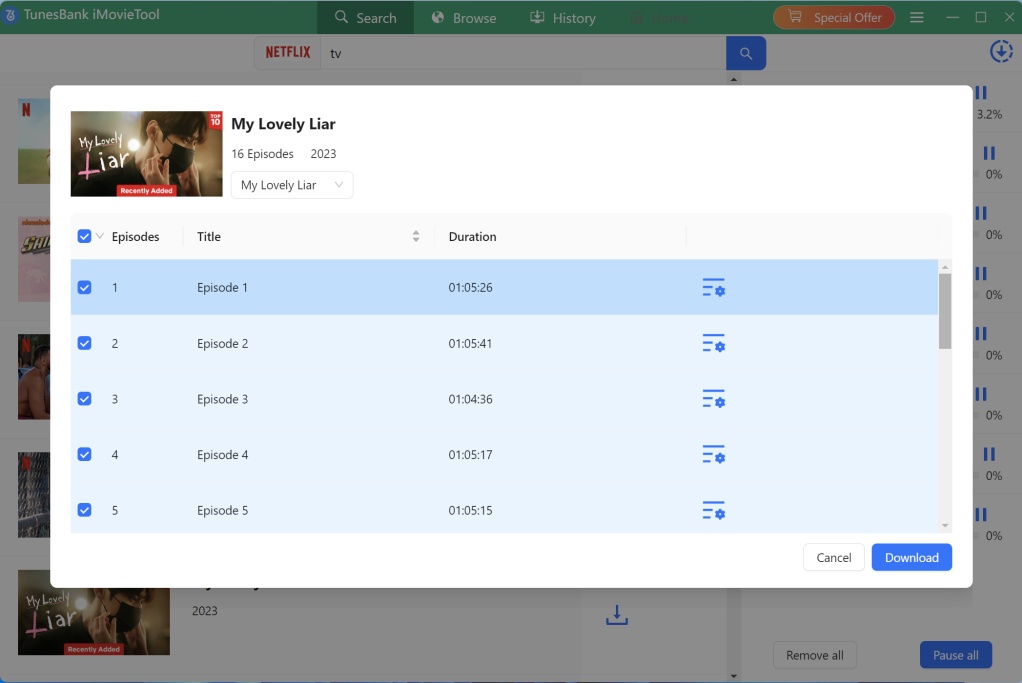
For series, you'll see a list of all available seasons and episodes. Then hit on the "Download" button again, the software will begin analyzing and downloading each episode.
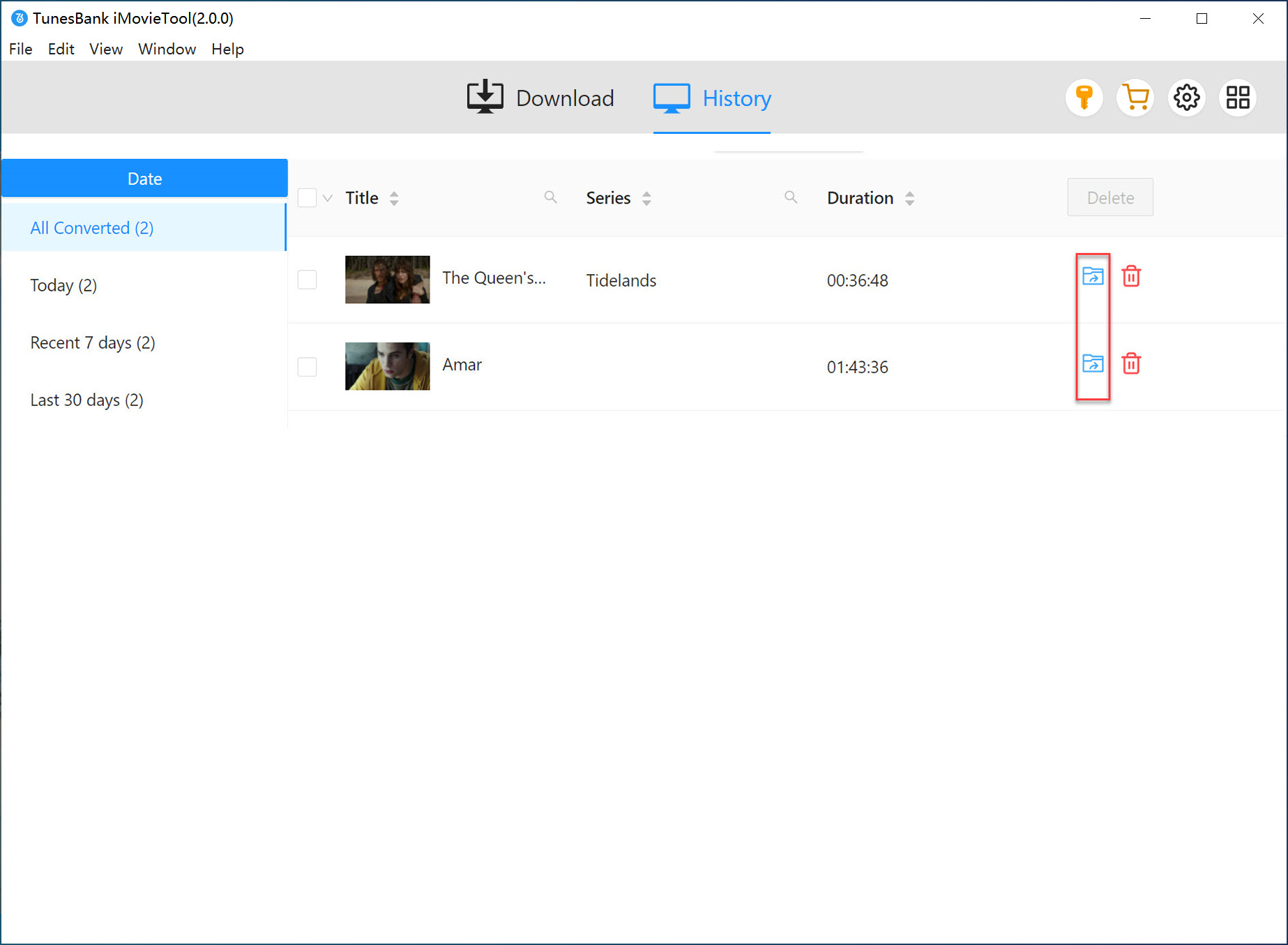
Step 6. Watch Downloaded Netflix Videos on Mac Offline
When downloads complete, go to the "History" section of the program. All downloaded Netflix video files will be stored locally on your Mac. You can now watch Netflix videos offline on Mac anytime without internet access.
Conclusion
Although Netflix does not officially allow users to download Netflix videos on Mac, there are still effective ways to watch Netflix offline on MacBook or iMac. You use either cast Netflix downloads from iPhone to Mac, or use a third-party Netflix downloaders. By comparison, iMovieTool Netflix Video Downloader seems to be the best choice with no doubt. It allows users to download Netflix movies and shows on Mac in MP4/MKV format up to 1080p Full HD resolution. With it, users can watch Netflix offline on Mac, or even any other device, without worrying about internet connection and Netflix restrictions again.
iMovieTool Netflix Video Downloader
Download Netflix Movies/TV Shows to Mac!

Comments
Sorry the comment has been closed.
Comments are off!