By JunieUpdated on February 25, 2026
📢 Summary:
Want to download Zootopia 2/1 from Disney Plus for offline viewing? This guide shows you two simple ways to watch Zootopia 2/1 offline. One way is using the Disney Plus app on mobile devices, and the other is using a reliable third party tool that lets you save the movie and watch it offline on more devices.
Zootopia is a Disney animated movie set in a colorful city where animals live like humans. The story follows Judy Hopps, a brave rabbit who becomes a police officer and teams up with a smart fox named Nick Wilde to solve a mystery. In Zootopia 2, Judy and Nick return for new adventures, facing bigger challenges, meeting new characters, and working together to protect the city. Both movies share a fun, heartwarming message about friendship, teamwork, and believing in yourself.
To watch Zootopia 2/1 offline, you need a Disney Plus subscription. Disney Plus allows you to stream movies online and download them for offline viewing without an internet connection. In this guide, you will learn how to download Zootopia 2/1 from Disney Plus for offline viewing step by step. We will introduce two effective methods, using the official Disney Plus app and using a reliable third party tool, so you can easily watch Zootopia 2/1 offline anytime and anywhere.
🥰 You May Also Like:
Part 1. How to Download Zootopia 2/1 with Disney Plus App (Official)
If you have an active Disney Plus subscription, you can download Zootopia directly through the official Disney Plus app. This allows you to watch Zootopia offline without an internet connection, making it ideal for travel, flights, or areas with limited Wi Fi. Simply install the Disney Plus app on a supported mobile device, such as a smartphone or tablet, and make sure you are signed in to your account.
Step 1. Launch the Disney Plus app on your mobile device and log in with your Disney Plus account.
Step 2. Use the search bar to find Zootopia or Zootopia 2, then open the movie’s details page.
Step 3. Tap the Download button and wait for the download to complete. Once finished, you can watch Zootopia offline anytime from the Downloads section.
🛠 Limitations:
- Disney Plus downloads work only on supported mobile devices like smartphones and tablets.
- You cannot download Disney Plus movies or shows on computers, smart TVs, or game consoles.
- The number of videos you can download depends on how much storage space is available on your device.
- Downloaded videos take up different amounts of space based on their length and video quality.
- Disney Plus downloads are not permanent and may expire over time.
- To keep your downloads active, you must sign in to your Disney Plus account at least once every 30 days.
Part 2. How to Download Zootopia 2/1 from Disney Plus in MP4 using iMovieTool [Best]
Based on the points above, downloading content with the official Disney Plus app comes with several limitations. If you want more flexibility and control, you can use a third party tool to download Zootopia 2/1 from Disney Plus for offline viewing. This method makes it easier to save the movie permanently and watch Zootopia 2/1 offline on different devices without restrictions.
iMovieTool Disney Plus Downloader is one of the top Disney Plus video downloaders available today and offers powerful features for offline viewing. It removes the limitation of downloading only on mobile devices and allows you to save Disney Plus videos in MP4 or MKV format in HD 720P/1080P video quality. Once downloaded, you can transfer the videos to any device you want and watch them anytime.
With its built in Disney Plus library browser, iMovieTool Disney Plus Downloader lets you download movies directly without installing the Disney Plus app. Moreover, this tool keeps multiple audio tracks and subtitles, and delivers fast download speeds up to 50X. With iMovieTool, you can easily download Zootopia 2/1 from Disney Plus for offline viewing and enjoy watching Zootopia 2/1 offline on any device with no hassle.
👍 Great Features of iMovieTool Disney Plus Downloader:
- Download movies and shows from popular platforms, such as Disney+, Netflix, Amazon Prime, YouTube, etc.
- Download Zootopia 2/1 from Disney Plus to MP4/MKV in HD 720P/1080P.
- Preserve multilingual audio tracks and subtitles.
- Batch download Zootopia 2/1 from Disney Plus at 50X faster speed.
- Equipped with built-in browser, easy search by title or URL.
- Keep Zootopia forever for offline viewing on any device.
- Compatible with Windows and Mac computer.
In the following tutorial, we will show you how to download Zootopia 2/1 on your computer using iMovieTool Disney Plus Video Downloader. With this tool, you can save the movie locally and enjoy offline viewing without relying on the Disney Plus app.
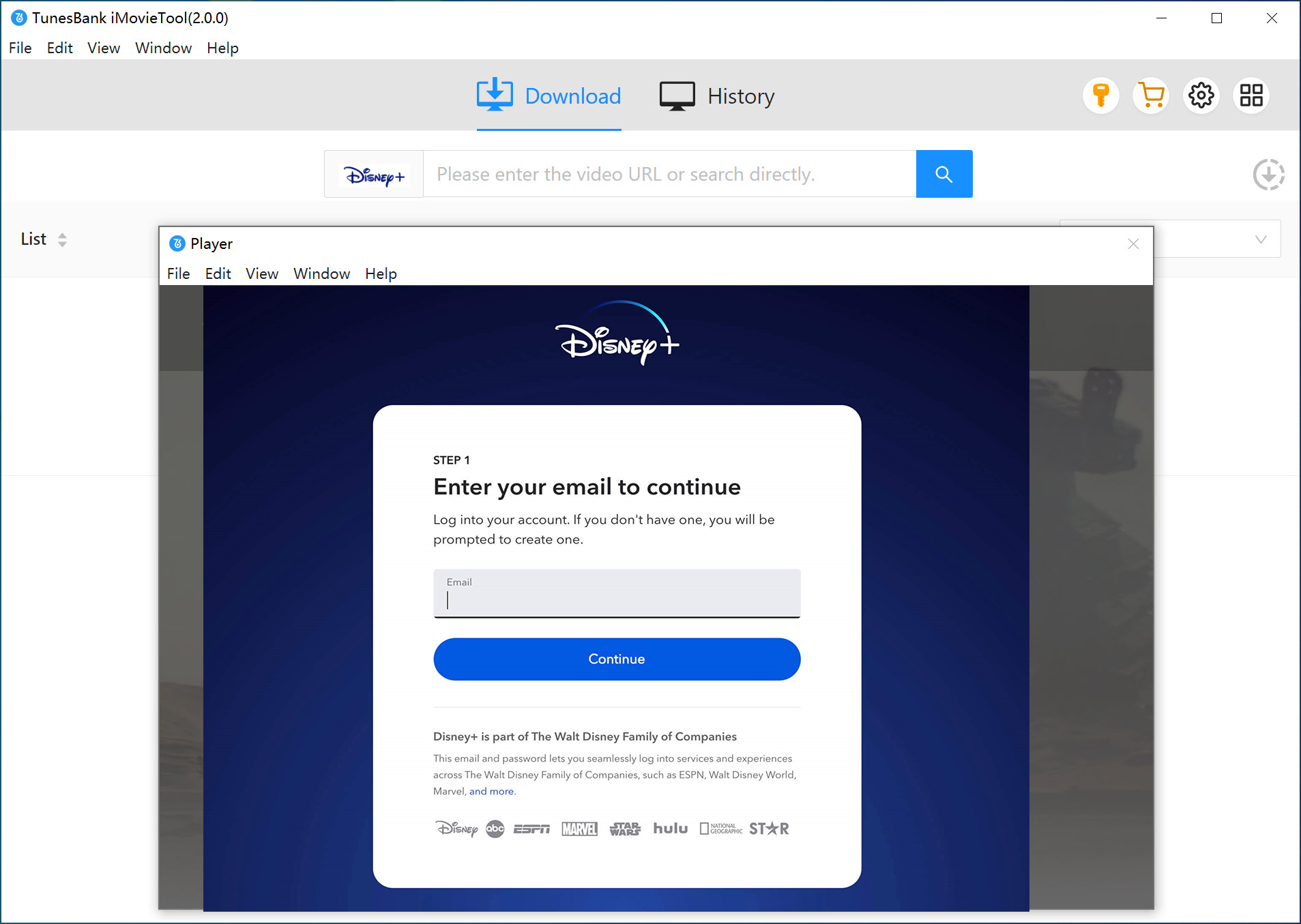
Step 1. Select Disney Plus and sign in
Open iMovieTool All in One Video Downloader on your computer. On the main screen, choose Disney Plus as the streaming service, then log in with your Disney Plus account.
Step 2. Find Zootopia 2 or Zootopia
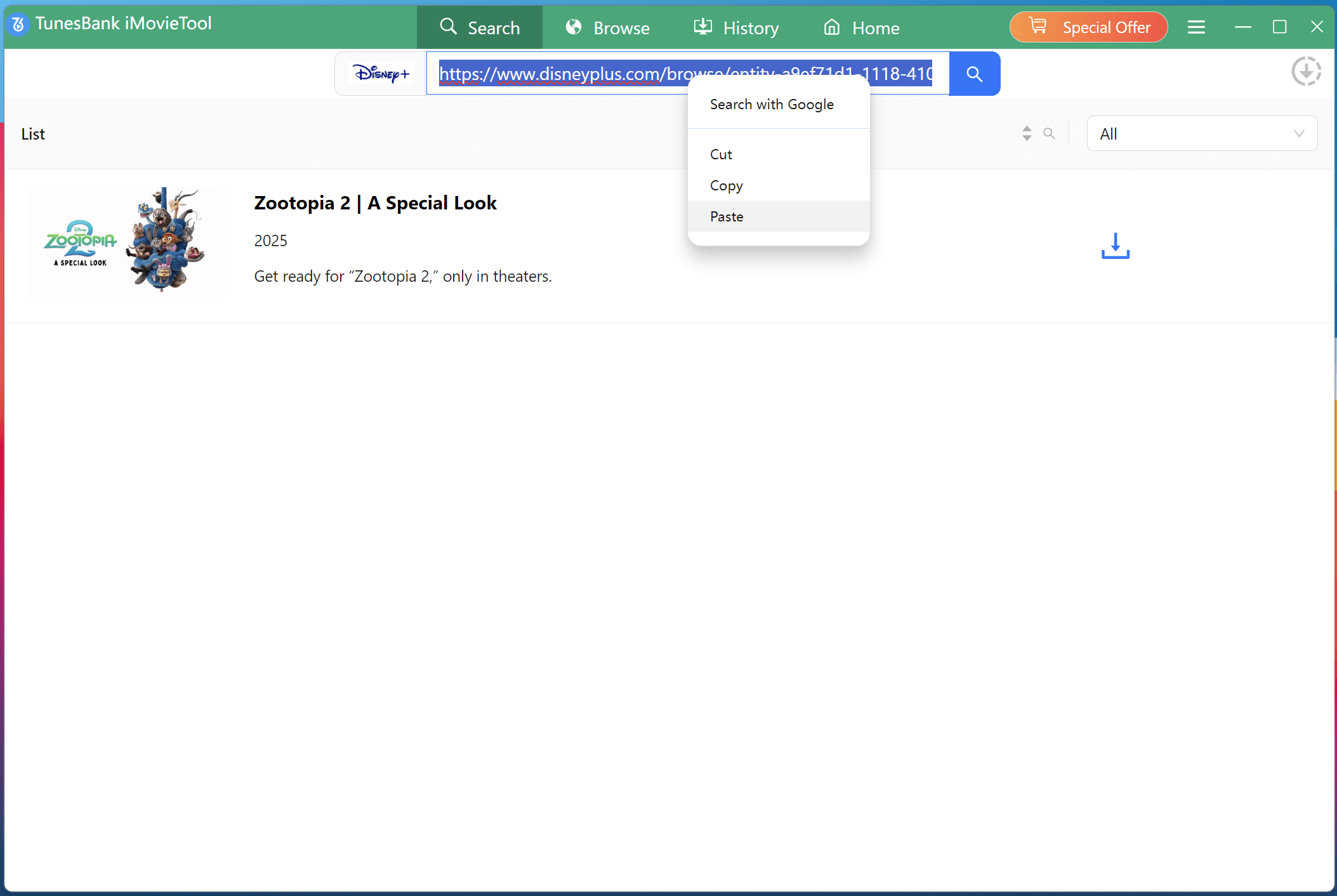
You can search for the movie in two easy ways. One option is to copy the Disney Plus video link for Zootopia from your web browser and paste it into the search bar, then click Search.
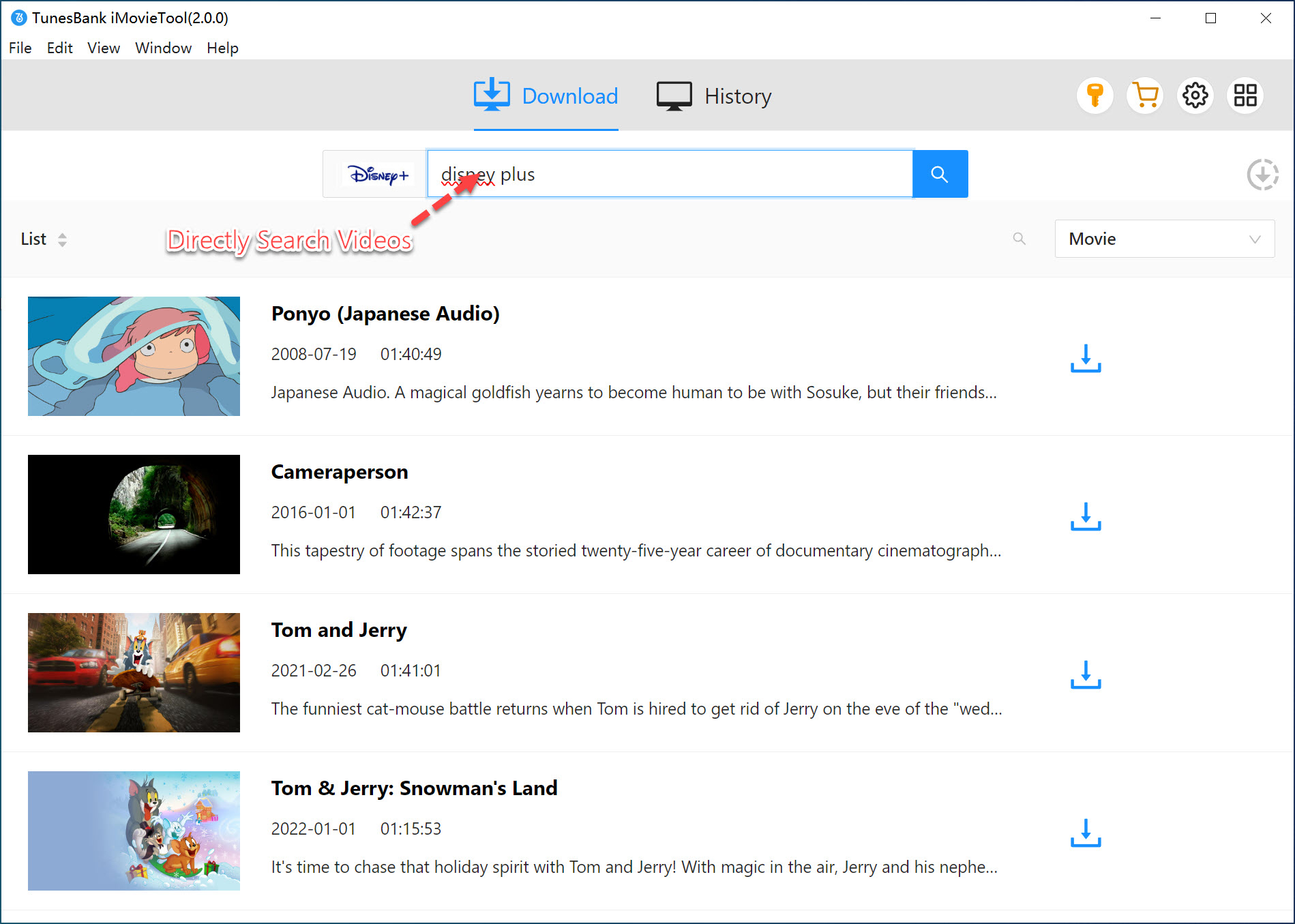
Another option is to type Zootopia 2/1 directly into the search box, and the program will display the related results.
Step 3. Adjust download settings
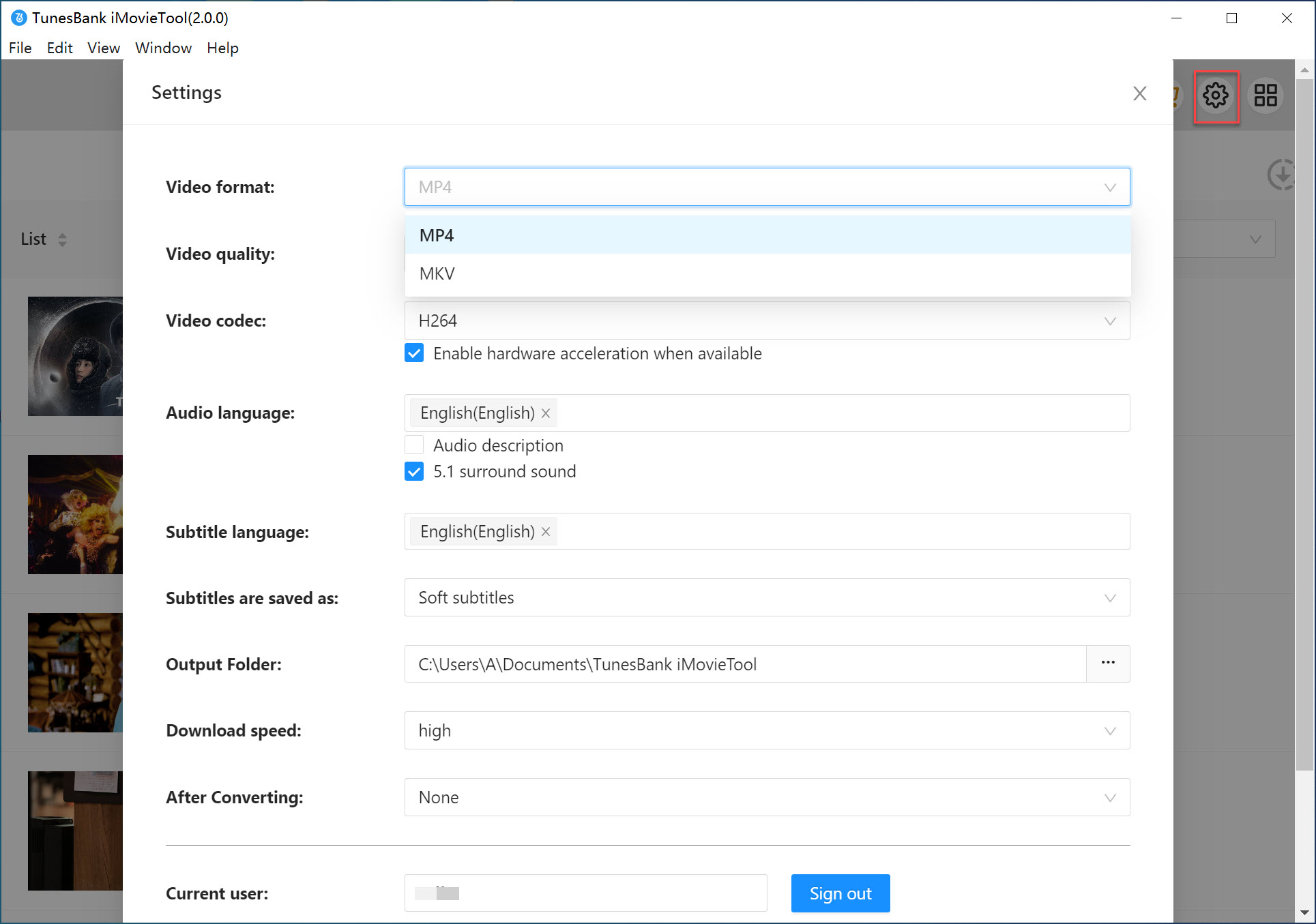
Click the Gear icon in the top right corner of the interface. Here, you can choose MP4 or MKV as the output format, set video quality and codec, select audio and subtitle languages, and change the output folder if needed.
Step 4. Start to Download Zootopia 2/1
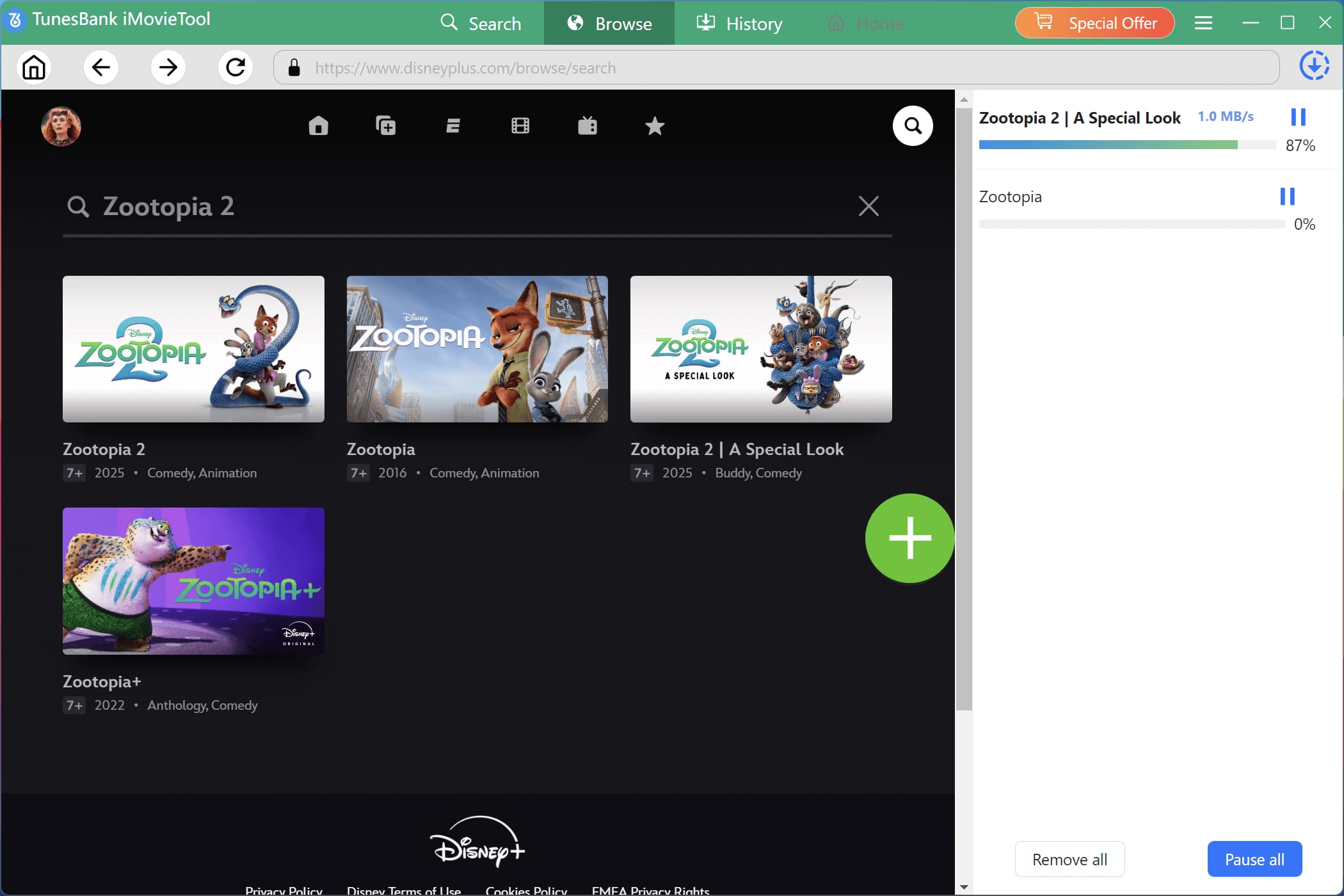
After finishing the settings, go back to the main screen and select the movie you want to download. Click the Download button to start saving Zootopia 2 or Zootopia from Disney Plus to your computer.
Step 5. Check downloaded files
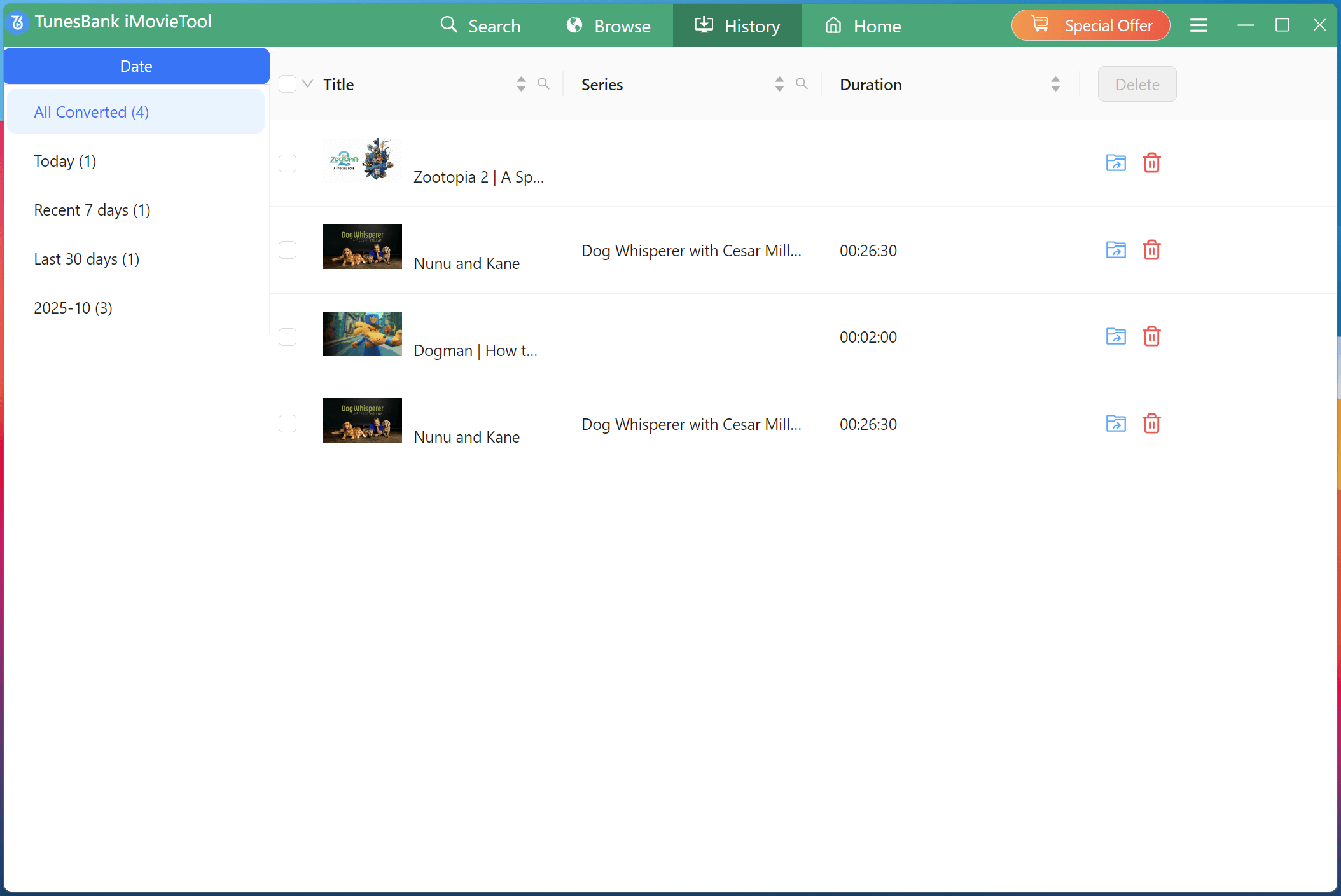
When the download is complete, open the History section to view your downloaded files. Click Open Output Folder to locate the movie on your computer. The downloaded Zootopia 2/1 will be saved in MP4 or MKV format, allowing you to watch it offline without the Disney Plus app.
Conclusion
Watching Zootopia 2/1 offline with the Disney Plus app may seem like the easiest option, but it also comes with several limitations. If you want to avoid these restrictions, iMovieTool Disney Plus Downloader is a helpful solution. This tool allows you to download Zootopia 2/1 from Disney Plus for offline viewing in high quality, giving you the freedom to watch Zootopia 2/1 offline anytime and on any device without limits.
iMovieTool Disney Plus Video Downloader
Download Disney Plus Video for Offine Watching!
Comments
Sorry the comment has been closed.
Comments are off!