By LisaUpdated on January 28, 2026
📢 Summary:
In this in-depth iMovieTool Video Downloader review, we'll take a close look at its features, supported streaming services, download quality, speed performance, and pricing plans. Get this tool to access all streaming video services!
Streaming platforms have completely changed the way we consume movies and TV shows. To get an ultimate, better viewing experience, many users are looking for reliable ways to download streaming videos for offline viewing without restrictions. In response to this growing demand, iMovieTool Video Downloader has emerged as a powerful solution, combining multiple streaming video downloaders into one streamlined program.
With this tool, you can easily grab your favorite movies and shows for offline playback. However, can it download Disney Plus videos for free? Can you download Netflix movies on MacBook? Is it possible to rip Amazon Prime video? Is it the best streaming video downloader? In this in-depth iMovieTool Video Downloader review (2026), you'll find out the answers. Here we'll explore its features, supported platforms, pricing, performance, and whether it's worth your investment.
What Can I Get from iMovieTool Video Downloader?
As its name goes, iMovieTool Video Downloader is a multi-platform movie downloader, offering powerful downloading functionality to download movies and shows in 1080p high resolution. The software helps you unlock DRM from major streaming platforms and download streaming videos to watch offline. With its help, users can get superior benefits.
Get MP4/MKV Video Downloads: It has the ability to download streaming videos into widely compatible formats like MP4 and MKV. This ensures a flexible, convenient and permanent videos offline playback and saving.
Save High-Quality Movies & Shows: iMovieTool Video Downloader enables you to download movies, TV shows from streaming platforms to your computer with high quality up to 1080p for perfect enjoyment.
iMovieTool Video Downloader: A Quick Overview
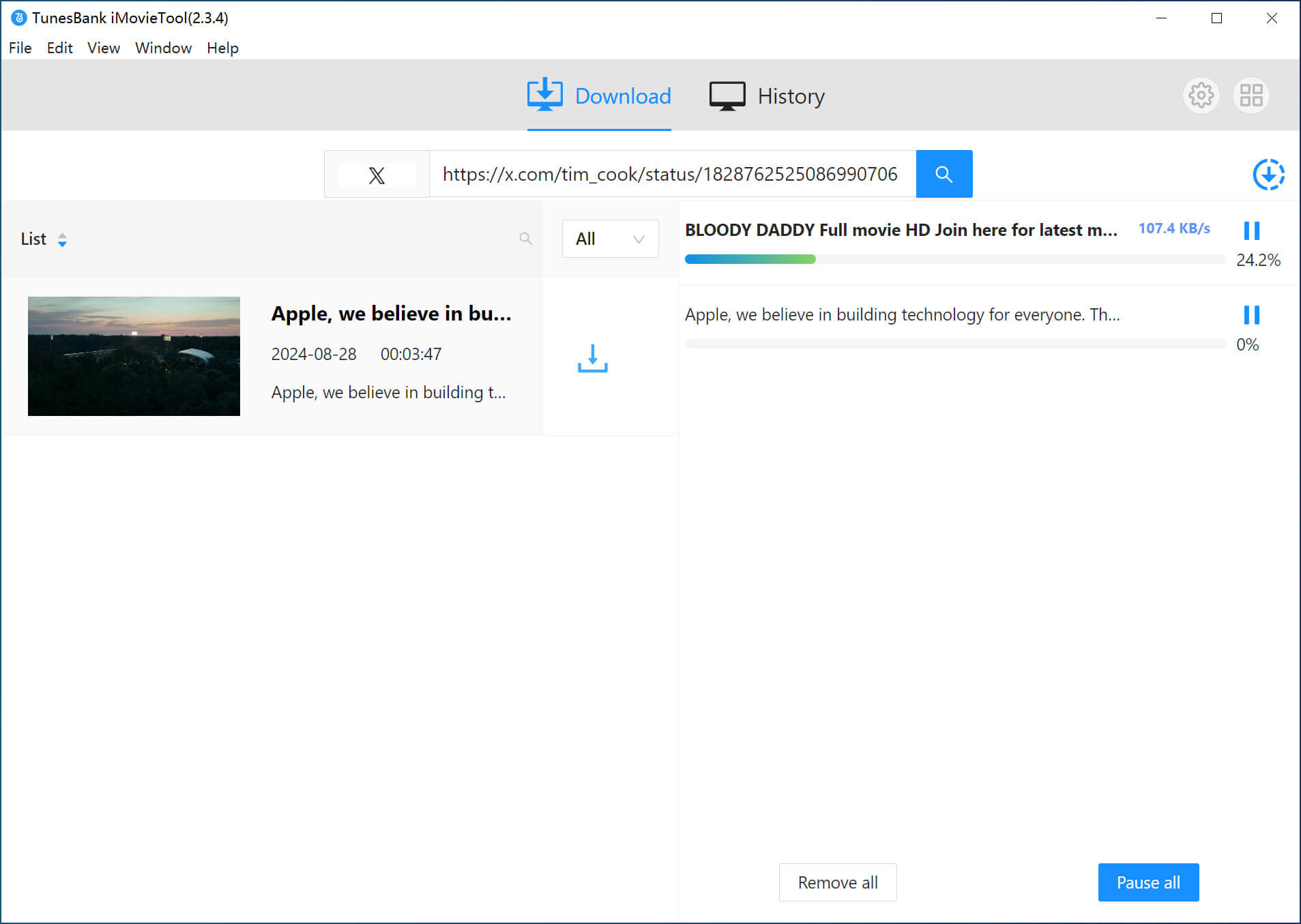
iMovieTool Video Downloader is a desktop-based video downloading solution available for Windows and macOS. It supports major OTT services and four social media platforms. Instead of installing separate tools for each streaming platform, users get eight integrated streaming video downloaders in one interface. Let's take a closer look at its lineup.
Support 8 OTT Streaming Platforms:
- iMovieTool Netflix Video Downloader
- iMovieTool Amazon Video Downloader
- iMovieTool DisneyPlus Video Downloader
- iMovieTool Hulu Video Downloader
- iMovieTool HBO Max Video Downloader
- iMovieTool Apple TV Plus Downloader
- iMovieTool Paramount Plus Downloader
- iMovieTool YouTube Video Downloader
Support 4 Social Media Platform (Completely Free to Use)
It also supports to download videos from Facebook, X/Twitter, Instagram, and TikTok to your computer for free, and save the video downloads as MP4/MKV files.
Key Features of iMovieTool Video Downloader
Overall, iMovieTool All-in-One Video Downloader brings stabler, safer, smoother, and more efficient functionality to make streaming video downloading a more hassle-free task to process. Now, let' see the main features of this tool:
#1. Download Videos from Major Streaming Platforms
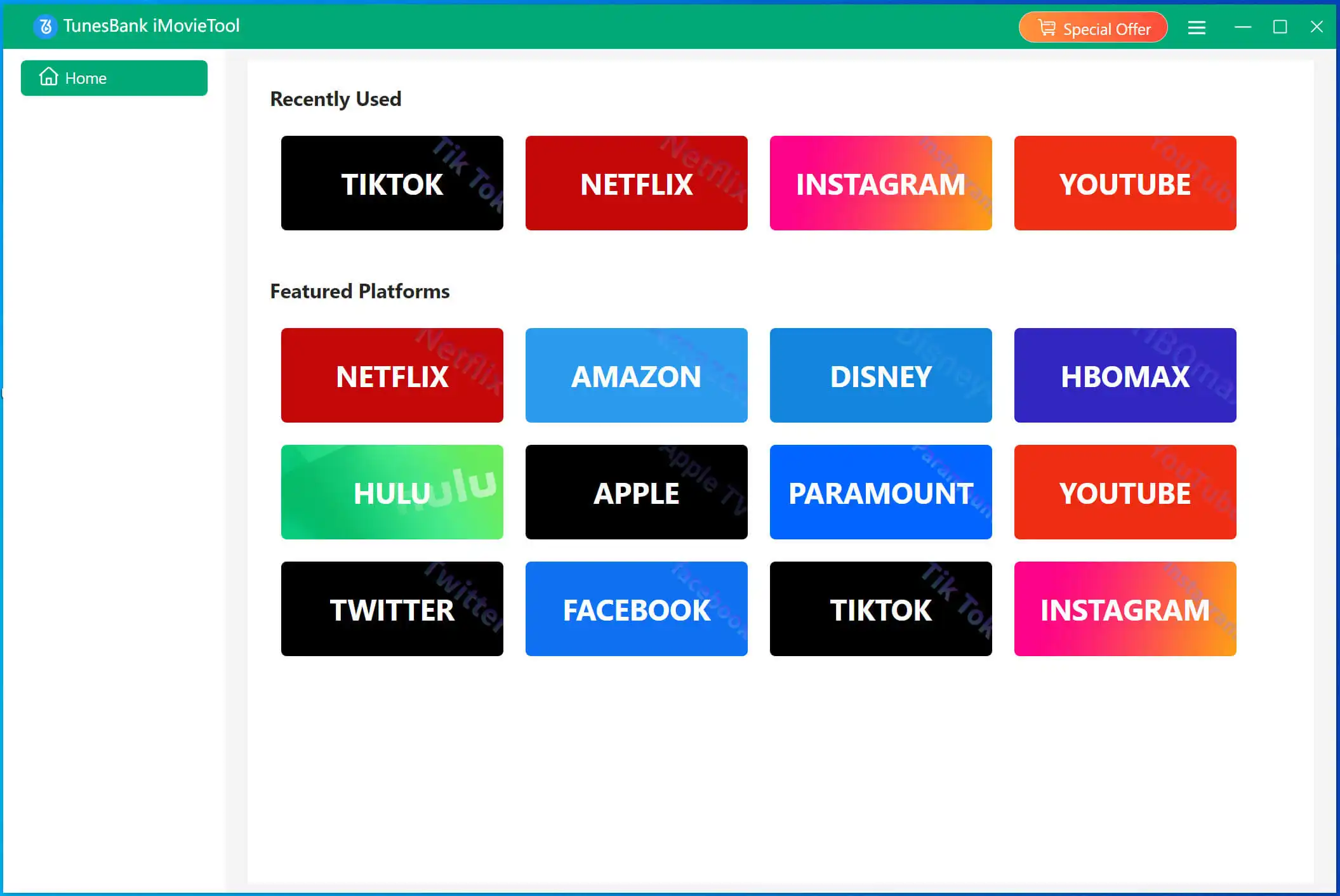
iMovieTool All-in-One Video Downloader is built to remove download limits from streaming platforms. It combines multiple individual downloaders into a single, unified program, including Netflix, Amazon Prime Video, Disney+, Hulu, Max (HBO Max), Paramount+, YouTube, Apple TV+, Twitter, Facebook, Instagram, and TikTok. By logging into your account through the software's secure, built-in browser, you can browse catalogs just as you would on the web. Using it, users can download DisneyPlus movies on laptop and enjoy offline playback.
#2. Save Movies & Shows in Easy-to-Play Formats
With iMovieTool Video Downloader, you can get to download movies, TV shows, and other video content from all famous streaming sites without the streaming app. The software lets you download and save movies, TV shows in common MP4 or MKV formats, which are universally supported across devices and media players. For Netflix users, you can use it to download Netflix to MP4 in 1080p. This allows you to watch your favorite movies on smart TV via USB drive, burn movies and episodes into DVDs, etc.
#3. 50X Fast Downloads & Batch Downloads
Unlike online video downloaders, iMovieTool delivers a smoother and stabler performance and higher success rate. The software utilizes advanced acceleration technology to achieve download speeds up to 50 times faster than real-time playback. What's more, it also allow the batch download so that you can batch add multiple movies or entire episodes/seasons to the download task at once. It takes about 5 minutes on downloading a two-hour movie as the network is stable.
#4. Download Streaming Videos in 1080P Quality
To ensure an excellent video viewing experience offline, iMovieTool Video Downloader downloads movies and shows from streaming platforms in high-quality formats such as 720p and 1080p. No matter whether for Netflix's best 4K video quality, Amazon Video's 1080p, or DisneyPlus's Dolby Atmos, the software can retain them.
#5. Multilingual Audio Tracks & Subtitles
iMovieTool not only preserves original audio tracks and subtitle options provided by streaming platforms, but also allows users to choose from multiple languages. For instance, if a movie on Disney+ has English, Spanish, and French audio options, you can choose one or download them all. This function makes it ideal for international viewers or language learners.
#6. Support for Three Types of Subtitles
iMovieTool Video Downloader also downloads movies and TV episodes with Soft subtitles, External subtitles, or Hard subtitles. You can download and save subtitles as individual SRT files in your preferred languages. This ensures compatibility with different players and your own preferences.
How to Use iMovieTool Video Downloader?
iMovieTool Video Downloader has a clean and user-friendly interface. The operation is straightforward, even for first-time users. Let's take Netflix as a step-by-step example to show you how to download Netflix videos to Windows PC, laptop. You can get the software on your computer in advance.
Step 1. Run iMovieTool and Select Netflix
Launch iMovieTool after installation. The downloader supports 12+ streaming sites, here we select Netflix from the platform list.
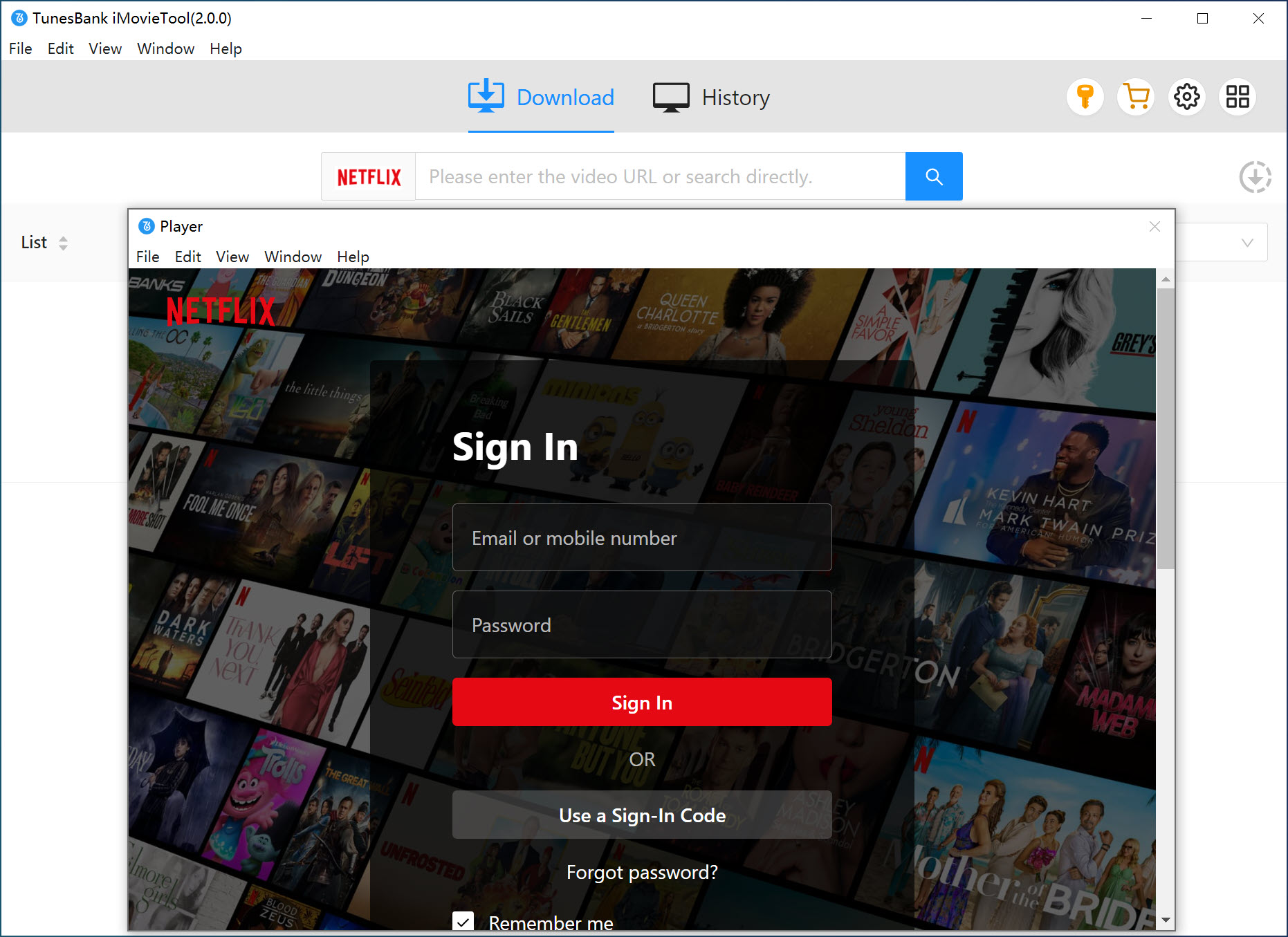
Step 2. Log in to Netflix Account
Log in using your Netflix account through the built-in web player. This ensures access to your subscription content securely.
Step 3. Configure Output Settings
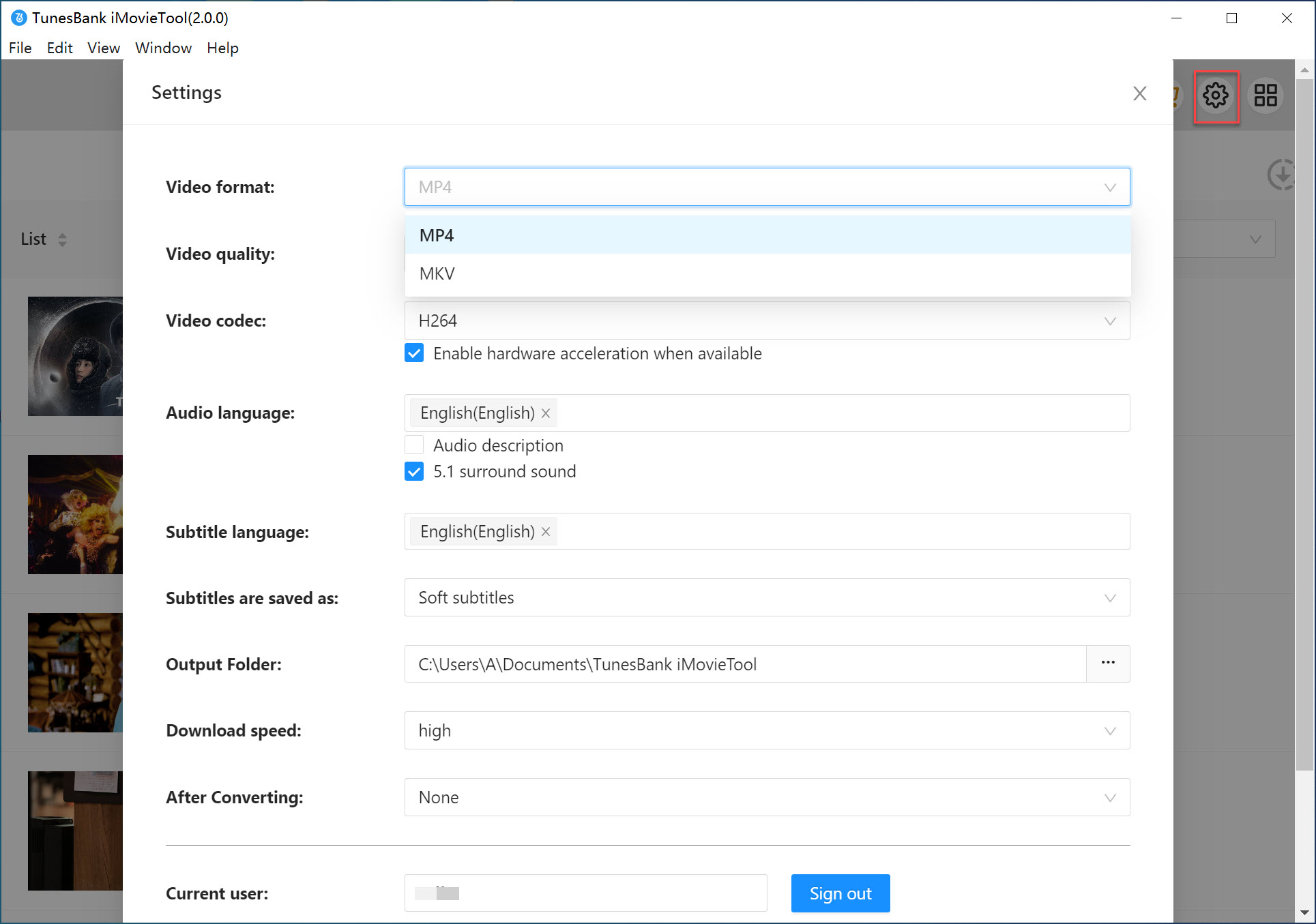
Before downloading, open the settings panel to customize:
● Output format (MP4 or MKV)
● Video codec (H264 or H265)
● Video resolution (up to 1080P)
● Audio language and subtitle preferences
● Output folder location
These settings apply to all downloads unless changed. Moreover, you may also set output settings for single video once you locate the title.
Step 4. Search for Movies or TV Shows
iMovieTool offers three ways to locate content:
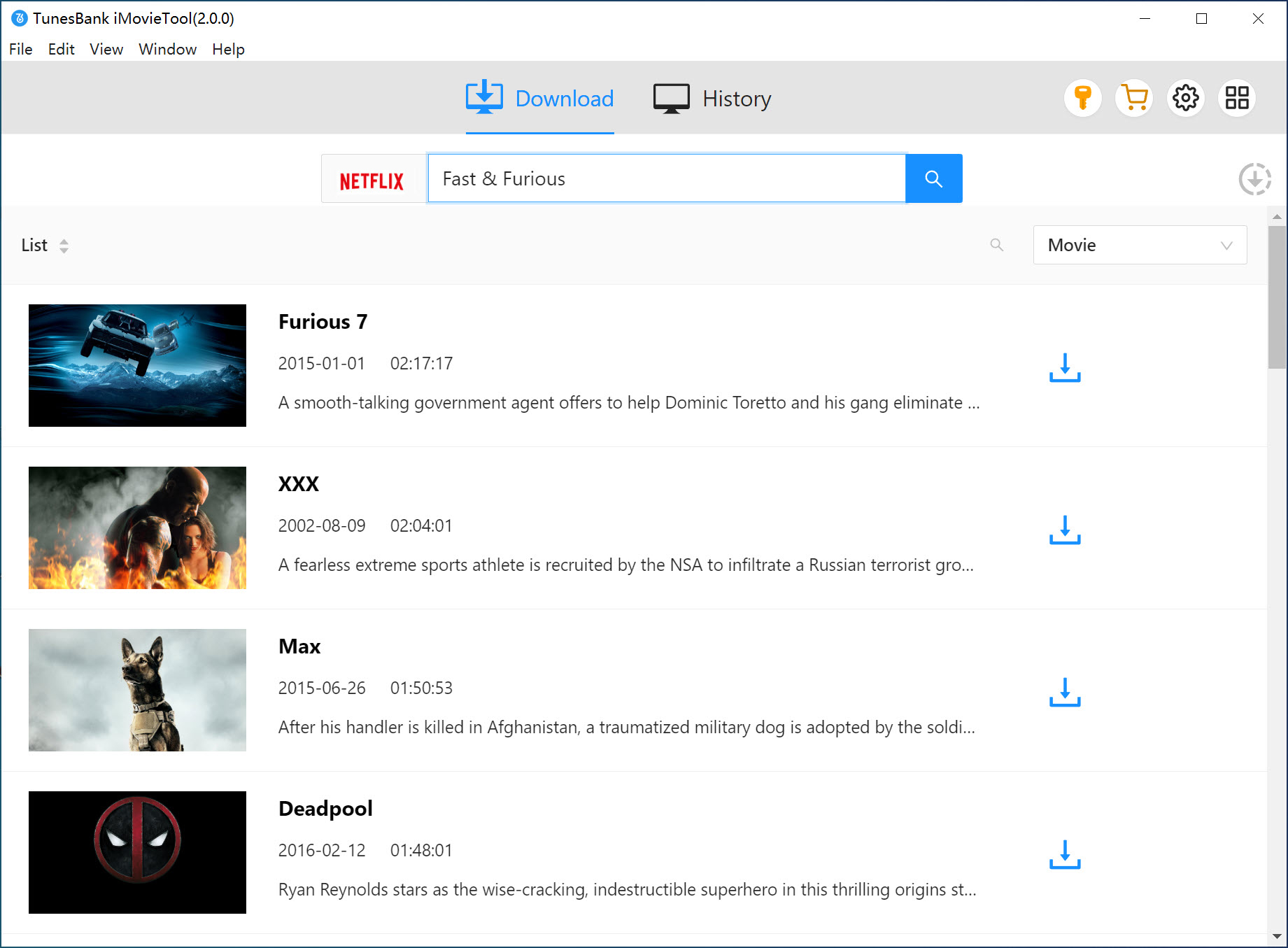
1# Using the title name: Tap "Search" tab first. Type the movie or series name into the search bar to find results instantly.
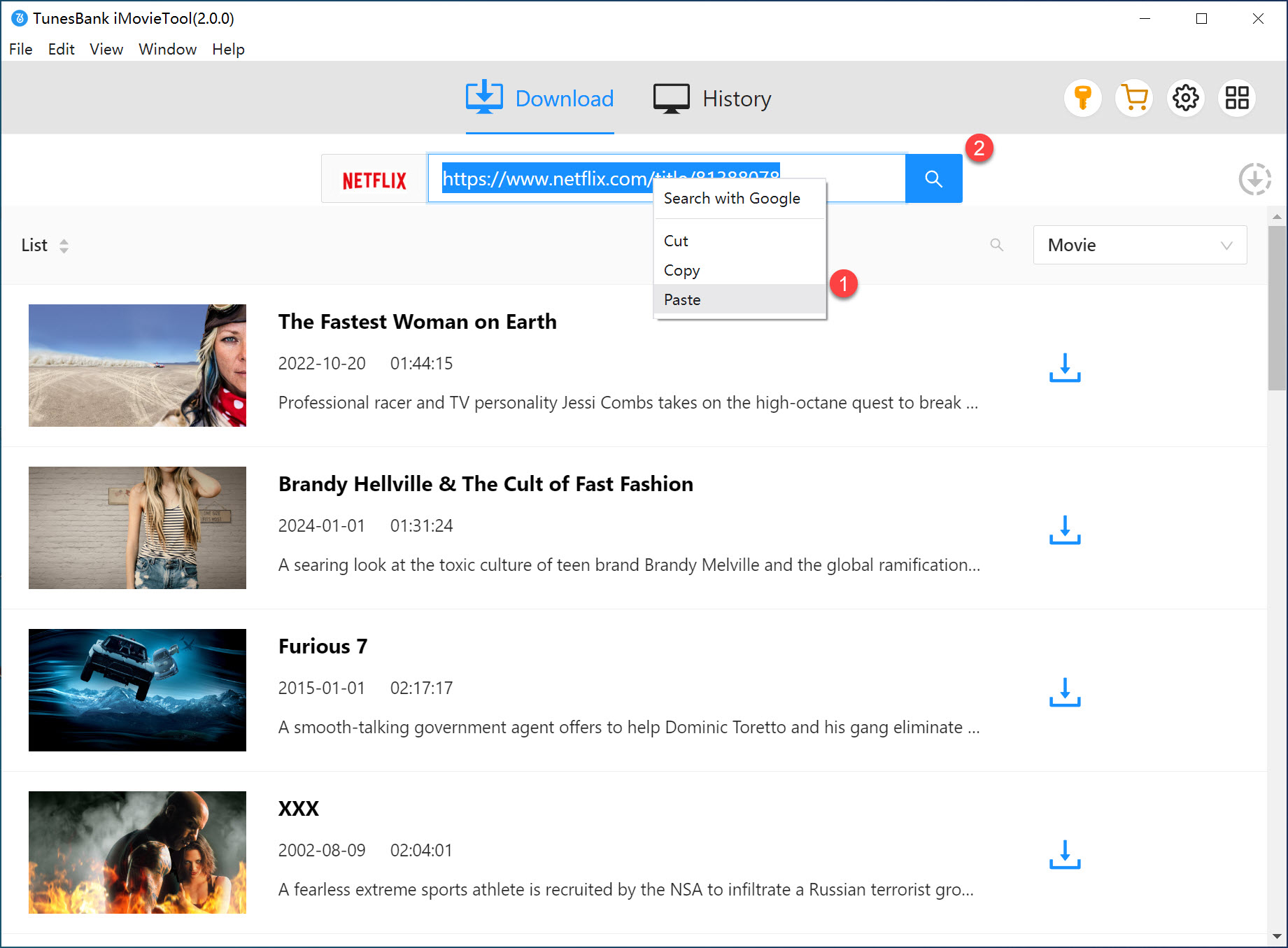
2# Using the URL: Paste the Netflix video URL directly into iMovieTool for quick access.
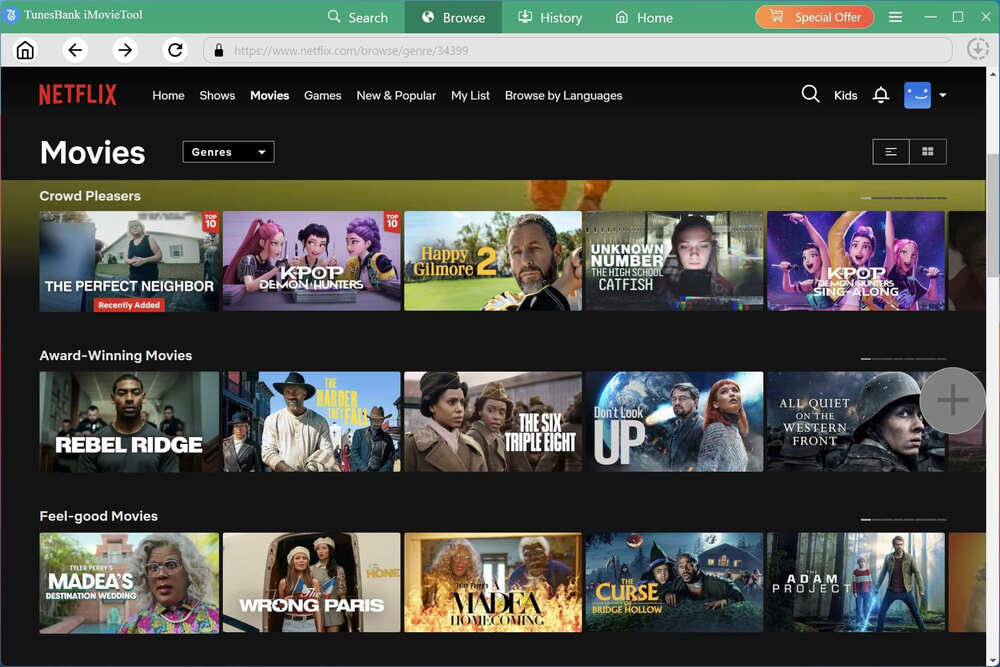
3# Browse online: Navigate to "Browse" tab, browse Netflix content inside the embedded browser just like using the official app. Open the title and click the green "+" icon to add it into the download queue.
Step 5. Download Netflix Videos to PC
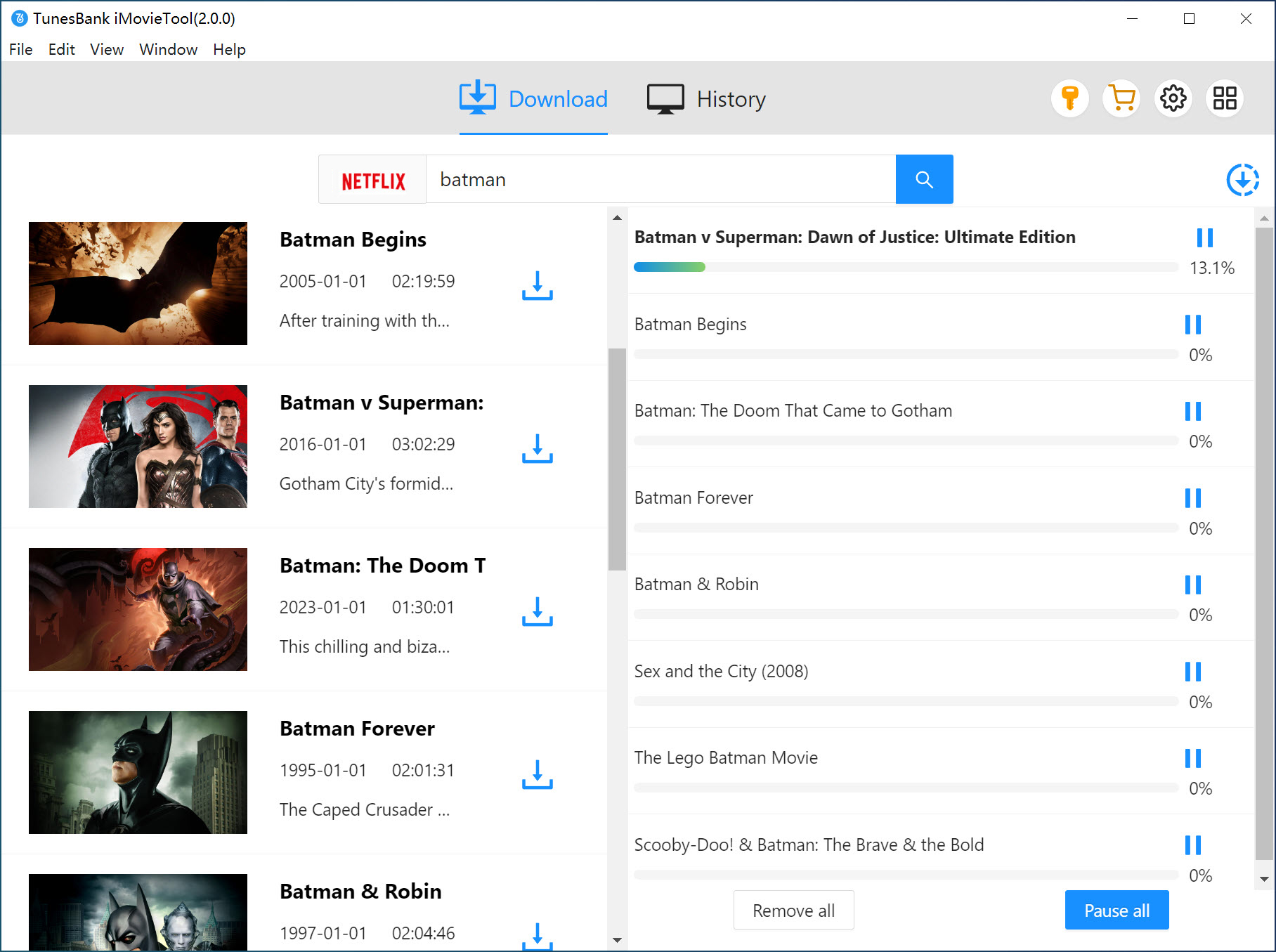
Select episodes or movies, confirm your preferences, and click the "Download" button next to the title. iMovieTool Video Downloader will process and save the Netflix videos to PC at high speed.
Step 6. Access Downloaded Netflix Videos
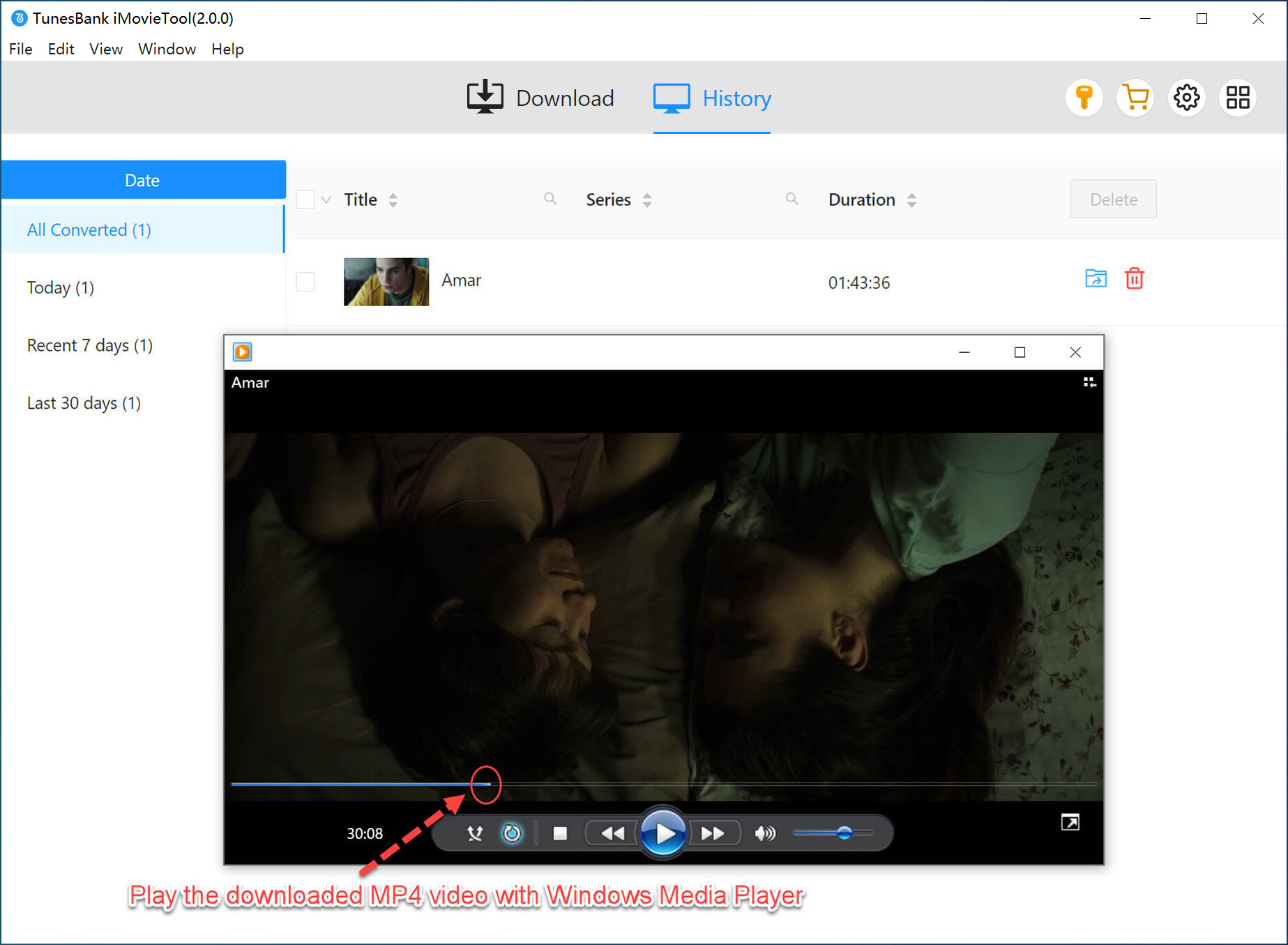
Once completed, go to "History" section. Your downloaded Netflix video files can be found in the local output folder. They are fully playable offline and transferable to any supported device. You can now watch these Netflix video offline using other players!
Pricing of iMovieTool All-in-One Video Downloader
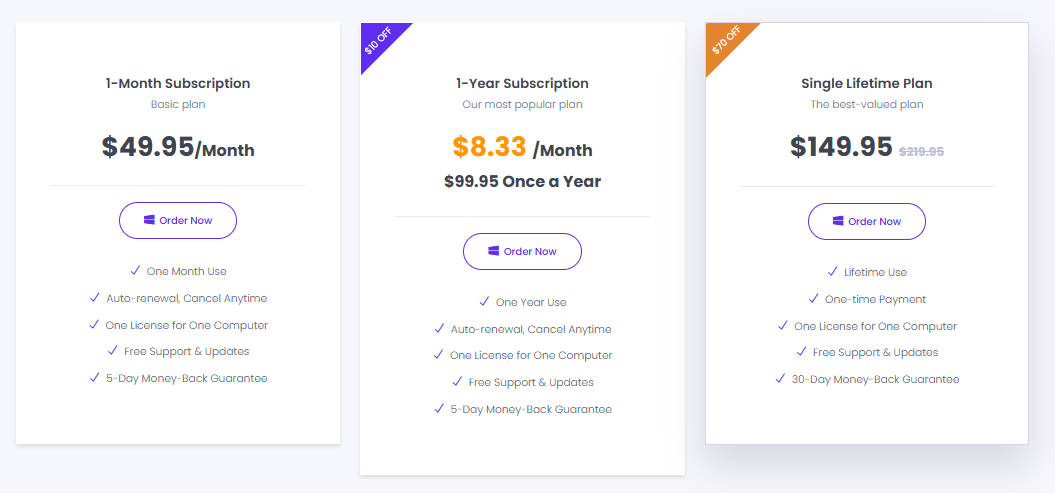
iMovieTool offers flexible pricing plans designed for different user needs. Compared with its single video downloaders, iMovieTool All-in-One Video Downloader offers more economical prices. Meanwhile, it delivers a free trial version for new users. You can use it to download the first six minute of each video for free within 30 days. Below are iMovieTool All-in-One Video Downloader's three optional plans available:
- Monthly Plan: US$49.5 - Ideal for short-term use
- Annual Plan: US$99.95 - Best value for regular users
- Lifetime Plan: US$149.95 - One-time purchase with lifetime updates
All plans usually include:
- Full feature access
- Unlimited downloads
- Regular software updates
- Technical support
For more detailed information, you can turn to iMovieTool Video Downloader online store and check.
Final Words
To sum up, iMovieTool Video Downloader enables you to download streaming videos in high quality from all major platforms and convert them into versatile MP4/MKV files. It surely brings more professional and powerful video download services, allowing you to have a more efficient and friendly experience of saving online OTT videos offline. Thus, you can have smoother and limitation-free video streaming offline. Now, freely try it and build your offline video library!
iMovieTool Video Downloader
Download Movies and TV Shows to Watch Offline Anywhere!
Comments
Sorry the comment has been closed.
Comments are off!