Netflix Video Downloader
iMovieTool Netflix video downloader helps you to download Netflix movies, TV shows, episodes, etc. on Windows and Mac computer at ease, convert Netflix video to MP4/MKV in 1080p with Dolby Atmos 5.1 audio and multilingual audio tracks & subtitles kept, so you can play Netflix offline on any devices.
*Tips: iMovieTool is a home edition for personal use only.


Download Unlimited Netflix Videos on PC and Mac
- iMovieTool Netflix Video Downloader is a professional Netflix downloader for Windows and Mac, which allows you to download any Netflix movies, TV shows, anime, documentaries, and more to watch offline. After downloading Netflix videos to MP4/MKV files, you can keep them on your computer permanently, and watching Netflix movies and shows offline on PC and Mac, and even transfer them to your iPhone, iPad, Android, TV, MP4 player and other devices for watching offline without using the Netflix account and Netflix app.
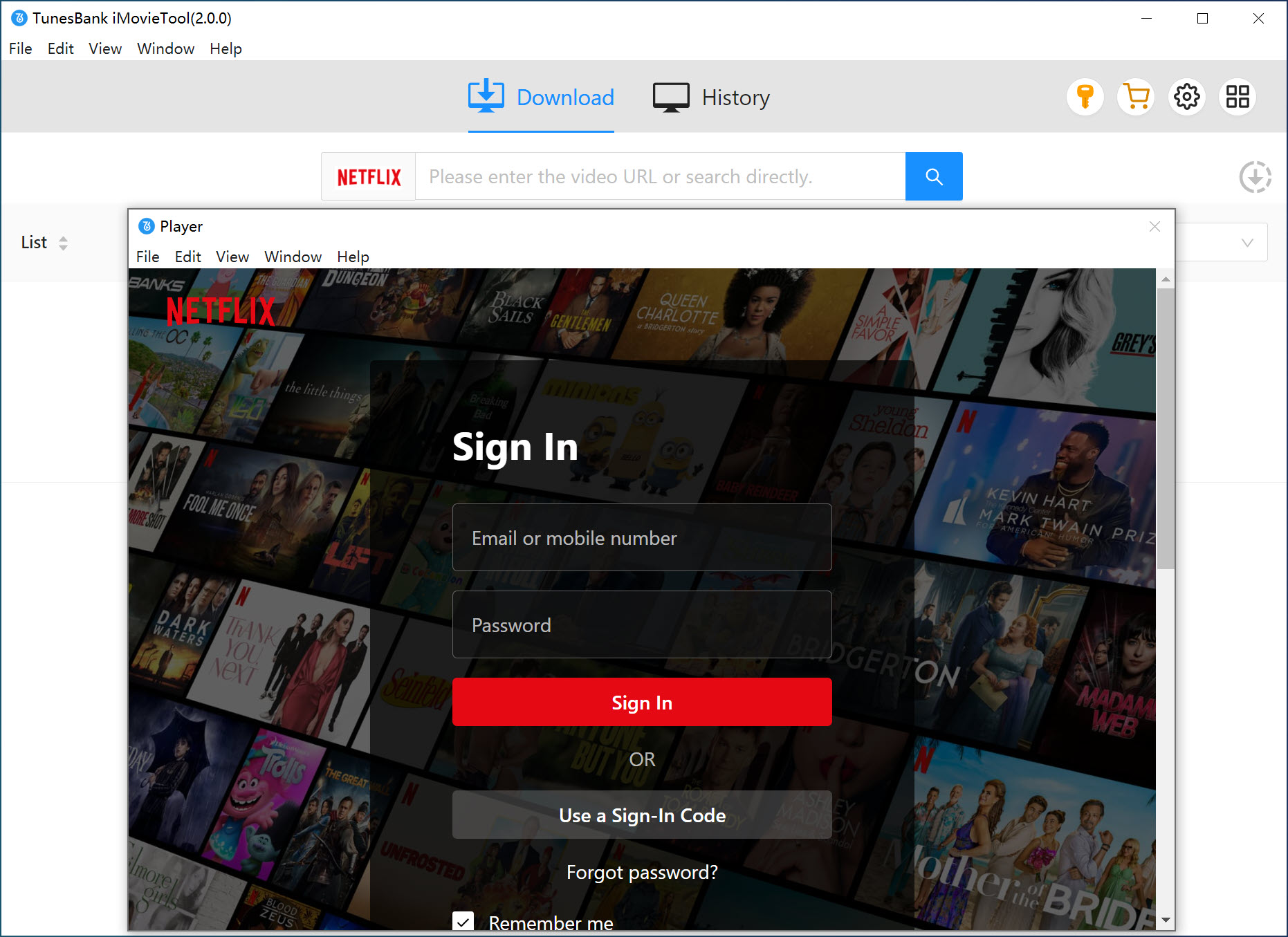
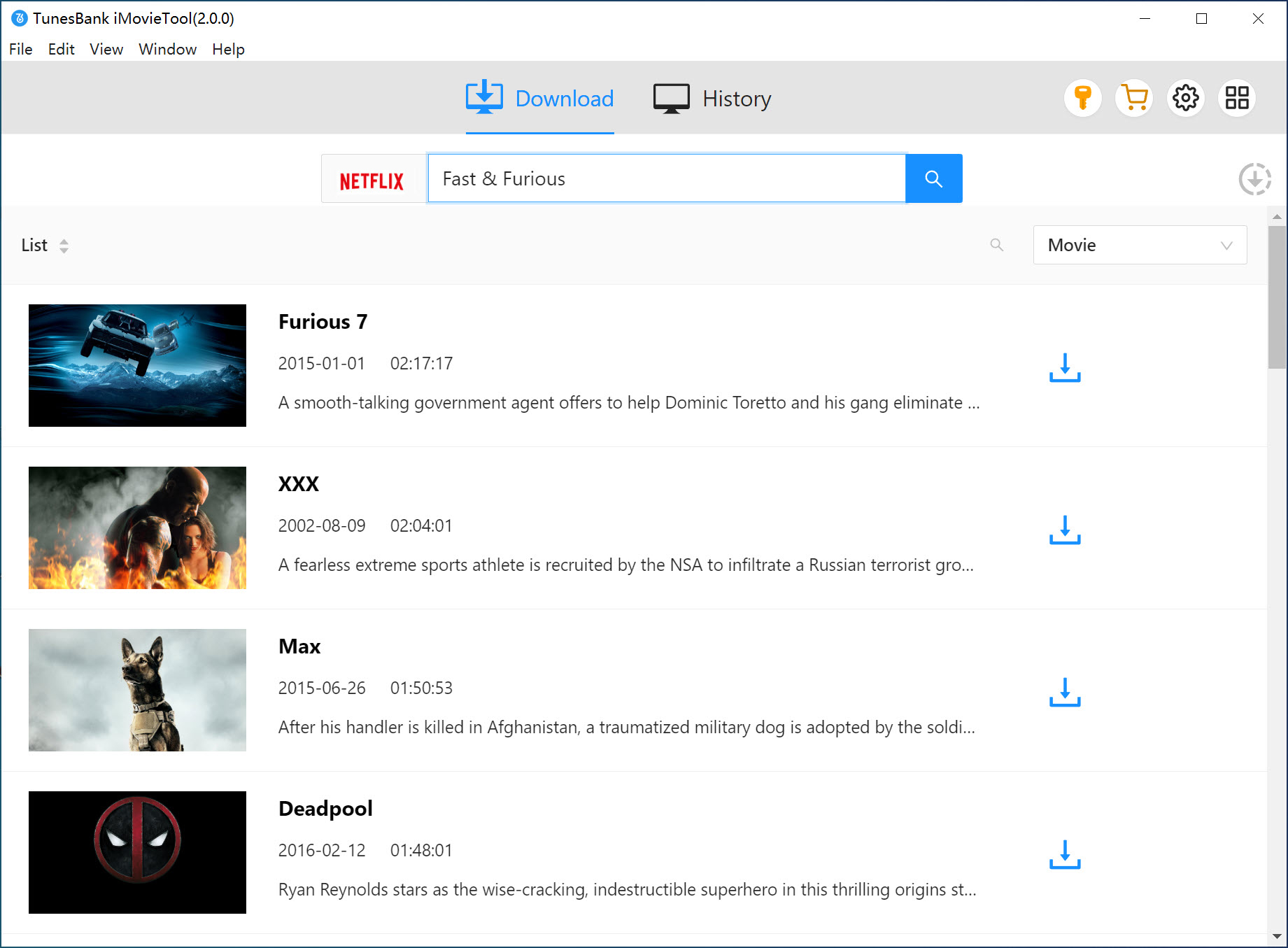
- iMovieTool embeds the built-in web browser for the Netflix Video library, so you can directly search and download movies/TV shows without using the Netflix app, effectively bypassing Netflix's official download limitations, and make your Netflix shows/movies downloads never expire.
Download Netflix Videos to MP4/MKV
- When you download videos from Netflix via Netflix official app, the Netflix downloads save as NFV format, which are protected by Digital Rights Management (DRM) to prevent unauthorized playback or share, and those downloaded NFV videos only available playback in the Netflix app during the valid subscription period.
- With iMovieTool Netflix Video Downloader, you can effortlessly download Netflix movies and TV shows to MP4/MKV formats in 1080p FHD and UHD. These downloaded Netflix videos can be stored on your computer forever, you also can transfer them to any device for watching offline, no time limit!


Download Netflix Video with 1080p FHD and UHD
- Netflix only offers download feature for mobile devices, but not on PC, Mac and smart TVs. Although Netflix downloads on mobile phones offer up to 1080p (HD) quality and even 4K, but those downloads occupy too much of the phone memory. Worse, you can’t watch them once Netflix subscription ends.
- To download HD movies or TV shows from Netflix to watch offline in a big screen computer, laptop or smart TV, iMovieTool can help you downloaded Netflix movies and TV shows in 1080p FHD and UHD on Windows and Mac computer, even up to 4k resolution (when origin video offers), providing you with a cinema-like offline viewing experience.
Multilingual Audio Tracks and Subtitles Preserved
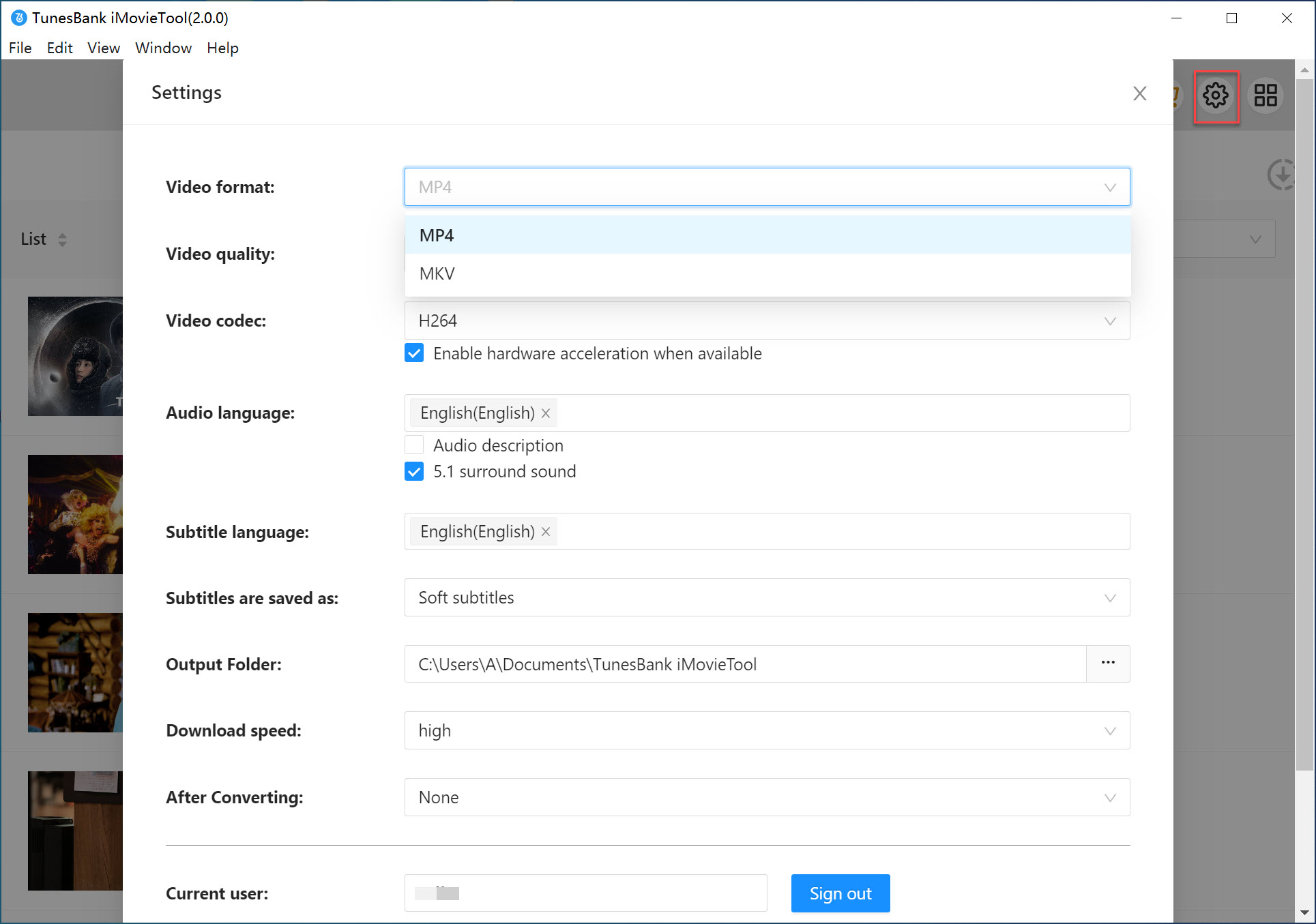
- iMovieTool supports to download movies, episodes and TV shows from Netflix while audio tracks and subtitles in multi-language like English, 日本語, Italiano, Deutsch, Français, Español, 한국어, Čeština, Dansk, 简体中文, etc. You can easily to customize audio tracks language and subtitles preferences to get a better viewing experience that best fits your needs.
- iMovieTool also preserve 5.1 surround sound and Dolby Atmos audio quality for downloaded Netflix movies, providing a stunning and immersive viewing experience.


Batch Download Netflix Videos with 50X Fast Speed
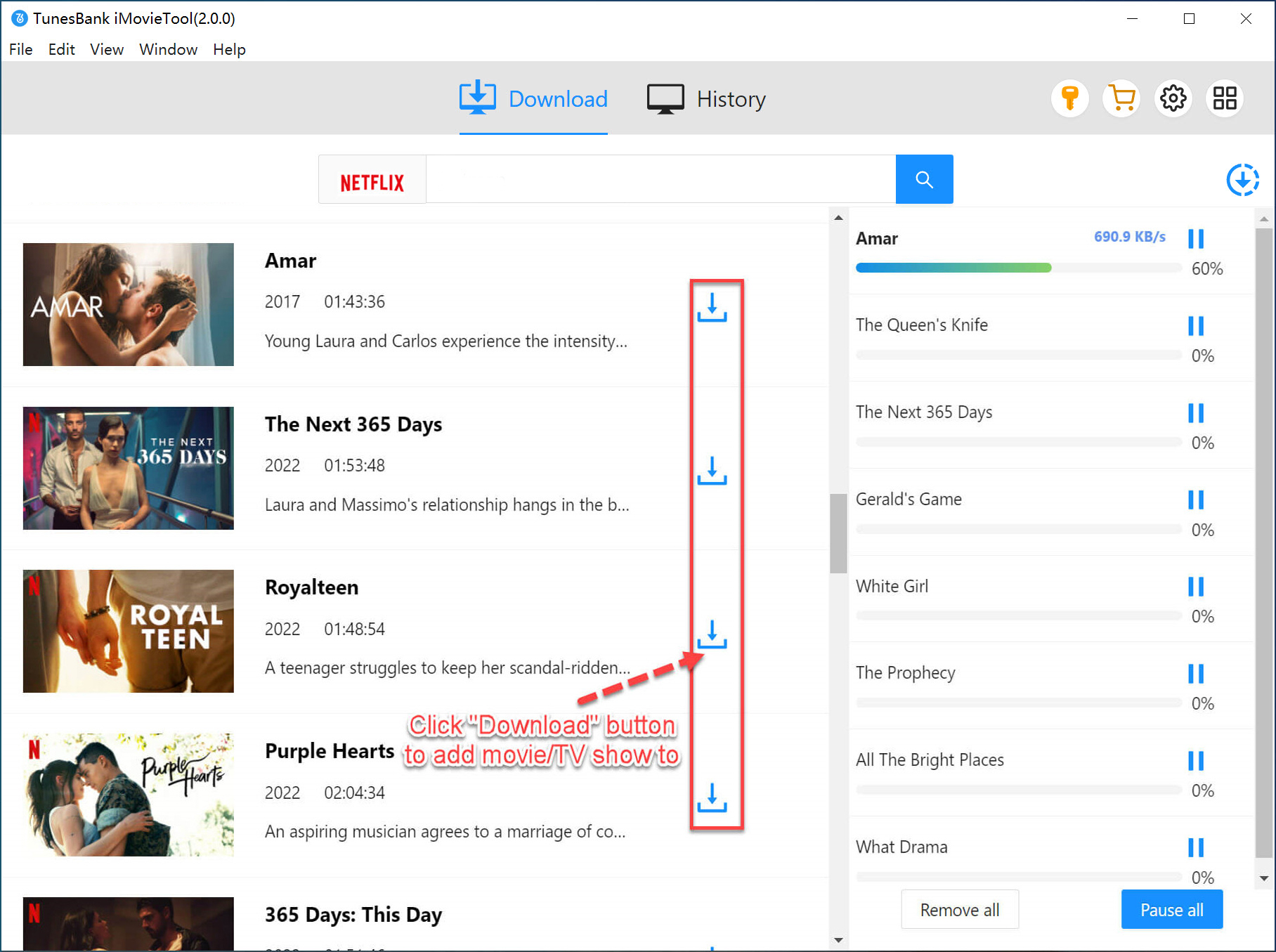
- iMovieTool uses powerful hardware acceleration and streaming integration to boost downloading speed up to 50X fast, which faster that Netflix official app itself, so you can save lots of time to download any Netflix movies or TV shows on Windows and Mac.
- Besides, iMovieTool also supports batch download feature, you can download any Netflix videos in bulk. With few clicking, you can download multiple videos or a whole season at a time, effectively bypassing Netflix's official download limitations.
Watch Netflix Movies and TV shows Offline on Any Device
- There are many limits in Netflix downloads, you can only download videos on mobile devices, it depend on your plan and the title, with restrictions like number of devices, total downloads per month (15 for ad-supported), and per-title download caps due to licensing. You can have up to 100 downloads at once on ad-free plans.
- As one of the best Netflix video downloaders available, iMovieTool can bypass Netflix download restrictions and download Netflix videos as MP4/MKV. After downloading completed, you can watch Netflix videos offline on Windows/Mac computer, and transfer them to any devices for playing offline anytime and anywhere.
More Feature-Rich to Make Netflix Video Downloads More Effective & Easy
 Built-in Browser
There is a built-in web browser in iMovieTool, which is directly link to Netflix Video library for downloading any content easily.
 Download Ads-free Netflix Videos
Download Netflix videos without any ads, even you're use ad-supported plan.
 H264/H265 Video Codecs
iMovieTool allows you to download Netflix videos in H.265(HEVC) and H.264, you can custom video quality and file sizes for Netflix downloading.
 Resume Interrupted Downloads
iMovieTool automatically resumes interrupted downloads after the computer crashes or pauses. You can exit the program and restart download process again seamlessly.
 Preserve Original Metadata Info
iMovieTool supports to save complete ID3 tags and metadata like title name, cover, year, etc. So, you can conveniently categorize and manage them for editing or other usage purposes.
 Multi-Language Interface Supported
iMovieTool supports 14 interface languages, including English, Deutsch, Español, Français, Italiano, 日本語, Čeština, Dansk, Indonesian, Melayu, 한국인, 简体中文, 繁體中文, Türkçe, and more.
See Why Users Love iMovieTool Netflix Downloader

iMovieTool is one of the best Netflix Video Downloaders that I have ever used, it helps me quickly download Netflix movies to MP4 or MKV format in 1080P Full HD resolution. Therefore, you don't need to worry about slow internet speed affecting your viewing experience.

Hebe

Powerful software. I have try three different software to download videos from Netflix no longer works, but this desktop app DOES work. iMovieTool Netflix downloader really helps me download and convert Netflix videos to MP4 lossless.

Marcus Schween
iMovieTool is a easy to used Netflix video download tool that I have ever used. I have bought the full license to unlock all features, now I can download movies and TV series seasons from Netflix on Windows 11 laptop, it really helps me keep my Netflix downloads forever.

Stephan Lisa
When I was looking for how to download Netflix movies on Macbook, I found iMovieTool Netflix Video Downloader. The software is easy to use and downloads quickly. It supports 1080p downloads, and also supports downloading movies with multiple languages and subtitles. Now, I can watch Netflix movies offline on my Macbook.

Elizabeth Jackson
I can download movies and TV seasons via Netflix app on iPhone and iPad, but I lose access to all previously downloaded shows and movies once my subscription expired. I use this iMovieTool Video Downloader to download movies and TV shows from Netflix on computer, all downloaded videos are saved onto my computer for offline viewing, I also can put them on a USB to watch anywhere, anytime. iMovieTool is software worth buying.

Richard JENNIE
FAQs
Guides

Netflix Video Downloader
Best Netflix downloader to download Netflix movies and TV shows to MP4/MKV in 1080p.